Recipe Book
By default, it automatically adds all custom recipes to the “Recipes” Category in the Recipe Book.
The recipe book categories can be edited using the recipe_book.json file.
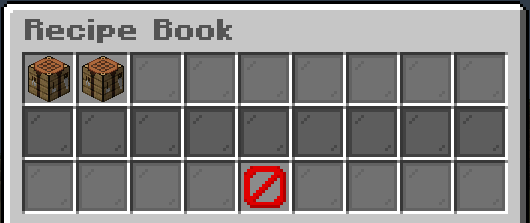
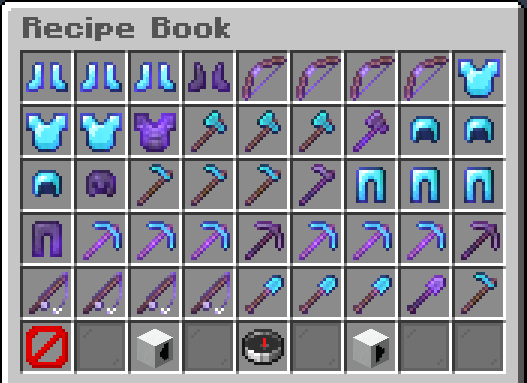
To open and view the recipe book, you need the permission:
customcrafting.inv.recipe_book.*
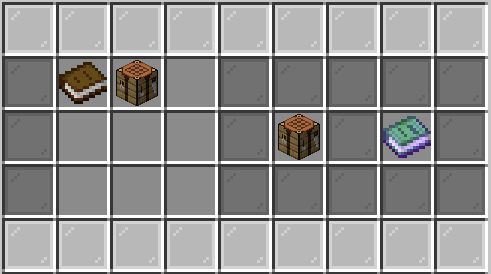
CustomCrafting provides a default CustomItem, that opens the plugins' recipe book when interacted with.
You can get the item via /cc give customcrafting:customcrafting/recipe_book,
or via the default recipe:
You can simply open the Book using /recipes.
Permission: customcrafting.cmd.recipes
(Since CC 3.16.1)
You can view a single recipe using the command /recipes lookup customcrafting:<folder>/<recipe_key>
Permission: customcrafting.cmd.recipes_lookup
These options allow you to customize the main menu of the Recipe Book that displays the categories.
align (default: LEFT) - The predefined way of aligning the categories.
maxPerRow (default: 9) - The maximum amount of categories per inventory row.
minRows (default: 2) - The minimum amount of rows used to display the categories. (Max: 5)
customSlots (default: {}) - Mapping of category IDs to custom slots. (e.g. { default: 3, customcrafting: 5 })
Aligns the items in the center of the inventory,
keeping them together in the center as much as possible.
If the amount of categories is a power of two, then there may be an empty slot in the middle.
Aligns the items in the center of the inventory,
keeping an equal amount of spacing between items
while keeping them as much in the center as possible.
Keeps the same space between the categories as far as possible.
When equal spacing cannot be achieved between each item, then
it makes smaller clusters and spaces those equally instead.
Aligns the items to the left of the inventory.
Aligns the items to right of the inventory.
Aligns the items using the specified priority. It first tries to put the items on the left and right of the inventory. When there is a remaining item it is put into the middle.
Aligns the items using the specified priority. It first tries to put the items on the left and right of the inventory. When there is a remaining item it is moved to the left.
Aligns the items using the specified priority.
It first tries to put the items on the left and right of the inventory.
When there is a remaining item it is moved to the right.
Categories are displayed in the main menu of the Recipe Book and are the first thing a player sees.
They are used to group recipes and folders by topics or other things relevant to the gameplay.
The options list contains all the configured categories.
The sort list allows you to specify the order of the categories.
id - Each category requires a unique ID.
icon - The material of the icon.
name - The display name of the category.
description - The lore of the category item.
groups - The recipe groups to include.
folders - The folders to include.
recipes - The recipes to include.
auto - Automatically includes all the available recipes.
Filters are displayed in each category and allow filtering of recipes and folders by group, folder, recipe, and material.
So for example a food filter, that only displays food items.
The options list contains all the configured filters.
The sort list allows you to specify the order of the filters.
id - Each filter requires a unique ID.
icon - The material of the icon.
name - The display name of the filter.
description - The lore of the filter item.
groups - The recipe groups to include.
folders - The folders to include.
recipes - The recipes to include.
materials - The type of items to include.
creativeModeTabs - The type of items to include based on the creative mode tabs. (Broken in MC 1.19.3+ Yet to implement a workaround!)
Custom Recipes will not show up in the vanilla recipe book due to limitations.
2.16+ allows you to enable recipes to be shown inside the vanilla recipe book, but still with the limitations.
Limitations:
- Ingredients don't support any NBT and won't be displayed in the UI.
- Auto-completion will ignore any NBT of the ingredients