Crafting Recipes
Creating a crafting recipe is very easy. The normal recipes and advanced recipes are created via the same GUI.
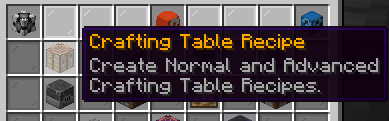
Place the items you want into the ingredient and result slot.
You can Shift + Right-Click on each slot to configure multiple items for the result or variants for ingredients.
e.g.:
Advanced Crafting Table: Using the condition menu on top you can enable the recipe to only work inside the Advanced Crafting Table.
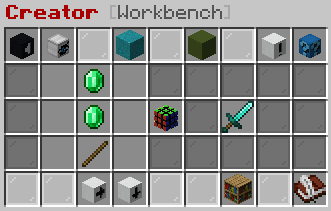
Click on "Save as..." Button (Bottom right, Book) and type in the namespaced key.
e.g./wui warrior emerald_sword
Wherewarrioris the namespace andemerald_swordthe key of the recipe.
If you are editing a recipe it will also display a "Save" button, which will save the recipe with the namespaced key of the recipe you are editing.
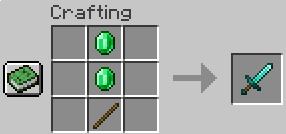
For crafting recipes you can enable the advanced option. This option allows the recipe to be crafted inside the Advanced Crafting Table only.
{
    "@type" : "customcrafting:crafting_shapeless",
    "group" : "",
    "hidden" : false,
    "vanillaBook" : false,
    "priority" : "NORMAL",
    "checkNBT" : true,
    "conditions" : {
        "values" : [ /* Conditions */ ]
    },
    "result" : { /* Result settings */ },
    "ingredients" : [
        {
          //Ingredient settings
        },
        //...ingredients
    ]
}{
"@type" : "customcrafting:crafting_shaped",
"group" : "",
"hidden" : false,
"vanillaBook" : false,
"priority" : "NORMAL",
"checkNBT" : true,
"conditions" : {
"values" : [ /* Conditions */ ]
},
"result" : { /* Result settings */ },
"symmetry" : {
"horizontal" : false,
"vertical" : false,
"rotate" : false
},
//Shape that represents the 3×3 grid.
//Use spaces for empty slots. Rows and Columns, that are completely empty
//can be left out.
"shape" : [ "123", "456", "789" ],
"ingredients" : {
"<key_in_shape>": { /* Ingredient settings */ }
}
}