
   ██████  ██████  ██   ██ ██████  █████   █████  ██████  █████  ██████
  ██░░░░  ██░░░░██░██  ░██░░██░░████░░░██ ██░░░██░░██░░████░░░██░░██░░██
 ░░█████ ░██   ░██░██  ░██ ░██ ░░░██  ░░ ░███████ ░██ ░░░███████ ░██ ░░
  ░░░░░██░██   ░██░██  ░██ ░██   ░██   ██░██░░░░  ░██   ░██░░░░  ░██
  ██████ ░░██████ ░░██████░███   ░░█████ ░░██████░███   ░░██████░███
 ░░░░░░   ░░░░░░   ░░░░░░ ░░░     ░░░░░   ░░░░░░ ░░░     ░░░░░░ ░░░
  r  e  a  d     c  o  d  e     l  i  k  e     a     w  i  z  a  r  d

 sourcerer by xero harrison (http://sourcerer.xero.nu)
  ├─ based on sorcerer by Jeet Sukumaran (http://jeetworks.org)
  └─ based on mustang by Henrique C. Alves (hcarvalhoalves@gmail.com)
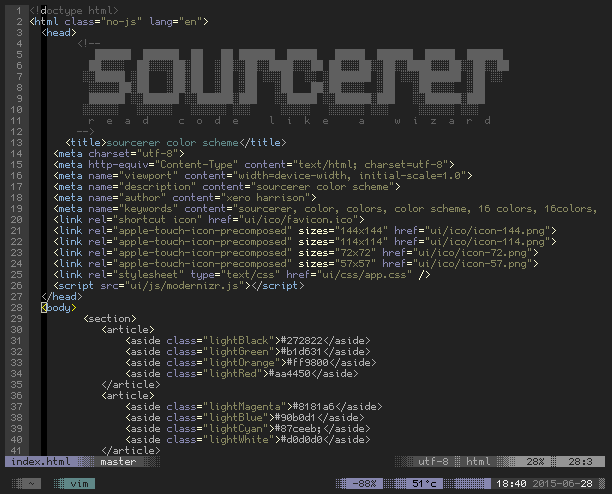
add the repo url via your favorite vim package manager. e.g for vundle: Plugin 'xero/sourcerer.vim'
copy the colors folder in this repo to your ~/.vim or ~/.config/nvim directory
then in your ~/.vimrc or ~/.config/nvim/init.vim add colorscheme sourcerer and turn :syntax on
note: if installing via plugin, you must set the colorscheme variable after including the plugin in your config file.
sourcerer is also available as a color scheme for Xresources aware terminals, iterm, and the framebuffer at sourcerer.xero.nu