An educational and experimental platform for controlling a reaction wheel inverted pendulum (RWIP) based on VBCore32G4 MCU modules. The project includes a description of the system dynamics, control algorithms, and a guide for working with the hardware platform.
The pendulum is capable of operating in the following modes:
- Swing-up (Energy-Shaping Control)
- Stabilization in the upright position (LQR)
- Braking in the downward vertical position (Energy-Shaping Control)
The repository provides a seamless workflow from theory to hardware implementation. It is well-suited for control theory or robotics courses and projects, as well as for individuals interested in mastering the control of unstable systems.
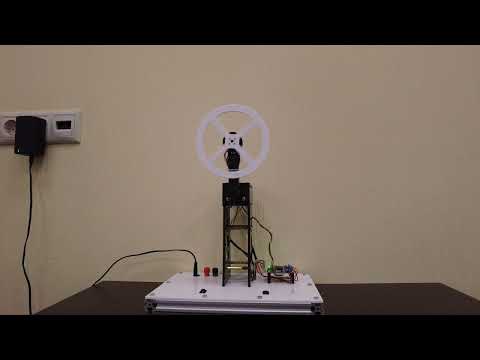
- Python notebook for modeling and control synthesis
- Fully functional microcontroller firmware
- Windows GUI-application
Firmwarewheel_pendulum_practicum.ino– microcontroller firmware for using in theoretical partrwip_for_gui- firmware compatible for working with GUI-application
Pythonmodel.ipynb– pendulum models + control synthesis
- 'rwip_gui' - Windows GUI application for working with the inverted pendulum (sending commands and plotting data)
There are two ways for working with the Inverted Pendulum.
- Install and configure all the neccesary software via the instruction manual.
- Install RWIP_GUI via rwip_gui_1.0.0_install.exe. It is standard installation wizard. Just run it and follow the instructions on the display.
- Flash the microcontroller with the firmware rwip_for_gui
- Open RWIP_GUI and use it for controlling the pendulum.
- Install and configure all the neccesary software via the instruction manual.
- You can immediately flash the microcontroller with the firmware wheel_pendulum_practicum
- After powering the pendulum control board, wait until the motor initialization completes. Then press the USR button to start the control system.
- To better understand the pendulum control theory, learn our course Dynamics and Control of a Reaction Wheel Inverted Pendulum.