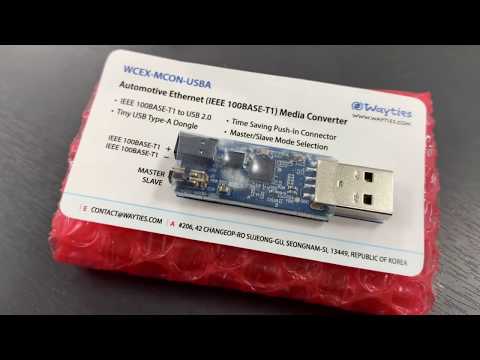
- IEEE 100BASE-T1 to USB 2.0
- Tiny USB Type-A Dongle
- Time Saving Push-In Connector
- Master/Slave Mode Selection
- FCC*/CE/KC/RoHS (*Report Only for SDoC)


For more details, refer docs/WCEX-MCON-USBA-UG-001-EN.pdf
In Microsoft Windows 10, NIC driver would be installed automatically.
If you used two or more WCEX- MCON-USBA devices in a network, each device should have own network addresses, so you need to check and modify Network Address.
- Clone driver patch and installation script from our git repository.
git clone https://github.com/wayties/mcon ~/mcon
- Download linux driver of Microchip’s LAN9500A at following link.
https://www.microchip.com/SWLibraryWeb/producttc.aspx?product=SRC-LAN95xx-LINUX
- Move Microchip’s LAN9500A driver to linux driver directory.
mv lan9500_linux_1.02.05.tar.gz ~/mcon/drivers/linux
- Run DKMS installation script with sudo (root permission)
cd ~/mcon/drivers/linux
sudo ./dkms.sh