




Format an OpenAPI document by ordering, formatting, filtering, and applying overlays to OpenAPI documents.
The openapi-format CLI can sort the OpenAPI fields by ordering them in a hierarchical order, format the casing of the fields and output cleanly indented JSON or YAML.
Additional features include powerful filtering options based on flags, tags, methods, operationIDs, and even unused components. To quickly standardize OpenAPI documents there is support for generating the operationIds and apply casing rules for consistency.
The CLI can split large OpenAPI documents into modular, multi-file structures for easier management. For upgrades, the openapi-format CLI offers the option to convert an OpenAPI 3.0 or 3.1 document to OpenAPI 3.1 or 3.2.
With the OpenAPI Overlay support, users can overlay changes onto existing OpenAPI documents, to extend and customize the OpenAPI document.
- Use-cases
- Features
- Online playground
- Installation
- Command Line Interface
- OpenAPI format CLI options
- OpenAPI sort configuration options
- OpenAPI formatting configuration options
- OpenAPI filter options
- OpenAPI generate elements
- CLI sort usage
- CLI filter usage
- CLI OpenAPI overlay usage
- CLI generate usage
- CLI casing usage
- CLI split & bundle usage
- CLI rename usage
- CLI convertTo usage
- CLI configuration usage
- Programmatic usage
- Credits
Public documentation: An OpenAPI document is a specification that evolves and changes. To facilitate working with the specification and publishing the document as public documentation, you want to deliver a clean and structured specification. OpenAPI-format helps you to organize the fields by sorting, formatting and filtering specific elements from the OpenAPI like internal endpoints, beta tags, ... and even unused schemas, examples, responses, ... with a clean and optimized OpenAPI document as a result.
Maintenance: When working on large OpenAPI documents or with multiple team members, the file can be become messy and difficult to compare changes. By sorting & formatting from time to time, the fields are all ordered in a structured manner & properly cased, which will help you to maintain the file with greater ease.
CI/CD pipelines: OpenAPI-format can be useful in CI/CD pipelines, where the OpenAPI is used as the source for other documents like Web documentation, Postman collections, test suites, ...
- Order OpenAPI fields in a default order
- Order OpenAPI fields in a custom order
- Order Components elements by alphabet
- Filter OpenAPI files based on methods
- Filter OpenAPI files based on flags
- Filter OpenAPI files based on flags values
- Filter OpenAPI files based on tags
- Filter OpenAPI files based on operationID's
- Filter OpenAPI files based on operations definition
- Filter OpenAPI files based on response content-types
- Format the casing (camelCase,PascalCase, ...) of component elements
- Apply OpenAPI Overlay actions
- Strip flags from OpenAPI files
- Strip unused components from OpenAPI files
- Generate OpenAPI elements for consistency
- Bundle local and remote references in the OpenAPI document
- Split the OpenAPI document into a multi-file structure
- Convert OpenAPI 3.0 documents to OpenAPI 3.1 or 3.2
- Convert OpenAPI 3.1 documents to OpenAPI 3.2
- Rename the OpenAPI title
- Support OpenAPI documents in JSON format
- Support OpenAPI documents in YAML format
- Format via CLI
- Format via local or remote config files
- Use as a Module
- Support for OpenAPI 3.0
- Support for OpenAPI 3.1
- Support for OpenAPI 3.2
- Online playground (playground.openapi-format.com)
The OpenAPI-Format Playground is a web-based tool for formatting, sorting, filtering, previewing, and comparing OpenAPI documents, powered by the openapi-format CLI.
You can also explore the website at openapi-format.com.
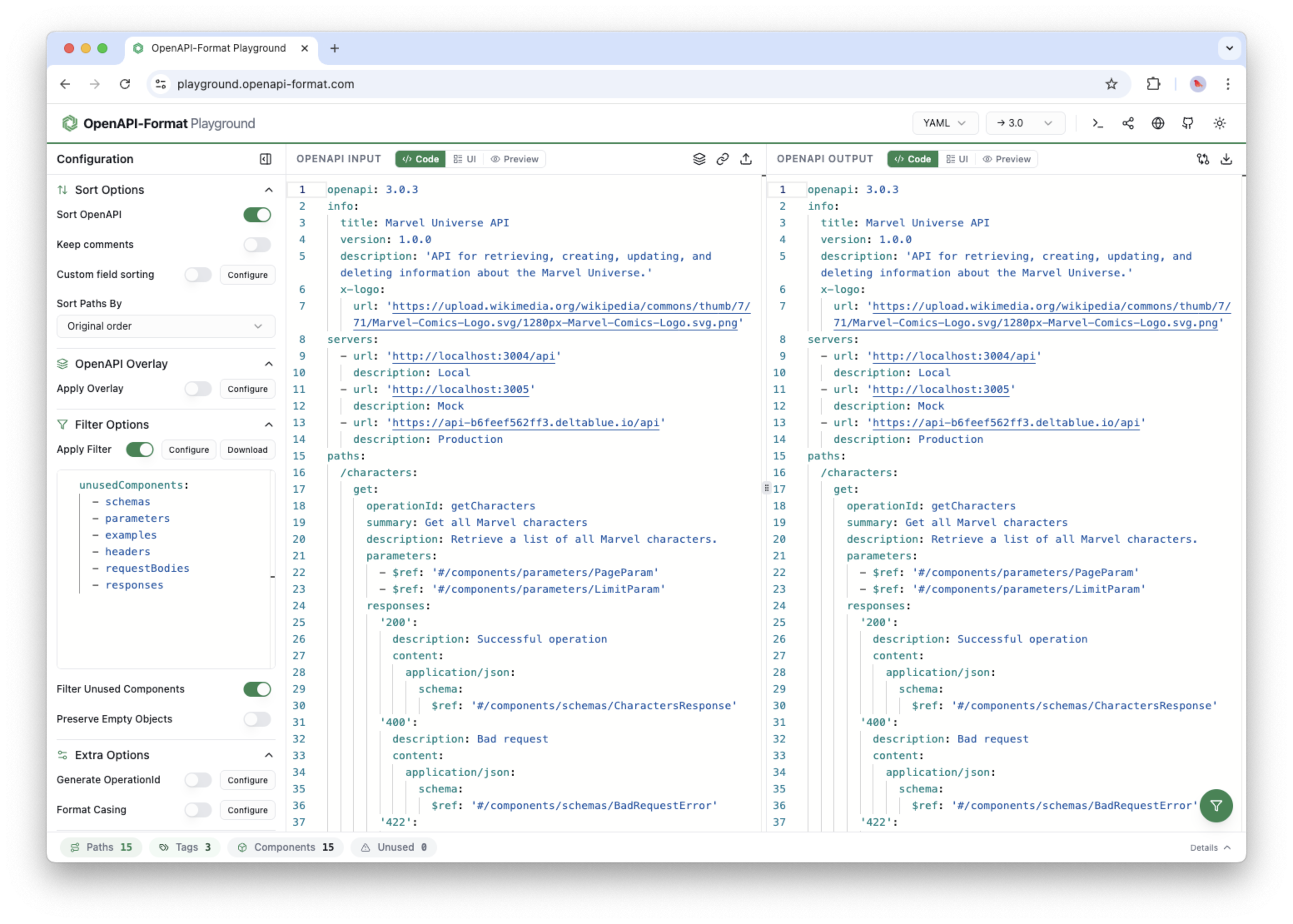
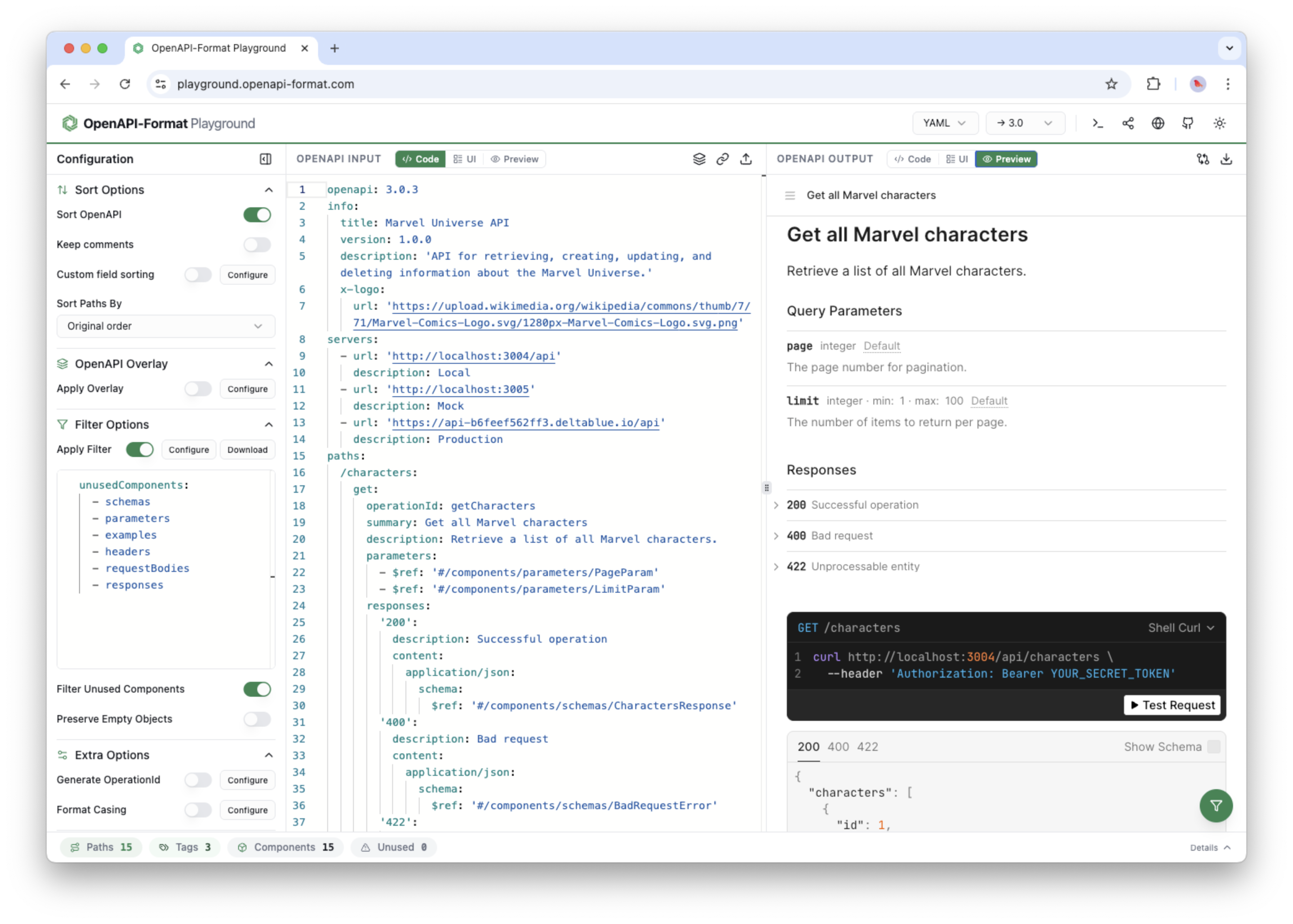
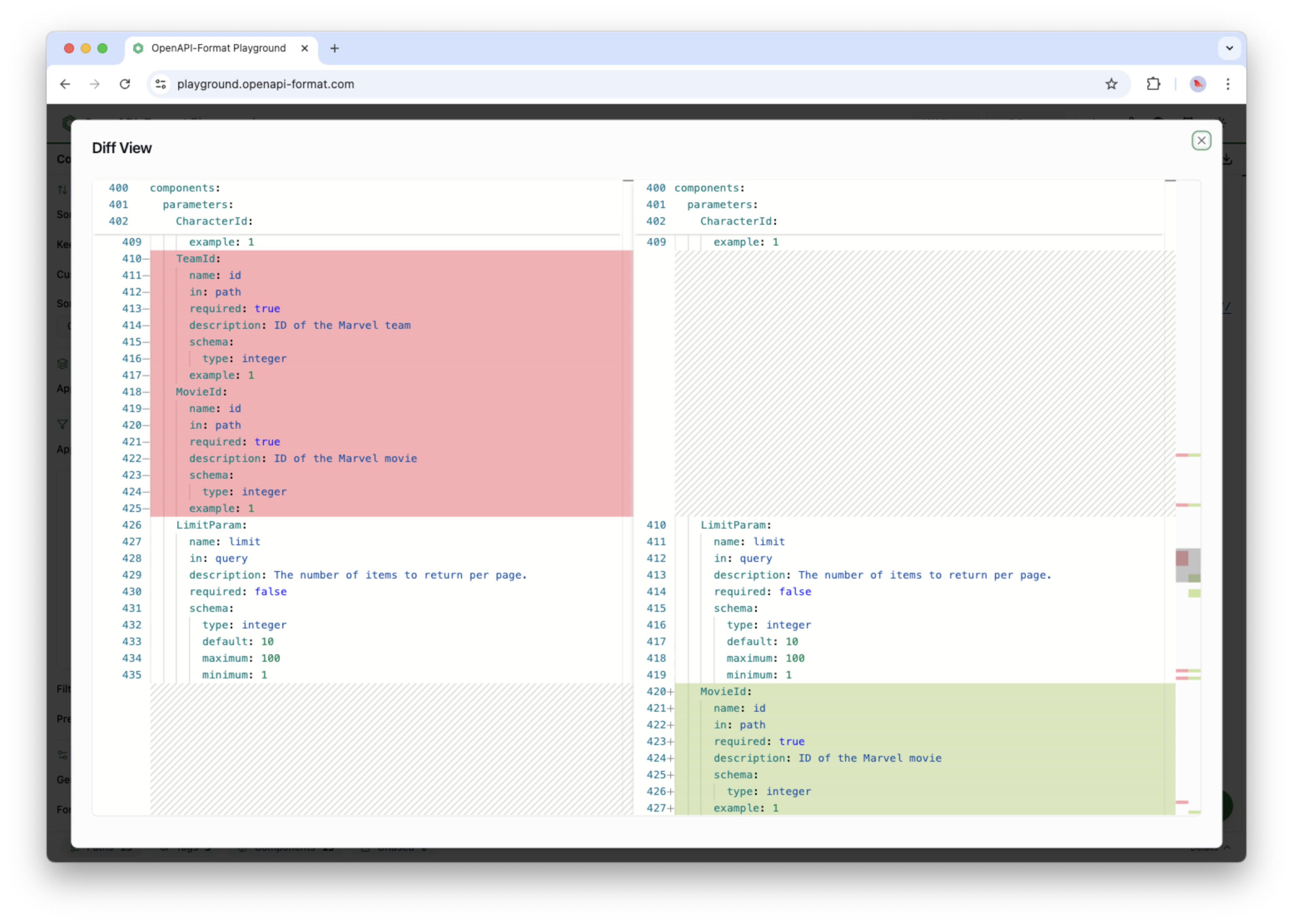
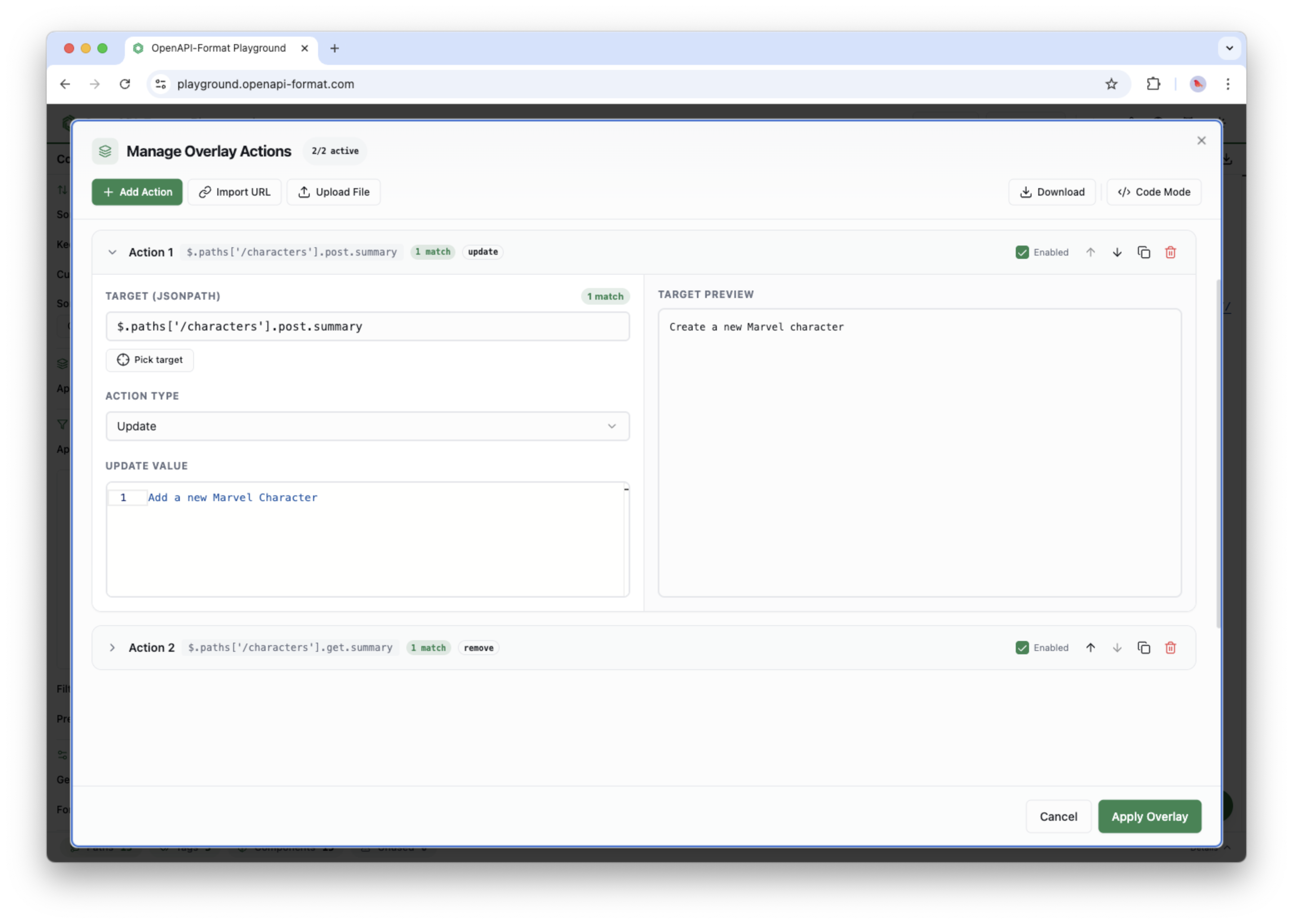
More info about the playground features and usage can be found on the website.
To execute the CLI without installing it via npm, use the npx method
$ npx openapi-format your-openapi-file.yamlWhile possible to install globally, we recommend that you add the openapi-format CLI to the node_modules by using:
$ npm install --save openapi-format$ npm install -g openapi-formatTo install the openapi-format skill from this repository:
$ npx skills add https://github.com/thim81/openapi-format --skill openapi-formatThen use it in Claude, Codex by explicitly referencing the skill in your prompt, for example:
Using $openapi-format, create a minimal filter config to remove internal endpoints and give me the CLI command.
openapi-format.js <input-file> -o [output-file] [options]

Arguments:
  input-file   the OpenAPI document can be a local or remote file in JSON or YAML format
  output-file  the output file is optional and can be either a .json or .yaml file.

Options:

  --output, -o          Save the formatted OpenAPI file as JSON/YAML                  [path]

  --sortFile            The file to specify custom OpenAPI fields ordering            [path]
  --casingFile          The file to specify casing rules                              [path]
  --generateFile        The file to specify generate rules                            [path]
  --filterFile          The file to specify filter rules                              [path]
  --overlayFile         The file to specify OpenAPI overlay actions                   [path]

  --no-sort             Don't sort the OpenAPI file                                [boolean]
  --keepComments        Don't remove the comments from the OpenAPI YAML file       [boolean]
  --yamlBlockStyle      YAML block style: preserve, auto, literal, folded           [string]
  --yamlQuoteStyle      Preferred YAML quote style: single, double, detect          [string]
  --yamlCompat          YAML compatibility schema for older OpenAPI tools           [string]
  --sortComponentsFile  The file with components to sort alphabetically               [path]
  --sortComponentsProps Sort properties within schema components alphabetically    [boolean]

  --no-bundle           Don't bundle the local and remote $ref                     [boolean]
  --split               Split OpenAPI document into a multi-file structure         [boolean]

  --rename              Rename the OpenAPI title                                    [string]

  --convertTo           convert the OpenAPI document to OpenAPI version 3.1 or 3.2  [string]

  --configFile          The file with the OpenAPI-format CLI options                  [path]

  --lineWidth           Max line width of YAML output                               [number]

  --json                Prints the file to stdout as JSON                          [boolean]
  --yaml                Prints the file to stdout as YAML                          [boolean]

  --playground, -p      Open config in online playground
  --help                Show help                                                  [boolean]
  --version             Output the version number
  --verbose             Output more details of the filter process                    [count]
| Parameter | Alias | Description | Input type | Default | Info |
|---|---|---|---|---|---|
| file | the OpenAPI document can be a local or remote file in JSON or YAML format | path to file | required | ||
| --output | -o | save the formatted OpenAPI file as JSON/YAML | path to file | optional | |
| --sortFile | -s | the file to specify custom OpenAPI fields ordering | path to file | defaultSort.json | optional |
| --filterFile | -f | the file to specify filter setting | path to file | defaultFilter.json | optional |
| --casingFile | -k | the file to specify casing setting | path to file | optional | |
| --generateFile | -g | the file to specify generate rules | path to file | optional | |
| --overlayFile | -l | the file to specify OpenAPI overlay actions | path to file | optional | |
| --no-sort | don't sort the OpenAPI file | boolean | FALSE | optional | |
| --keepComments | don't remove the comments from the OpenAPI YAML file | boolean | FALSE | optional | |
| --yamlBlockStyle | YAML block style (preserve, auto, literal, folded) |
string | preserve | optional | |
| --yamlQuoteStyle | preferred YAML quote style for YAML output (single, double, detect) |
string | detect | optional | |
| --yamlCompat | YAML compatibility schema for older OpenAPI tools (yaml-1.1) |
string | optional | ||
| --sortComponentsFile | sort the items of the components (schemas, parameters, ...) by alphabet | path to file | defaultSortComponents.json | optional | |
| --sortComponentsProps | sort properties within schema components alphabetically | boolean | FALSE | optional | |
| --no-bundle | don't bundle the local and remote $ref in the OpenAPI document | boolean | FALSE | optional | |
| --split | split the OpenAPI document into a multi-file structure | boolean | FALSE | optional | |
| --rename | rename the OpenAPI title | string | optional | ||
| --convertTo | convert the OpenAPI document to OpenAPI version 3.1 or 3.2 | string | optional | ||
| --configFile | -c | the file with all the format config options | path to file | optional | |
| --lineWidth | max line width of YAML output | number | -1 (Infinity) | optional | |
| --json | prints the file to stdout as JSON | FALSE | optional | ||
| --yaml | prints the file to stdout as YAML | FALSE | optional | ||
| --playground | -p | open config in online playground | optional | ||
| --version | output the version number | optional | |||
| --verbose | -v, -vv, -vvv | verbosity that can be increased, which will show more output of the process | optional | ||
| --help | h | display help for command | optional |
The CLI will sort the OpenAPI document in the defined order liked defined per OpenAPI key/field/property/element. The fields that are not specified will keep their order like it is in the original OpenAPI document, so only defined fields will be re-ordered.
The default sorting of the different fields based on the defined order (listed in the table below), which is stored in the defaultSort.json file.
You can easily modify this by specifying your own ordering per key, which can be passed on to the CLI (see below for an example on how to do this).
| Key | Ordered by | OpenAPI reference |
|---|---|---|
| root | - openapi - info - servers - paths - components - tags - x-tagGroups - externalDocs |
openapi-object |
| get | - operationId - summary - description - parameters - requestBody - responses |
operationObject |
| post | - operationId - summary - description - parameters - requestBody - responses |
operationObject |
| put | - operationId - summary - description - parameters - requestBody - responses |
operationObject |
| patch | - operationId - summary - description - parameters - requestBody - responses |
operationObject |
| delete | - operationId - summary - description - parameters - requestBody - responses |
operationObject |
| parameters | - name - in - description - required - schema |
parameterObject |
| requestBody | - description - headers - content - links |
request-body-object |
| responses | - description - headers - content - links |
responses-object |
| content | (By alphabet) | responses-object |
| components | - parameters - schemas |
components-object |
| schema | - description - type - items - properties - format - example - default |
schemaObject |
| schemas | - description - type - items - properties - format - example - default |
|
| properties | - description - type - items - format - example - default - enum |
Have a look at the folder yaml-default and compare the "output.yaml" (sorted document) with the "input.yaml" (original document), to see how openapi-format have sorted the OpenAPI document.
You can change the order of the paths defined in the OpenAPI specification and sort them alphabetically (path) or by the first tag of the first method (tags).
Options to sort by:
original(default): keep the order as defined in the OpenAPI specificationpath: order the paths alphabetically by the path partstags: order by the first tag of the first method
| Key | Options | OpenAPI reference |
|---|---|---|
| sortPathsBy | 'original' / 'path' / 'tags' | paths-object |
By specifying the desired filter values for the available filter types, the openapi-format CLI will strip out any matching item from the OpenAPI document. You can combine multiple types to filter out a range of OpenAPI items.
| Type | Description