A professional VS Code extension for visual Markdown comparison. Compare rendered HTML side-by-side or inline, including Math, Mermaid, and complex slide decks.
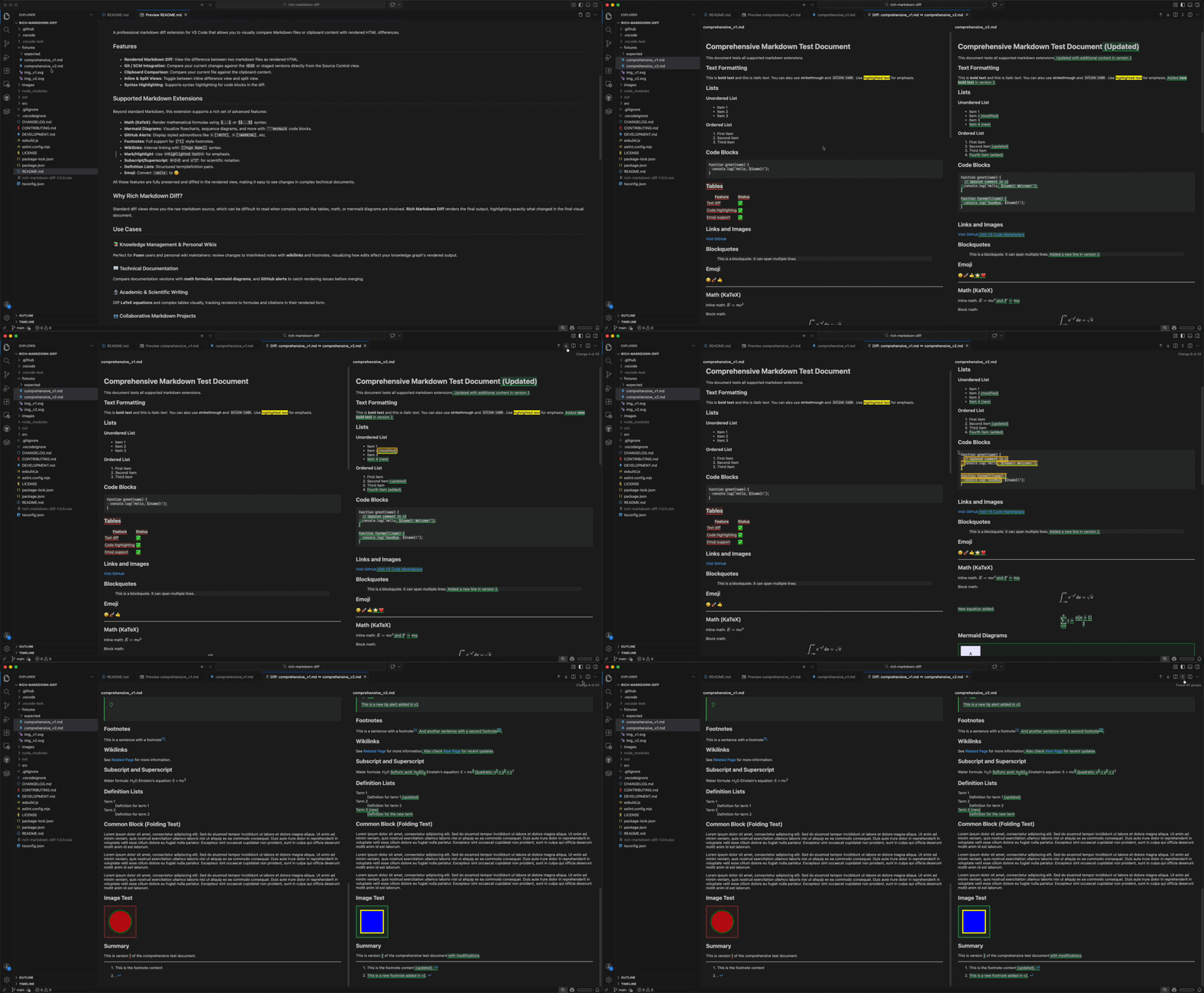
- Visual Diff: Compare rendered HTML side-by-side or inline instead of raw source code.
- ⚔️ Visual Conflict Resolver: Resolve Git merge conflicts (
<<<<<<<,|||||||,=======,>>>>>>>) in rendered Markdown with an interactive 3-Way Merge View (Accept Mine,Accept Theirs,Accept Both). - Git Integration: Compare changes directly from the VS Code Source Control view (Workspace, Staged, or HEAD).
- Git Blame: Hover over any line in the diff view to instantly see its commit author and history.
- Interactive Image Diff: Compare visual changes in images using "Swipe" and "Onion Skin" comparison modes.
- Quick Edit: Modify image paths and frontmatter metadata directly within the preview panels.
- Clipboard Compare: Instantly compare any active Markdown file against your clipboard contents.
- 📤 HTML Export: Save the entire diff view as a standalone HTML file. It preserves custom styles and client-side interactions, making it perfect for offline sharing and peer reviews in standard web browsers.
| Extension | Support Details |
|---|---|
| MDX / Custom | Native diffing for MDX, Docusaurus, and Astro Starlight components (Tabs, Steps, Badges, Cards, and Admonitions). |
| Marp | Render and diff slide decks with full theme support. |
| Math | High-quality KaTeX rendering for formulas. |
| Mermaid | Flowcharts, sequence diagrams, and Gantt charts with VS Code theme-aware rendering. |
| Obsidian | Native support for Tags (#tag) and Transclusions (![[link]]). |
| Alerts | GitHub-style [!NOTE], [!WARNING], etc. |
| Structure | Robust diffing for Tables, Nested Lists, Footnotes, and block-level math/code changes. |
| Misc | Wikilinks, Emoji, Sub/Superscript, and Definition Lists. |
- ⚔️ Merge Conflicts: Resolve Git merge conflicts in Markdown docs visually rather than inspecting raw syntax markers.
- 🖼️ Marp Presentations: Verify slide layout and theme changes visually.
- 📚 Knowledge Bases: Review changes in foam/wiki notes with wikilinks and footnotes.
- 🌐 Modern Tech Docs: Catch rendering issues in MDX, Docusaurus, and Astro Starlight components.
- 📖 Technical Docs: Catch rendering issues in Mermaid diagrams, math formulas, and wide comparison tables.
- 🔬 Academic Writing: Track revisions to LaTeX equations and complex tables.
- 👥 Peer Review: Focus on the final rendered output rather than raw Markdown syntax.
Select two .md files in the Explorer, right-click, and select Show Markdown Diff.
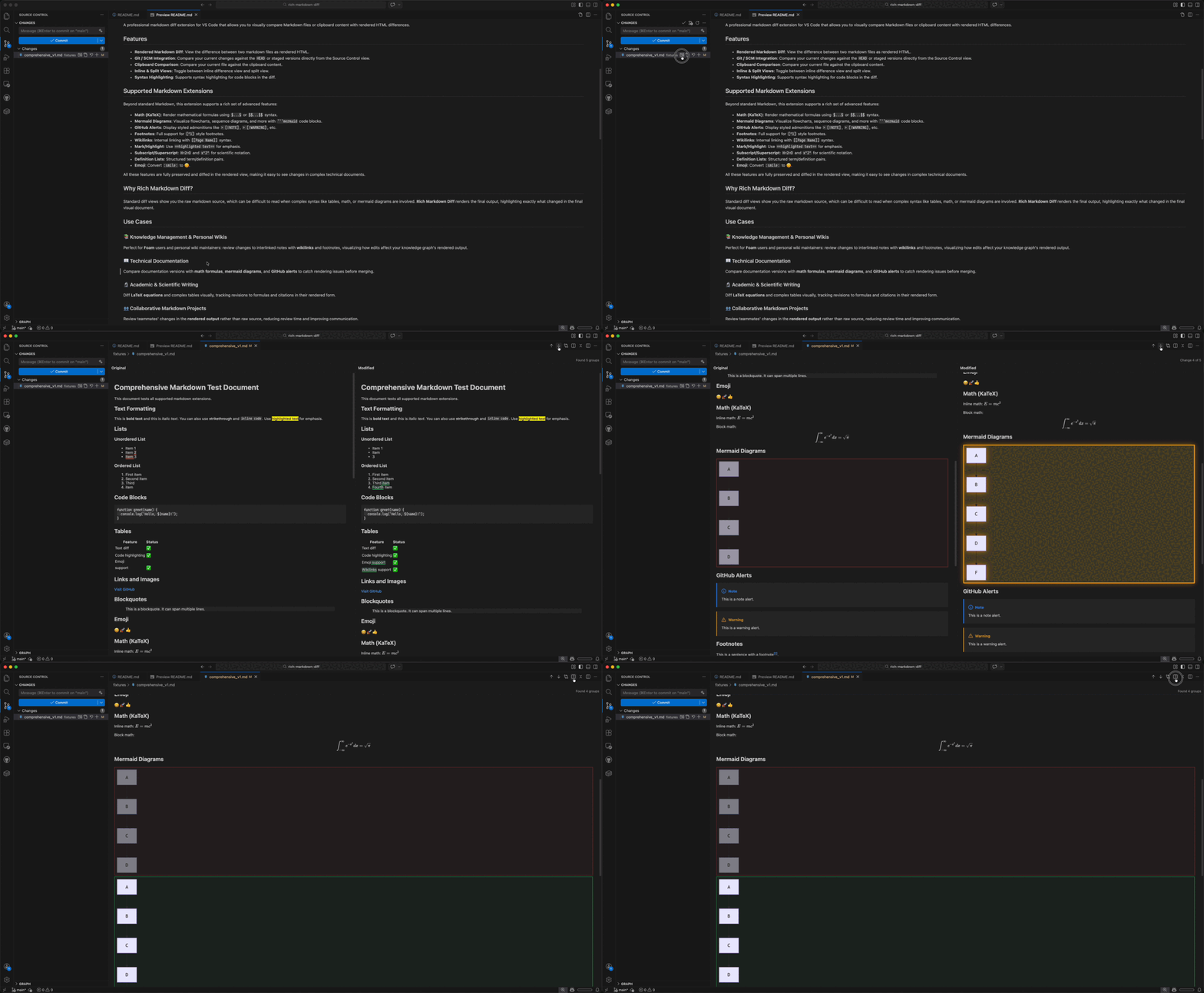
- Working Tree & Staged: Click the Show Markdown Diff icon next to any modified Markdown file in the Source Control view.
- Committed Revisions: When viewing committed file diffs from Git history or the Git Graph, click the Show Markdown Diff icon in the editor title bar or right-click inside the diff editor and choose Show Rich Markdown Diff.
Right-click in any Markdown editor and choose Compare with Clipboard (or press Cmd+Shift+C / Ctrl+Shift+C).
Right-click any Markdown file containing Git conflict markers, choose Open With..., and select Markdown Visual Conflict Resolver. Click Accept Mine, Accept Theirs, or Accept Both on any conflict block to resolve it directly.
Click the Export to HTML icon in the diff view toolbar, or run Export Rendered Diff to HTML from the Command Palette (Cmd+Shift+P / Ctrl+Shift+P) to generate a standalone HTML document.
The following default shortcuts are available when the visual diff panel is active:
| Shortcut (Mac) | Shortcut (Windows/Linux) | Command | Description |
|---|---|---|---|
F7 / Shift+F7 |
F7 / Shift+F7 |
Next / Previous Change | Jump to the next or previous diff highlight. |
Option+F7 |
Alt+F7 |
Toggle Inline View | Toggle between Side-by-Side and Inline diff layouts. |
Option+F8 |
Alt+F8 |
Toggle Fold Unchanged | Fold or unfold unchanged Markdown blocks. |
Cmd+Shift+C |
Ctrl+Shift+C |
Compare with Clipboard | Compare active Markdown document with clipboard content. |
For technical setup or contribution guidelines, please see:
- DEVELOPMENT.md - Architecture and local setup.
- CONTRIBUTING.md - How to contribute.
If you enjoy Rich Markdown Diff, you might also like:
- 🔗 Markdown Link Assistant: The ultimate link manager for Visual Studio Code. Effortlessly transform raw URLs into beautiful, structured link previews and Notion-like cards with instant previews and AI summaries.
You can customize the extension behavior via the following VS Code settings:
| Setting | Type | Default | Description |
|---|---|---|---|
rich-markdown-diff.defaultViewMode |
string |
"side-by-side" |
Default layout view mode when opening a diff panel ("side-by-side" or "inline"). |
rich-markdown-diff.defaultFoldUnchanged |
boolean |
false |
Whether to automatically fold unchanged Markdown blocks when opening a diff. |
rich-markdown-diff.insertedColor |
string |
"" |
Custom background color for inserted diff elements (e.g. #e6ffec or rgba(46,160,67,0.15)). |
rich-markdown-diff.deletedColor |
string |
"" |
Custom background color for deleted diff elements (e.g. #ffeef0 or rgba(248,81,73,0.15)). |
rich-markdown-diff.showGutterMarkers |
boolean |
true |
Whether to show vertical diff markers in the gutter area. |
rich-markdown-diff.showGitBlame |
boolean |
true |
Whether to load Git Blame metadata for the compared files. |
rich-markdown-diff.lineHoverDelay |
number |
500 |
The delay in milliseconds before showing Git Blame and Quick Edit indicators on hover. |
Licensed under the MIT License.