
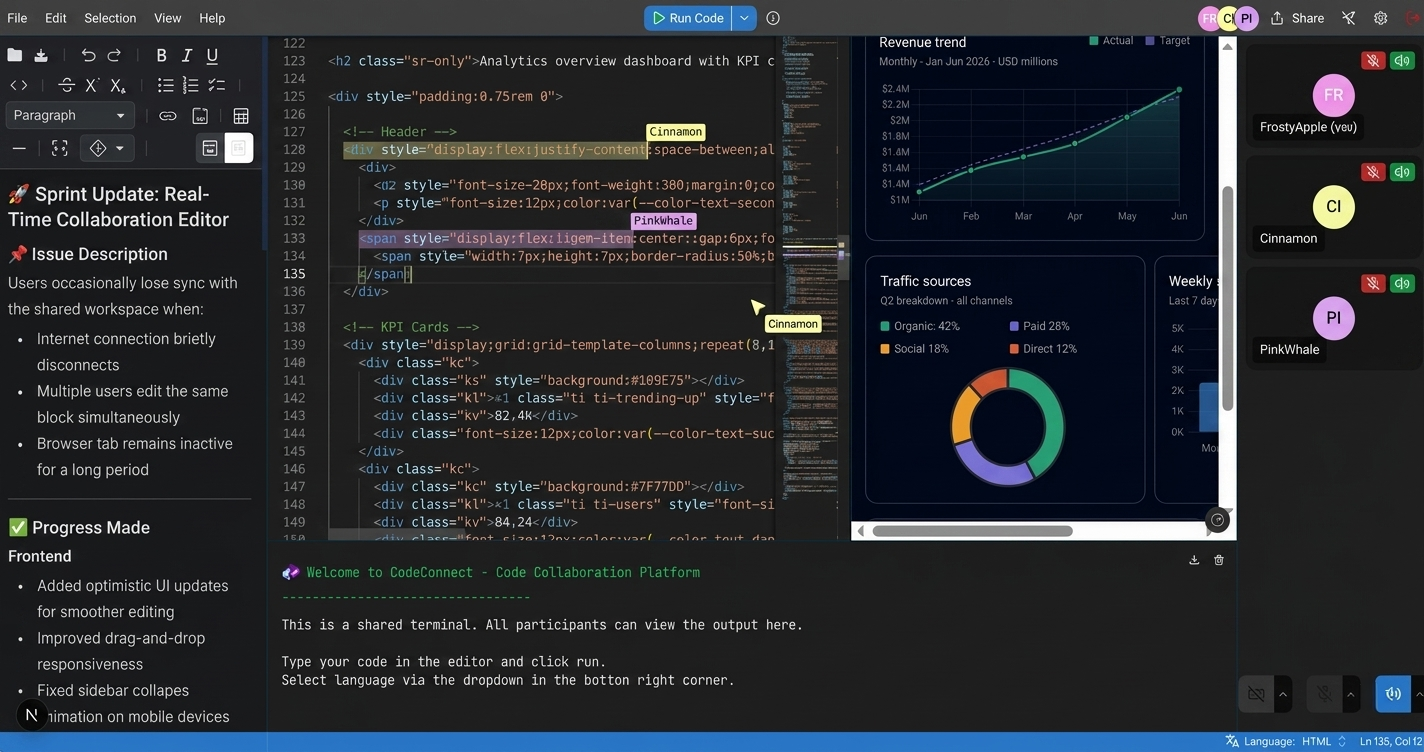
Code Connect is a browser-based collaborative development platform that enables real-time coding, live previews, shared terminals, video communication, and collaborative note-taking.




Key Features • How To Use • How To Contribute • Technologies • License
🌐 Live Demo🔗 codeconnect-dev.vercel.app
-
Real-time Collaboration - Code together in real-time with cursor sharing, highlighting, and follow mode
-
Shared Terminal –Execute code and see results together with over 80 supported languages (local Piston setup required)
-
Live Preview – Preview UI changes instantly with loaded libraries like Tailwind CSS, and more
-
GitHub Integrated – Save your work and open files from your repositories
-
Shared Notepad – Take notes together in real-time with rich text and markdown support
-
Video & Voice – Communicate with your team using video and voice chat
CodeConnect
├── client/             # Frontend Next.js application
│   ├── public/         # Static assets
│   └── src/            # Source code
│       ├── app/        # Next.js app router pages and API routes
│       ├── components/ # React components
│       ├── hooks/      # Custom React hooks
│       └── lib/        # Utility functions and services
└── server/             # Backend Socket.IO server
    └── src/            # Source code
        ├── service/    # Backend services
        └── utils/      # Utility functions
To clone and run this application, you'll need Git and Node.js (which comes with npm) installed on your computer. From your command line:
$ git clone https://github.com/kunaldasx/code-connect
$ cd code-connect$ cd client
$ npm install
$ cp .env.example .env # Configure variables
$ npm run dev$ cd server
$ npm install
$ cp .env.example .env # Configure variables
$ npm run devCode execution is disabled in the hosted demo. To enable the shared terminal and code runner locally, you'll need to run a self-hosted Piston instance.
# Clone Piston
$ git clone https://github.com/engineer-man/piston
$ cd piston

# Start the API
$ docker compose up -d api

# Install CLI dependencies
$ cd cli
$ npm install

# Install runtimes
$ node index.js ppman install python
$ node index.js ppman install node
$ node index.js ppman install typescript
$ node index.js ppman install java
Configure the client environment:
PISTON_API_URL=http://localhost:2000/api/v2/executeOnce configured, Code Connect will be able to execute code through your local Piston instance.
- Frontend: http://localhost:3000
- Backend: http://localhost:3001
- Clone repo and create a new branch:
$ https://github.com/kunaldasx/code-connect -b name_for_new_branch. - Make changes and test
- Submit Pull Request with comprehensive description of changes
Code Connect is an emailware. Meaning, if you liked using this app or it has helped you in any way, I'd like you send me an email at kunaldasx@gmail.com about anything you'd want to say about this software. I'd really appreciate it!
This software uses the following technologies:
-
Frontend: Next.js 15, React 19, TypeScript, TailwindCSS, shadcn.ui, Monaco Editor (code editor), Socket.IO Client, MDXEditor (notepad), simple-peer (WebRTC), Radix Form
-
Backend: Node.js, Express, Socket.IO (binded to µWebSockets.js server)
-
Build & DevOps: GitHub Actions (CI/CD), Vercel (frontend deployment), Render (backend deployment)
-
External Services: Piston (code execution), GitHub REST API (repository management)
If you like this project and think it has helped in any way, consider buying me a coffee!

MIT
🌐 Visit my website →
🖥️ GitHub · 💼 LinkedIn · 🐦 Twitter / X ·