


Declarative equation annotations with automatic layout for LaTeX.
Tell EqAnnotate what to label, not where to put the label.
EqAnnotate is a LaTeX package that automatically lays out annotations for display equations. Mark a mathematical term, declare its label, and let the package handle placement, wrapping, spacing, de-overlap, lane allocation, and connector routing.
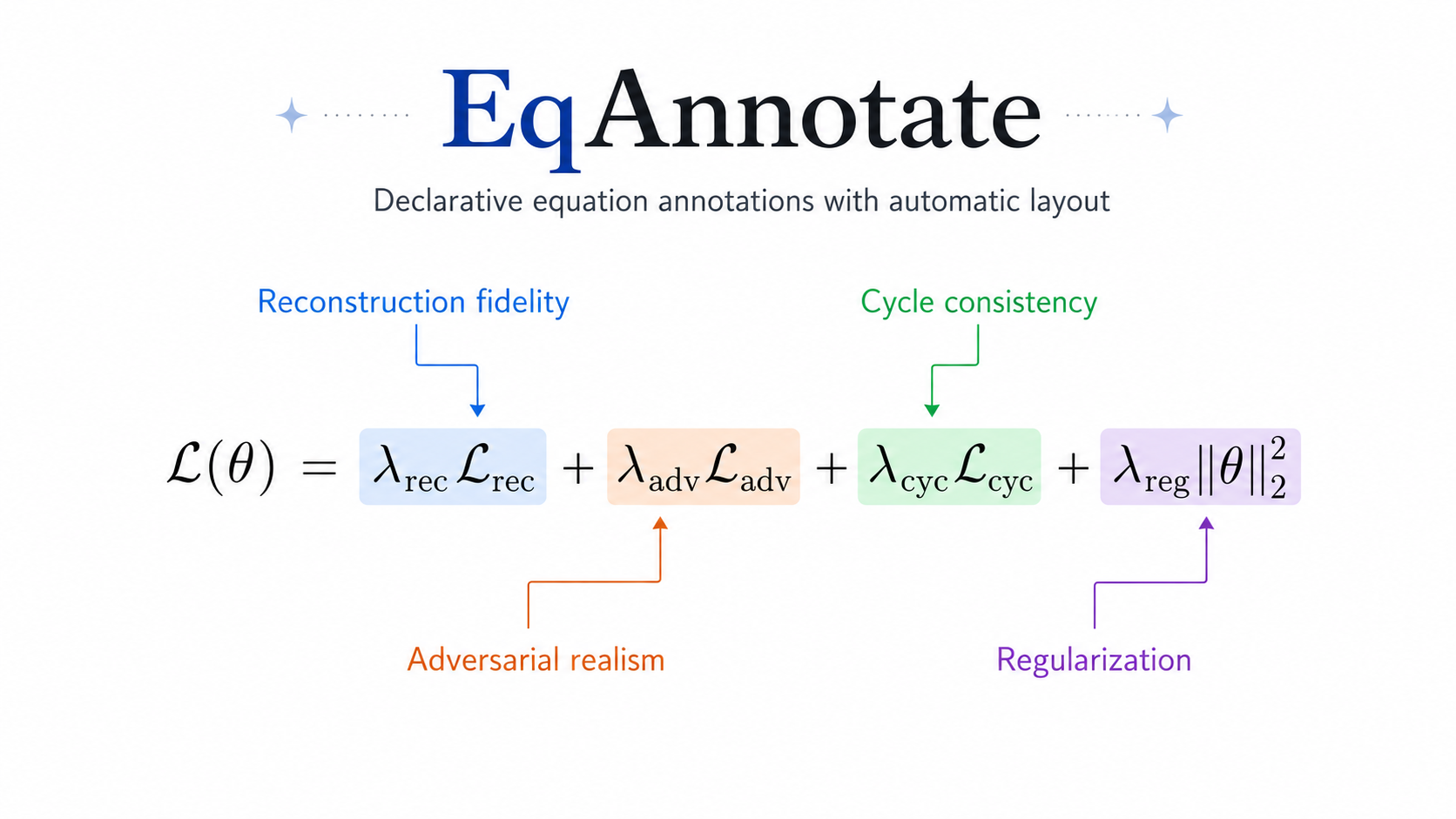
EqAnnotate keeps the source focused on mathematical meaning while arranging dense annotations.
\begin{annotatedequation}
\mathcal{L}(\theta)
=
\eqmark[blue]{rec}{\lambda_{\mathrm{rec}}\mathcal{L}_{\mathrm{rec}}}
+
\eqmark[orange]{adv}{\lambda_{\mathrm{adv}}\mathcal{L}_{\mathrm{adv}}}
+
\eqmark[green]{cyc}{\lambda_{\mathrm{cyc}}\mathcal{L}_{\mathrm{cyc}}}
+
\eqmark[purple]{reg}{\lambda_{\mathrm{reg}}\|\theta\|_2^2}

\eqannotate{rec}{Reconstruction fidelity}
\eqannotate{adv}{Adversarial realism}
\eqannotate{cyc}{Cycle consistency}
\eqannotate{reg}{Regularization}
\end{annotatedequation}
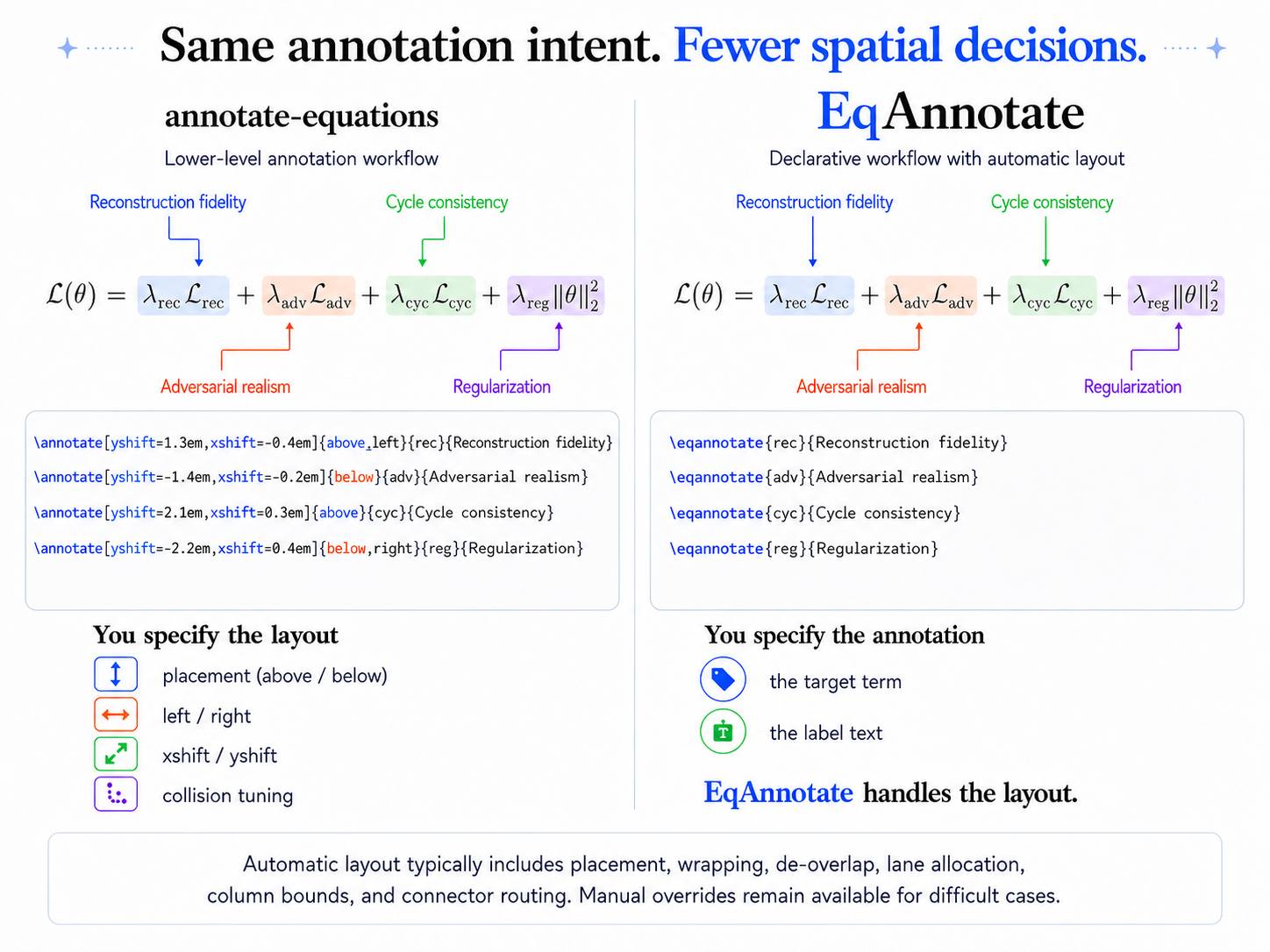
annotate-equations established a TikZ-based workflow for annotated equations. EqAnnotate builds on that approach: authors declare targets and labels while the layout solver handles placement, wrapping, de-overlap, lane allocation, column bounds, and connector routing.
For human authors, fewer coordinates and TikZ adjustments mean shorter, more maintainable source and a more consistent annotation style.
For coding and writing agents, the relevant decisions are semantic: which term matters, what it means, and what its label should say. EqAnnotate handles the associated placement, lane allocation, and connector routing.
The optional EqAnnotate skill documents conventions for semantic IDs, convergence checks, side preferences, and manual placement in Codex- and Claude Code-style workflows. EqAnnotate itself is a LaTeX/TikZ package; the skill is optional.
- Current stable version: v0.1.1
- License: MIT
- Requires: LaTeX2e, amsmath, xcolor, TikZ/tikzmark, expl3/xparse
- Tested engines: pdfLaTeX, LuaLaTeX, XeLaTeX
- Repository: https://github.com/intelland/eqannotate
- Issues: https://github.com/intelland/eqannotate/issues
- Documentation: eqannotate.pdf
- Download
eqannotate.styfrom the latest GitHub Release. - Upload or copy it next to
main.tex. - Load it normally:
\usepackage{eqannotate}See the installation guide for user-wide TeX Live installation and the user guide for the complete workflow.
\eqmark[<color>]{<id>}{<math>}
\eqannotate[prefer=auto|above|below]{<id>}{<label>}

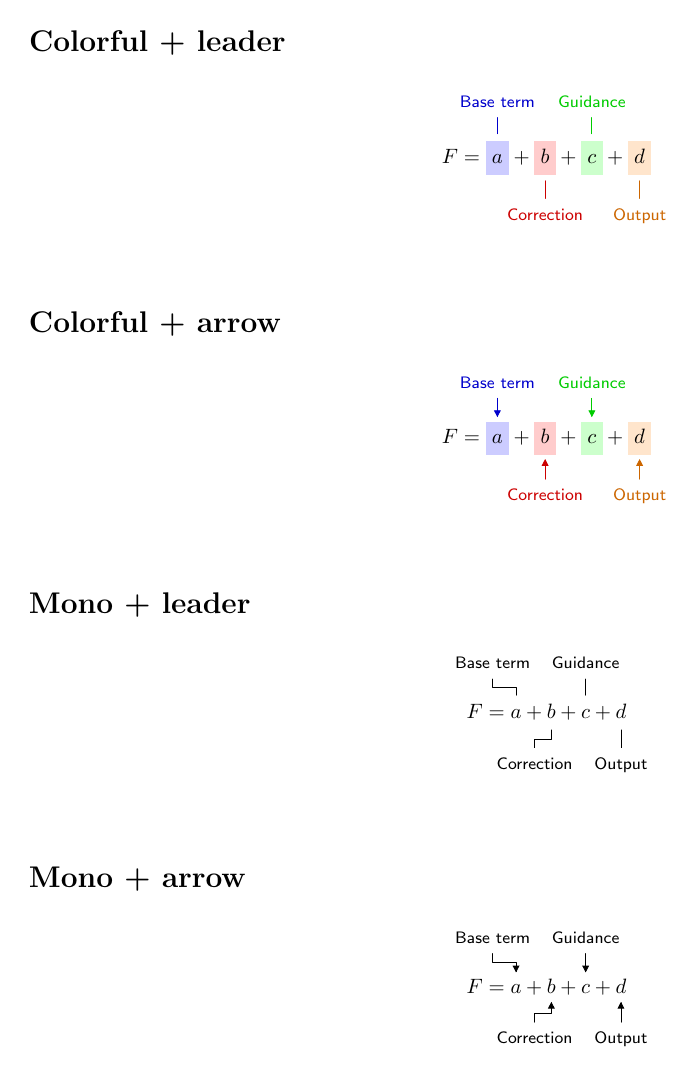
\eqannotatecolortheme{colorful} % or mono
\eqannotatecalloutstyle{leader} % or arrow
The display wrappers are annotatedequation, annotatedalign, annotatedgather, and annotatedmultline; each accepts optional [numbered].
Use direct control for an annotation when exact placement is useful:
\eqannotatemanual[xshift=12mm,yshift=10mm][bend right=18]
  {velocity}{Velocity field}
Automatic labels measure and wrap themselves, respect the active \linewidth, reserve article space, and route connectors outside the formula. Manual labels retain the active theme, callout style, masking, and space reservation.
- Inline equation annotations
- Richer multi-row numbering
- Custom
\tagsupport -
\intertext/\shortintertextin multi-line wrappers - Improved non-white-background handling
- CTAN distribution
For non-white page backgrounds, set \eqannotatebackgroundcolor to the page color.
EqAnnotate builds on the annotated-equation workflow and TikZ techniques demonstrated by annotate-equations, adding automatic layout with fewer placement decisions.
It also draws inspiration from annotated_latex_equations for colorful annotated-equation presentation. ScholarPhi informed the separation of label measurement, placement, and leader routing.
Thank you to the LaTeX ecosystem around PGF/TikZ, tikzmark, and amsmath.
./tests/run.sh
./tests/compatibility/run.sh
Both suites run until layout state converges.
MIT. See LICENSE.