
A visual, interactive map of all your Next.js routes. Zero config.


Quick Start · Features · Screenshots · Usage · Contributing
Stop guessing where your routes live. nextmap scans your Next.js project and renders a zoomable, interactive map of every page, API route, layout, and middleware — right in your browser.
Supports App Router, Pages Router, and hybrid projects. No compilation, no config, no dependencies on your project.
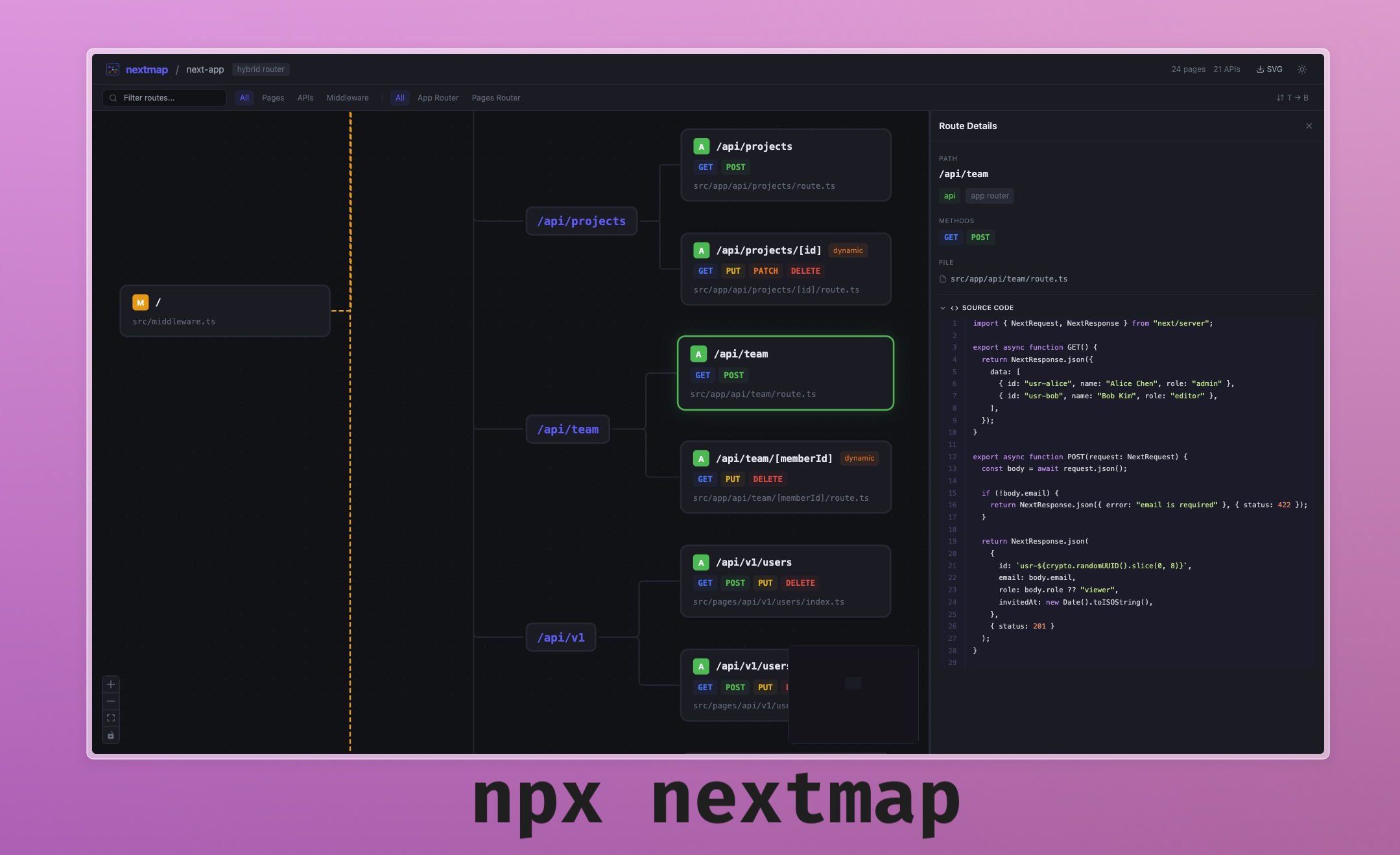
npx nextmapThat's it. Opens your browser with a visual map of all your routes.
Or install globally:
npm i -g nextmap
cd your-nextjs-project
nextmap- Instant route discovery — Scans
app/andpages/directories, no config needed - Interactive graph — Zoomable, pannable route map powered by React Flow with minimap
- Hierarchical tree layout — Routes grouped by path segments, with sub-groups for deep APIs. Children laid out left-to-right for clear visual hierarchy
- App Router support — Pages, API routes, layouts, route groups
(auth), parallel routes@modal, intercepting routes(.), dynamic segments[id], catch-all[...slug], optional catch-all[[...slug]] - Pages Router support — Pages, API routes, dynamic routes
- Hybrid projects — Detects and displays both routers, filterable
- HTTP method detection — Reads
route.tsexports to show GET, POST, PUT, PATCH, DELETE with color-coded badges - Middleware visualisation — Shows middleware matchers, splits routes into protected/unprotected sections with connecting edges
- Special file indicators —
loading.tsx,error.tsx,not-found.tsx,template.tsxshown as badges on route cards - Source code viewer — Click any route to see its source with syntax highlighting in the detail panel
- Route detail panel — Resizable sidebar showing path, type, methods, file path, dynamic segments, route group, parallel slot info
- Filter & search — Filter by type (pages, APIs, middleware), by router (app, pages), or search by path
- Layout direction toggle — Switch between left-to-right and top-to-bottom
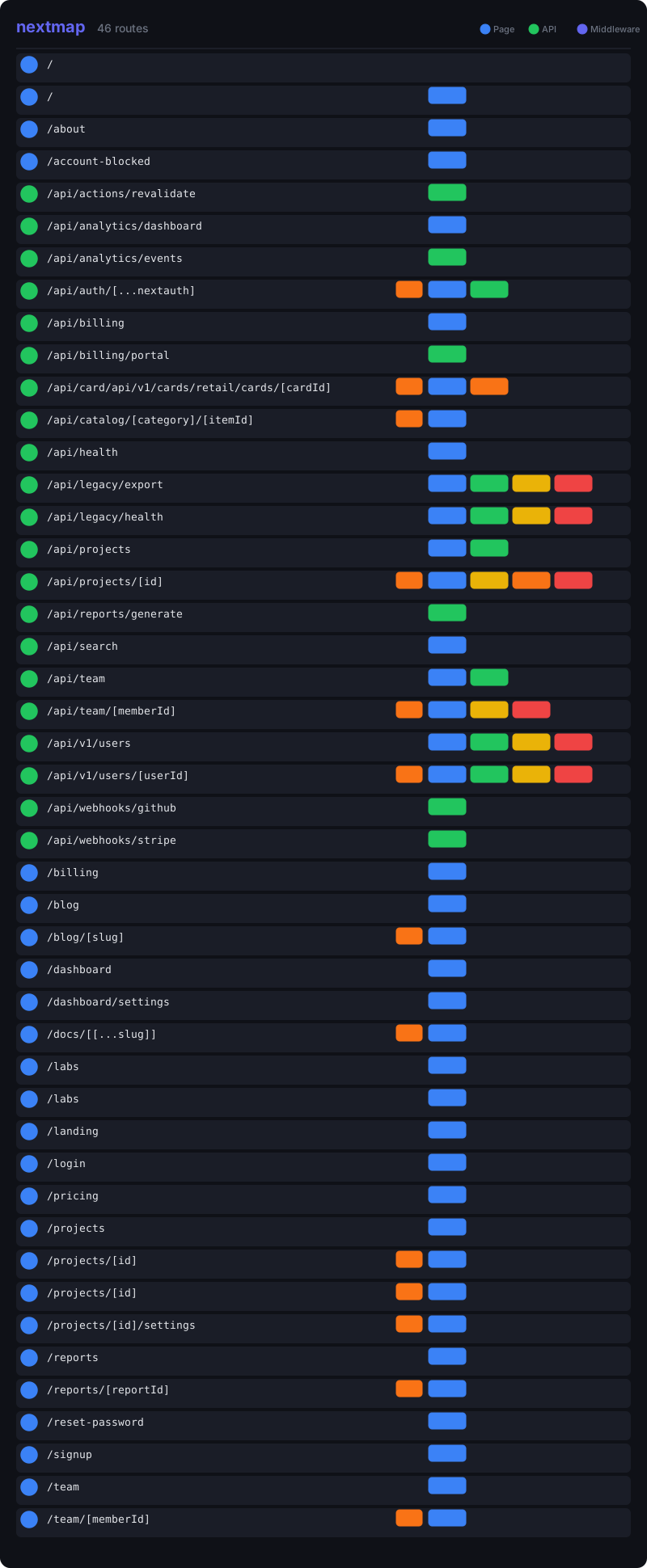
- SVG export — Download a static SVG from the UI or export via CLI
- Dark & light mode — Respects system preference with manual toggle
- Zero config — No setup, no schemas, no annotations. Just run it
Dark mode
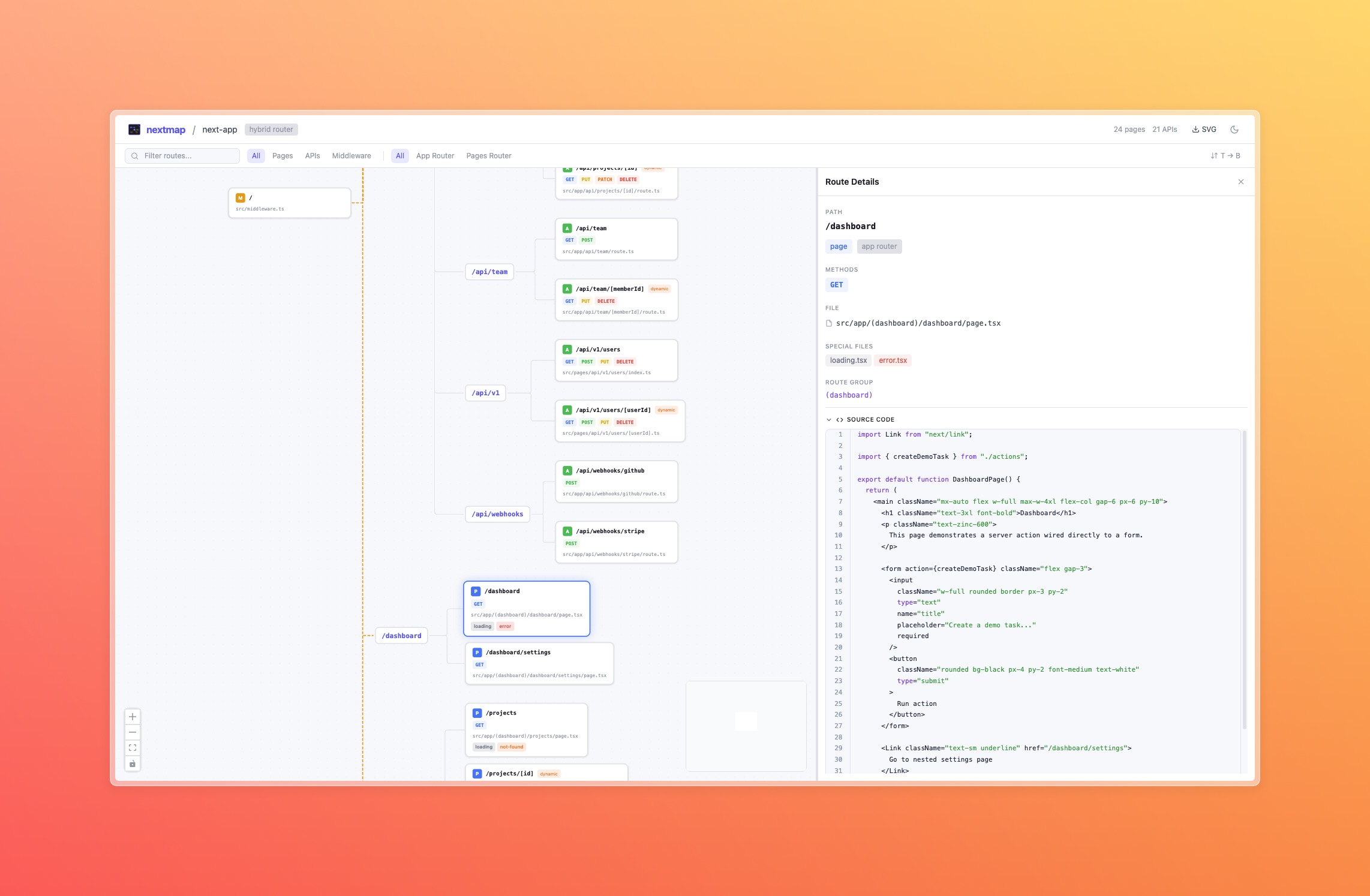
Light mode
SVG export
# Via npx
npx nextmap

# Interactive mode (opens browser)
nextmap

# Custom port
nextmap --port 4000

# Don't open browser
nextmap --no-browser

# Export as SVG (no server)
nextmap --export-svg
nextmap --export-svg -o my-routes.svg| Feature | App Router | Pages Router |
|---|---|---|
| Pages | page.tsx |
*.tsx in pages/ |
| API routes | route.ts (with method detection) |
pages/api/*.ts |
| Layouts | layout.tsx |
N/A |
| Middleware | middleware.ts (with matcher parsing) |
N/A |
| Dynamic routes | [id], [...slug], [[...slug]] |
[id], [...slug] |
| Route groups | (auth), (marketing) |
N/A |
| Parallel routes | @modal, @sidebar |
N/A |
| Intercepting routes | (.), (..), (...) |
N/A |
| Special files | loading, error, not-found, template |
N/A |
- nextmap scans your filesystem for
app/and/orpages/directories (checkssrc/too) - It parses the directory structure to build a route tree
- For API routes (
route.ts), it reads the file to detect exported HTTP methods - For middleware (
middleware.ts), it parses matcher configuration - A local Express server serves a React frontend that renders the route graph
- Everything runs locally — your code never leaves your machine
Does this run my Next.js app?
No. nextmap only reads your filesystem — it doesn't start Next.js, compile your code, or import your modules. It's purely static analysis.
Does it work with the `src/` directory?
Yes. nextmap checks both app/ and src/app/ (same for pages/).
What about `next.config.js` rewrites and redirects?
Not yet — planned for a future version. Currently nextmap only shows filesystem-based routes.
Can I use the SVG in documentation?
Yes. Use nextmap --export-svg to generate a static SVG you can embed in READMEs, docs, or wikis.
Does this upload my code anywhere?
No. nextmap is a local-only tool. The server runs on localhost, the frontend is bundled static assets served from your machine. Zero network requests to external services.
-
next.config.jsrewrites and redirects visualisation - File watching — live update when routes are added/removed
- Export as PNG/PDF
- Middleware coverage overlay
Contributions are welcome!
git clone https://github.com/icydotdev/nextmap.git
cd nextmap
npm install
TARGET_DIR=~/your-nextjs-app npm run dev
This starts the Vite dev server (frontend) and the Express backend concurrently. TARGET_DIR points at the Next.js project to scan.
MIT © Sam Kavanagh