Refer to this article for more details. Sample implementation and
The below configuration needs to be added to the project pom to setup the PDF report plugin.
<plugin>
	<groupId>tech.grasshopper</groupId>
	<artifactId>cucumber-pdf-plugin</artifactId>
	<version>1.14.0</version>
	<executions>
		<execution>
			<id>report</id>
			<phase>post-integration-test</phase>
			<goals>
				<goal>pdfreport</goal>
			</goals>
		</execution>
	</executions>
	<configuration>
		<cucumberJsonReportDirectory>${project.build.directory}/json-report</cucumberJsonReportDirectory>
	</configuration>
</plugin>
Plugin Configurations
| Configuration | Description | Default |
|---|---|---|
| cucumberJsonReportDirectory | Directory location of cucumber json reports. Required. | |
| cucumberPdfReportDirectory | Directory prefix of location of generated pdf report | report |
| cucumberPdfReportDirectoryTimeStamp | Directory suffix of location of generated pdf report. Assign null explicitly to ignore default value | dd MM yyyy HH mm ss |
| strictCucumber6Behavior | Cucumber 6 Strict behavior | true |
| title | Report title | Cucumber PDF Report |
| titleColor | Report title color in hex without leading # | Black |
| passColor | Pass status color in hex without leading # | Green |
| failColor | Fail status color in hex without leading # | Red |
| skipColor | Skip status color in hex without leading # | Yellow |
| displayFeature | Display feature report section | true |
| displayScenario | Display scenario report section | true |
| displayDetailed | Display step detailed report section | true |
| displayExpanded | Display media as zoomed report section | false |
| displayAttached | Display media as pdf attachment | true |
| skipHooks | All passed hooks are hidden | false |
| skipScenarioHooks | All passed Scenario hooks are hidden | false |
| skipStepHooks | All passed Step hooks are hidden | false |
Many other report settings can be configured by using a yaml file as described in the article
DASHBOARD
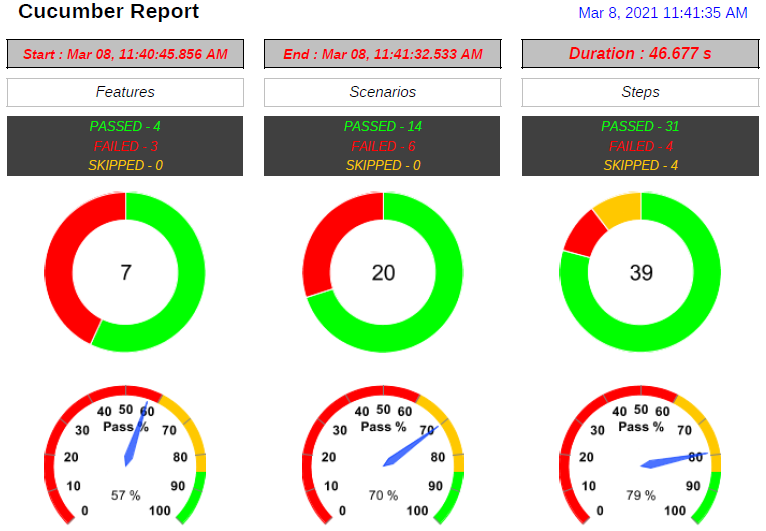
SUMMARY

TAGS

FEATURE SECTION

SCENARIO SECTION

DETAILED SECTION

MEDIA
