




A Github Action for linting C/C++ code integrating clang-tidy and clang-format
to collect feedback provided in the form of
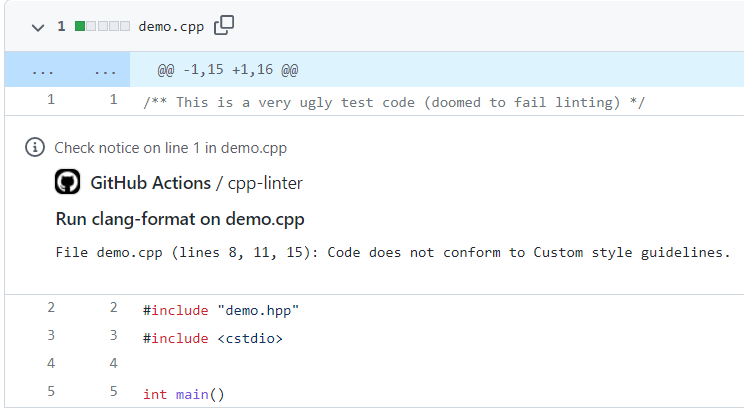
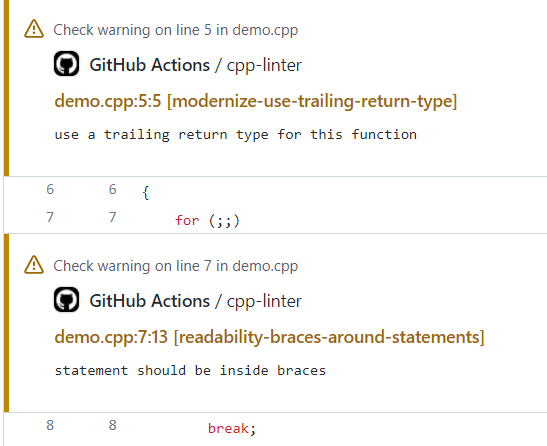
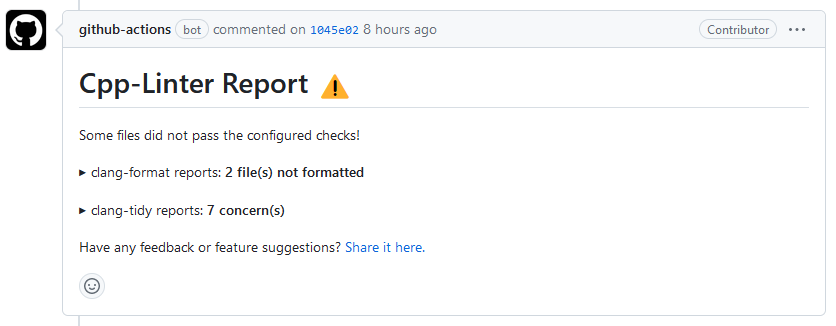
file-annotations, thread-comments,
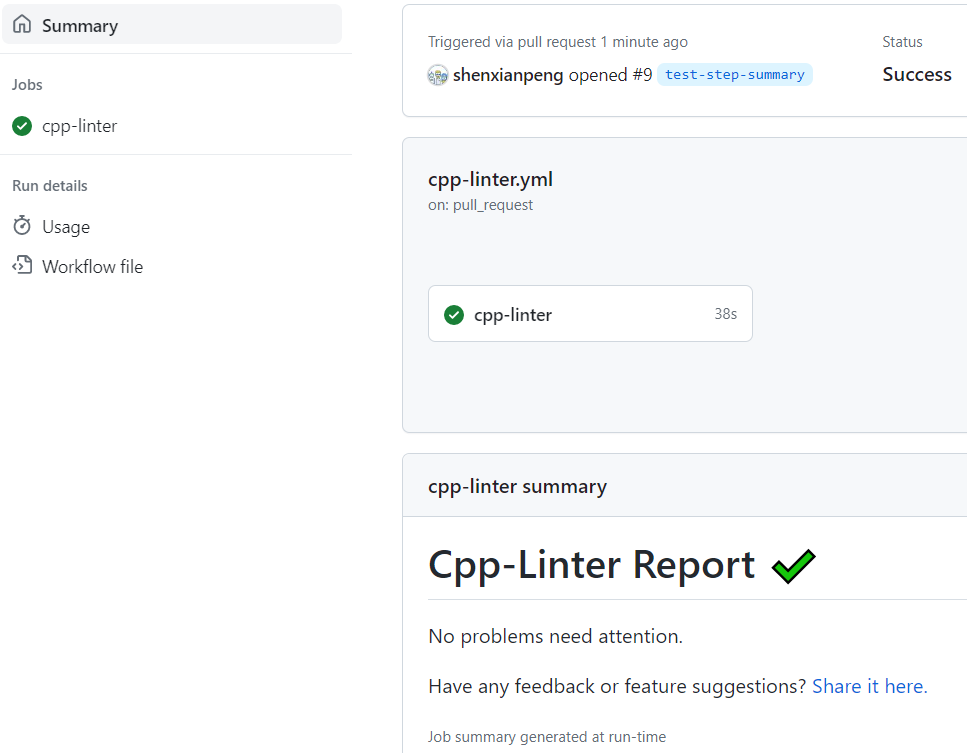
workflow step-summary, and Pull Request reviews (with
tidy-review or format-review).
Tip
Prefer pre-commit hooks over GitHub Actions? Check out
cpp-linter-hooks —
a pre-commit hook repository that runs clang-format and clang-tidy
consistently on developer machines and in CI, with no manual LLVM installs.
Create a new GitHub Actions workflow in your project, e.g. at .github/workflows/cpp-linter.yml
The content of the file should be in the following format.
    steps:
      - uses: actions/checkout@v5
      - uses: cpp-linter/cpp-linter-action@v2
        id: linter
        env:
          GITHUB_TOKEN: ${{ secrets.GITHUB_TOKEN }}
        with:
          style: 'file'  # Use .clang-format config file
          tidy-checks: '' # Use .clang-tidy config file
          # only 'update' a single comment in a pull request thread.
          thread-comments: ${{ github.event_name == 'pull_request' && 'update' }}
      - name: Fail fast?!
        if: steps.linter.outputs.checks-failed > 0
        run: exit 1
For all explanations of our available input parameters and output variables, see our Inputs and Outputs document.
See also our example recipes.
Set auto-fix: 'true' and the action applies clang-format -i to the files with style
issues and commits the result to the branch:
    steps:
      - uses: actions/checkout@v7
      - uses: cpp-linter/cpp-linter-action@v2
        id: linter
        env:
          GITHUB_TOKEN: ${{ secrets.GITHUB_TOKEN }}
        with:
          style: 'file'
          auto-fix: 'true'  # automatically fix format issues
On pull_request events actions/checkout checks out the merge commit, so the action switches
the workspace to the pull request's head commit before it lints and commits.
Tip
Commits pushed with the default GITHUB_TOKEN do not start new workflow runs,
so CI does not re-check the auto-fix commit. To change that, check out and run
the action with a GitHub App token. To keep a particular
auto-fix commit from re-running CI, add [skip ci] to its message:
    with:
      auto-fix: 'true'
      auto-fix-commit-msg: 'style: apply clang-format fixes [skip ci]'
See our documented permissions for the required scopes.
Every feature above can run with a token minted from a GitHub App that you own
instead of the default GITHUB_TOKEN. Comments and reviews are then posted
under your App's name rather than github-actions[bot], and commits pushed by
auto-fix do start new workflow runs. The token is minted inside the job, so
there is no server or webhook handling to host.
See GitHub App token for the setup steps.


Using file-annotations:
Using thread-comments:
Using step-summary:
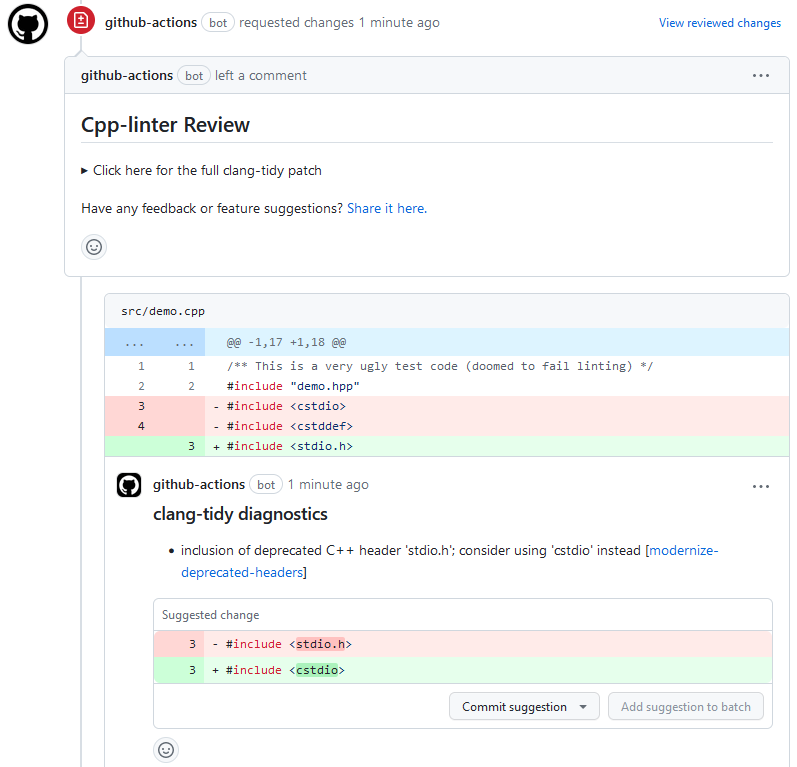
Using tidy-review:
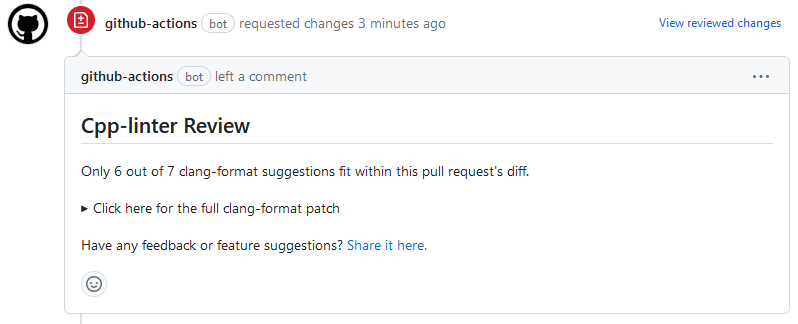
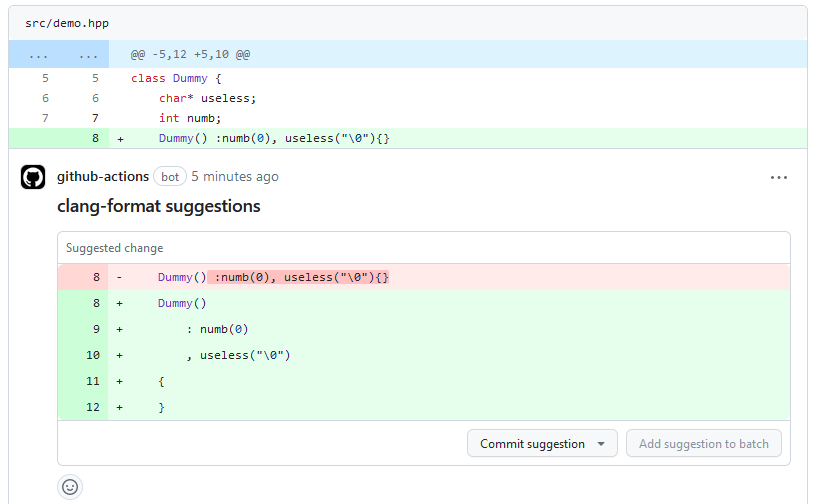
Using format-review:
You can show C/C++ Linter Action status with a badge in your repository README
Example
[](https://github.com/cpp-linter/cpp-linter-action/actions/workflows/cpp-linter.yml)
To provide feedback (requesting a feature or reporting a bug) please post to issues.
As of v2.16.0, this action uses
This action installs nushell and uv automatically. Only nushell is added to the PATH environment variable. uv, and any standalone Python distribution it downloads, are not added to the PATH environment variable.
We only support Linux runners using a Debian-based Linux OS (like Ubuntu and many others).
This is because we first try to use the apt package manager to install clang tools.
Linux workflows that use a specific container should ensure that
the following are installed:
- GLIBC (v2.32 or later)
wgetorcurllsb-release(required by LLVM-provided install script)software-properties-common(required by LLVM-provided install script)gnupg(required by LLVM-provided install script)
apt-get update
apt-get install -y libc6 wget lsb-release software-properties-common gnupg
Otherwise, nushell and/or the LLVM-provided bash script will fail to run.
If installing clang tools fails using the apt package manager, then
we alternatively try the following sources in order:
- PyPI Packages clang-tidy and/or clang-format
- Static binaries that we built ourselves; see cpp-linter/clang-tools-pip project for more detail.
The specified version of clang-format and clang-tidy is installed via
the following sources in order (whichever succeeds first):
- Homebrew
- PyPI Packages clang-tidy and/or clang-format
- Static binaries that we built ourselves; see cpp-linter/clang-tools-pip project for more detail.
For Windows runners, we use clang tools installed via the following sources in order (whichever succeeds first):
- PyPI Packages clang-tidy and/or clang-format
- Static binaries that we built ourselves; see cpp-linter/clang-tools-pip project for more detail.
The scripts and documentation in this project are released under the MIT License