

The open-source AI development agent that feels at home in Godot.
Inspect your project, understand editor context, propose Godot-aware changes, and run focused development workflows without giving up control of your files.


Download | Install | Why Orca | Local Models | Demo | Contribute

Move from read-only planning to reviewed implementation without losing control of the workflow. Click the animation to open the full-resolution video.
Orca is an MIT-licensed AI agent built directly into the Godot editor. It combines project exploration, editor awareness, Godot-specific tools, reviewed changes, and bounded runtime workflows in one native editor dock.
Connect an Orca Cloud account, bring your own provider API key, or use a local model through Ollama, LM Studio, or another OpenAI-compatible server. Orca keeps the workflow visible: it shows what it is inspecting, validates supported edits, and applies changes under your chosen edit permissions.
Orca is not a general chatbot placed beside Godot. It is a Godot development tool designed around scenes, scripts, resources, project settings, editor state, and safe project changes.
Orca runs as a Godot EditorPlugin, not as a separate desktop application or browser tab. Its dock follows Godot's editor scale and workflow, understands the active scene and script, and opens relevant files, resources, project settings, and Godot Help topics in the editor where they belong.
Orca can work with Godot concepts instead of treating the project as an unstructured folder of text:
- Inspect saved scene hierarchies, serialized properties, groups, instances, and signal connections.
- Inspect the current editor scene, selected nodes, or a subtree with unsaved layout/transform changes and native parent context; live inspection remains read-only and supplies no disk patch hash.
- Read focused GDScript functions, including the exact unsaved source currently open in the script editor.
- Inspect selected project settings, Input Map actions, resource dependencies, diagnostics, and reflected Godot API signatures.
- Propose reviewed file edits, Input Map changes, main-scene changes, selected display settings, and constrained scene operations.
- Launch a saved scene in one bounded Orca-owned process and evaluate narrow startup or exit criteria from captured evidence.
Orca separates exploration from mutation:
- Plan mode is read-only for project and external state.
- Work mode defaults to Review edits, with Apply/Reject decisions. Version 1.6.0 also provides Auto apply for bounded project scripts, optionally remembered for the current project; scene/configuration changes retain review.
- When implementation is requested during a Plan turn, Orca can ask once to switch modes. It waits for an explicit Stay in Plan or Switch to Work decision and never treats that decision as approval for a file change.
- File proposals are hash-bound, validated, checked for stale or unsaved state, shown as a diff, and guarded against overwriting newer work.
- Applied proposals have conflict-checked Revert. Automatic script edits also retain durable local checkpoints for review/recovery after restart; manual and structured checkpoints remain in memory.
Orca is released under the MIT License. Its source, tool contracts, safety boundaries, tests, and provider integrations are open for inspection and contribution. You can choose among supported cloud providers, connect a compatible endpoint, or use local inference without being locked into one model vendor.
- Streamed responses and tool calls with real cancellation.
- Visible, grouped tool activity with navigation back into the project.
- Persistent project-scoped conversations and multi-step task lists.
- Rich code blocks, unified diffs, expanded side-by-side review, and Apply/Reject/Revert controls.
- Model-and-mode response footers retain the full configured model ID and response mode across model switches and restored history.
- Context-window and session-cost visibility when provider metadata is available.
- Request-scoped project instructions and explicitly loaded project skills.
This checkout prepares Orca 1.7.0 for Godot 4.7.2. It is a release candidate; 1.6.0 remains the latest published release. See the 1.7.0 changelog entry.
The development checkout also adds exact-node/subtree saved-scene reads, read-only animation library/track/keyframe inspection, bounded compact directory listings, awareness of the Inspector's current target, and clickable text-search matches. Animations are read without scene/script loading or playback. Extended Cloud tools require the matching backend rollout and a model-catalog refresh. These additions are part of the 1.7.0 candidate, not the published 1.6.0 ZIP.
This checkout adds English, 简体中文 (Simplified Chinese), Español (Spanish), 日本語 (Japanese) and 한국어 (Korean) under Settings → System → Language. Selection updates Orca live and is remembered across editor restarts/projects. Bundled catalogs work offline; Godot's editor/project language and original messages/code remain intact. Replies follow the user's message language and explicit requests, using the interface language when unclear. See localization for details and translation contributions.
After sustained use, Orca may show a small dismissible invitation below its header to star the official GitHub repository or review it on the Godot Store. It waits for idle time, preserves the chat layout and never opens a link without a click. Don't ask again or either support-link click retires it permanently; otherwise it allows at most one later reminder after sixty days and further use. Only bounded local usage counters are stored, with no project/account identity, conversation data or network telemetry.
Orca 1.6.0 for Godot 4.7.2 is published on GitHub. It adds automatic script editing, an optional remembered project preference and durable recovery to the published 1.5.0 baseline. See the 1.6.0 changelog entry.
In Work mode, click Review edits in the empty chat, or the small edit icon beside
ORCA in an existing conversation, and confirm Allow edits. You can do this before starting a task or while reviewing
its first eligible script proposal. Orca then creates/edits project .gd files
without another Apply click, shows the familiar inline diff cards with expandable review,
and continues the task. Once enabled, Auto apply uses a small green header icon;
the floating chip disappears so responses and diffs remain unobstructed.
Leave Remember for this project unchecked for session-only permission. Check it to start future Work conversations and editor restarts with Auto apply in this project. The same choice is available under Settings → System → Script edits. Clicking the green edit icon beside ORCA turns Auto apply off immediately, including during a turn, and clears the remembered default. The header icon stays muted in Review edits once a conversation has started.
Old runtime grants clear on New Session, History restoration, Plan selection or
plugin reload. Resumable Work sessions can obtain fresh permission from the
explicit local project preference; Plan and view-only history cannot. The choice
is saved in local EditorSettings outside project files and conversation history.
Validation, fresh hashes, unsaved
editor conflicts and path protections remain enforced. Scene/configuration changes,
scripts in addons/, and script-execution trust retain explicit review.
Each automatic edit must save a recovery checkpoint before writing. History can review it and explicitly revert the exact applied state after restart. Interrupted records offer Check recovery without replaying the edit. Recovery is bounded to 64 checkpoints / 4 MiB per conversation, with each source version at most 256 KiB / 8000 lines. Its plaintext local source is deleted with the conversation. Stop prevents further actions and keeps completed edits; Revert is a separate action.
These additions are available in orca-v1.6.0.zip with its checksum and matching
separate helper assets. Final-commit Tests and release preparation passed.
Real-model editing and broader platform acceptance remain separate checks.
Orca 1.5.0 for Godot 4.7.2 is published on GitHub, adding project code navigation. Asset Store moderation remains a separate owner check. See the 1.5.0 changelog entry.
Orca can locate saved GDScript classes, functions, signals, members, constants and named enums, then show clickable file/line results with bounded excerpts. Whole-identifier reference candidates ignore comments/strings; dirty scripts and scan limits are disclosed. These are lexical matches, not semantic rename analysis or dynamic/scene-connection coverage. Existing approvals still govern all edits. For Orca Cloud, deploy the matching backend API and refresh the catalog; older servers keep the existing read/search tools.
The release provides orca-v1.5.0.zip, its checksum and four separately tested
helpers. Release CI/preparation and the November 3 full Tests run passed.
Orca 1.4.1 is the published packaging-fix release following 1.4.0's Godot Asset Store rejection for bundled executables. Its plugin ZIP is binary-free; matching native credential helpers are published separately and verified/cached outside the project after plugin enable. GitHub publication and complete CI passed on October 30; Asset Store approval remains an owner moderation check. Read the 1.4.1 changelog entry for the fixes.
It includes the features introduced in 1.4.0:
- Orca Cloud browser sign-in/sign-up, persistent OS-vault sessions, account allowance/model selection, and automatic managed Agent readiness.
- Dismissible connection onboarding that preserves the original empty state and your draft.
- Live editor scene/selection inspection and explicit saved/active-unsaved script references.
- Microsoft Foundry / Azure Responses, bounded private reasoning continuation, and one-click Agent compatibility enablement.
- Vision/text-only model switching within a conversation, response attribution, native review minimaps, and the composer Tab mode shortcut.
- Daily update checks, confirmed Update & Restart/rollback, four-platform native helper builds, and complete versioned plugin packages.
Users of 1.3.0 can upgrade directly to 1.4.1. The release provides
orca-v1.4.1.zip, its checksum and four separate helper assets through
GitHub Releases. The existing v1.4.0
GitHub release remains the original bundled package.
Settings now includes Account after System. Orca Cloud connects to
https://cloud.aiorca.dev. Click Sign in / Sign up, sign in or register in
your browser, and approve the matching editor code. An included model is selected
automatically; use Choose model to switch. Managed models require no Agent-tool
or reasoning setup. The connection is remembered across projects/editor restarts
through your OS credential vault.
New packages are binary-free. When Orca is enabled, it quietly downloads the matching platform credential helper from the official GitHub Release if it is not cached, verifies it, and caches it outside the project. There is no separate install prompt. Early Cloud sign-in waits with Preparing connection…; BYOK/local providers stay usable while preparation runs. Linux requires Secret Service/libsecret. The native Actions workflow builds/tests all four helpers and publishes them separately; actual Windows/macOS downloaded-helper acceptance remains pending. See build/release/Asset Library steps. After updating the addon, restart the editor and sign in again: localhost development credentials are isolated from the deployed service, and development accounts may need registration there. See the addon setup guide for account and provider setup.
The original Orca empty state is preserved. New unconfigured users see a separate overlay with Sign in / Sign up with Orca and Bring your own API key, including local providers. Close, Escape or Set up later dismisses it; sending without a connection brings it back. The composer stays usable and your draft is preserved. Finish setup, return with Done, then press Send. Configured users skip the automatic overlay.
Orca checks stable GitHub Releases daily and shows a dismissible update notice. Settings → General Settings provides manual checking, release notes, an automatic-check toggle and Update & Restart. Confirmed updates verify and stage the official package, retain a rollback copy and restart the current project through an independent installer. Local addon changes are preserved. Install the first updater-equipped release manually once; future updates use its release manifest. See the update and release guide.
Connect a Foundry resource using its /openai/v1 base URL, API key, and exact deployment name. The profile supports stateless Responses for reasoning-enabled GPT function tools, explicit Chat Completions reasoning (including none), and opt-in DeepSeek reasoning continuation. Test & Enable Agent tools enables tools automatically after a matching synthetic compatibility pass. See the add-on setup guide; live deployment acceptance remains a manual check.
Give Orca a screenshot of your UI, a reference image, or an error screenshot alongside your prompt:
- Select a model and endpoint that support image input. Vision capability is separate from Agent-tool compatibility; unavailable controls are dimmed.
- Click the composer image icon and Browse or drop desktop images into the separate Attach images window.
- Alternatively, paste copied image pixels with Ctrl/Cmd+V, or drag an existing image from Godot's FileSystem dock onto the input.
- Review the floating thumbnails, remove any unwanted images, and press Send. Click a thumbnail for a larger preview.
Desktop drops belong in the attachment window. Dropping desktop files onto Godot's main editor/dock invokes Godot's import handler and may create copies in the selected project folder. The separate window isolates attachment intake; direct seamless desktop dropping onto the dock remains future work.
Orca accepts up to four PNG/JPEG/WebP still images per message. Source files are limited to 10 MiB and 16 megapixels, then normalized to PNG at up to 2048 pixels per side and 1 MiB each. Prepared images remain available through tool follow-ups and restore with conversation history. PDFs, documents, animated images, and automatic screenshot capture are not included.
Custom/local profiles with unknown image capability can explicitly enable unconfirmed input under Provider settings for the exact endpoint/model. This is a compatibility assertion, not a vision-quality test.
Model switching: Earlier images no longer lock a session to vision models. Text-only requests retain conversation text and existing image descriptions with explicit placeholders; original images and previews remain saved. Switching back to vision includes original images still in retained model context. New attachments require confirmed image support, and the selected model/image policy stays fixed through an active turn.
Drag project .gd files from Godot's FileSystem dock or open-script list onto Orca's prompt box. Up to four removable chips can accompany a message; click a filename to open it and hover for its full project path. Script references work with text-only models and Chat-only profiles, and can accompany images.
Source is captured when you press Send, capped at 300 lines / 16 KiB per script with explicit truncation. Orca uses the exact active unsaved script text when available; activate or save an inactive dirty script before submitting it. Submitted references and bounded source snapshots restore with conversation history as plaintext local data. They provide context, while edits retain normal fresh-file checks and approval.
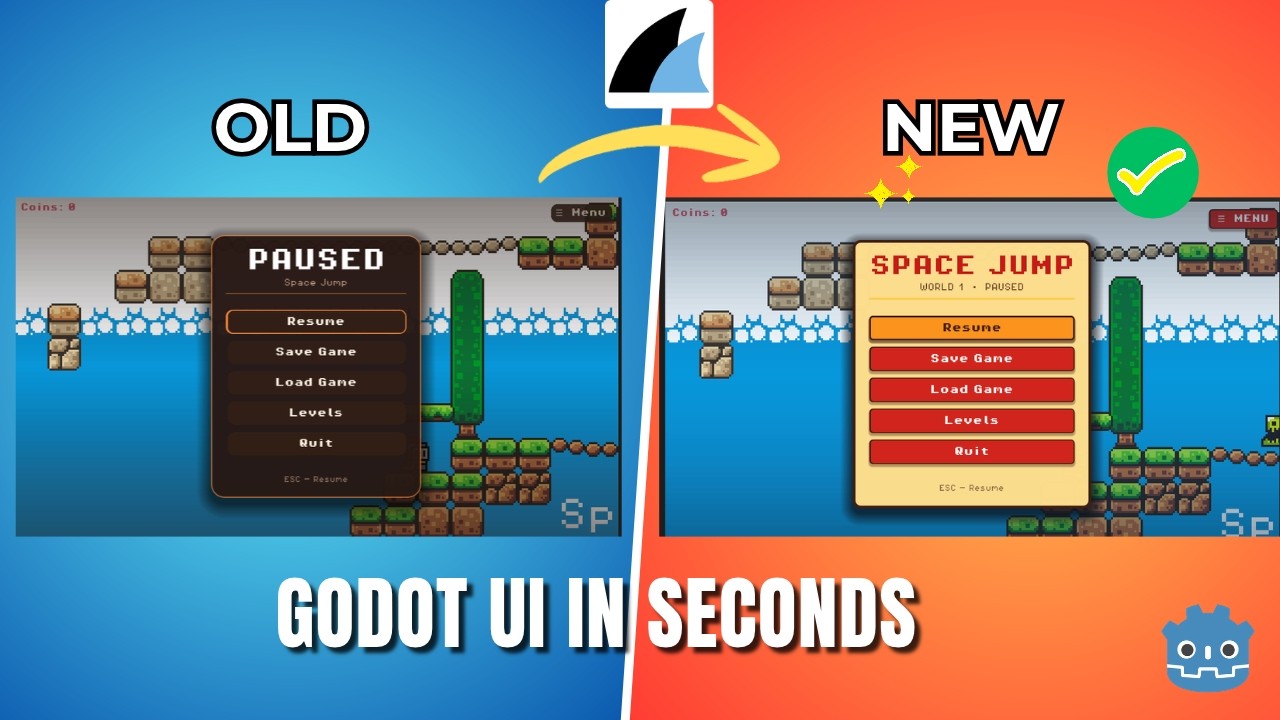
Watch Orca inspect a Godot project, propose reviewed changes, and validate the result.
Orca can connect to models served on your machine. Local inference can provide greater control over model selection and where requests are processed, while keeping the same in-editor Orca experience.
| Profile | Conventional endpoint | Model discovery | API key |
|---|---|---|---|
| Ollama | http://127.0.0.1:11434/v1 |
Native Ollama tags | Optional |
| LM Studio | http://127.0.0.1:1234/v1 |
Native LM Studio models | Optional |
| Local OpenAI-compatible | Your local /v1 base URL |
Compatible model list | Optional |
- Start Ollama, LM Studio, or another compatible local server and load a chat-capable model.
- Open Orca's settings from the editor dock.
- Select Ollama, LM Studio, or Local OpenAI-compatible.
- Confirm the endpoint, refresh the available models, or enter a Model ID manually.
- Start chatting. No API key is required when the local server does not require one.
Local and editable profiles start in Chat mode. Click Test & Enable Agent tools to run the isolated two-step function-call probe. A pass for the exact provider, origin, endpoint, model, reasoning configuration, API, continuation style, and probe version automatically enables tools. The toggle remains available to turn tools off; failed or cancelled checks leave them disabled.
For slow model loading, use the Request Timeouts card in Settings → Provider. Local profiles show editable Response start and Stream inactivity values directly, defaulting to 300/60 seconds. Response start covers headers and initial data; inactivity covers pauses after data starts arriving. Each accepts 10–600 seconds and is saved separately for the provider.
Hosted BYOK providers use Orca's original timing by default: 30 seconds for response headers, 60 seconds without body data, and 45 seconds for an Agent compatibility check. Turn on Use custom timeouts to reveal and use your own limits. Turning it off restores that original policy while retaining your custom values. Local/customized checks get one bounded two-request budget based on the selected waits. Every full provider request remains capped at ten minutes, including connection/retries, and Stop remains available. Orca Cloud timing stays fixed and has no editable timeout controls.
The probe contains no project files, editor context, instructions, skills, task list, conversation history, or real Orca tool schema. A successful probe confirms one narrow protocol exchange; it does not guarantee that a model will plan well or use tools reliably on a real project.
Orca does not install models, bundle inference, or start and manage Ollama or LM Studio for you. The tested qwen2.5-coder:3b and llama-3.2-3b-instruct models worked for Chat but did not pass Orca's strict Agent probe. More capable tool-use models may be required for Agent workflows.
- Orca Cloud (managed account access)
- OpenAI
- Google Gemini
- xAI
- DeepSeek
- OpenRouter
- Microsoft Foundry / Azure
- Ollama
- LM Studio
- Local OpenAI-compatible servers
- Custom OpenAI-compatible endpoints
Orca uses streamed Chat Completions and supports stateless Responses through the Foundry / Azure profile. BYOK credentials, endpoint, model, and reasoning-effort settings are retained per provider; managed Orca Cloud models use account-eligible catalog settings and server defaults.
Orca is designed to assist with development work without silently taking ownership of the project.
- Orca captures bounded, request-scoped editor context.
- It inspects only the project information needed for the task through bounded tools.
- In Work mode, it prepares an immutable proposal rather than immediately changing the project.
- The proposal is validated and shown in a dedicated review card.
- You approve the proposal, or explicitly enable this session's bounded automatic-script editing permission.
- Apply rechecks the target, hashes, editor state, and validation before replacement.
Additional protections include:
- Project access remains inside
res://, rejects symbolic-link traversal, and excludes Orca's own add-on directory from agent tools. - Known unsaved scripts and scenes cannot be overwritten by proposals.
- Existing files require the exact SHA-256 returned by Orca's file reader.
- GDScript proposals are validated before review and immediately before writing.
- Tool rounds, searches, reads, responses, network inactivity, and owned game processes are bounded.
- Provider configuration is snapshotted for a turn so a tool loop cannot silently switch endpoint or model.
Orca complements source control, code review, backups, and project testing; it does not replace them.
- Download the latest Orca archive from GitHub Releases.
- Extract its
addons/orca/directory into your Godot project'saddons/directory. - Open the project in Godot 4.7.2.
- Enable Orca in Project > Project Settings > Plugins.
- Open the Orca dock and use the connection overlay or Settings to sign into Orca Cloud or configure a hosted/local provider and model. Return with Done, then explicitly Send your prompt.
For development setup and test commands, see DEVELOPMENT.md and tests/README.md.
Before submitting a request, make sure you trust the selected provider and endpoint. Prompts, attached images, relevant editor context, and project content returned by Orca's tools may be sent to that provider. A locally hosted endpoint can still forward data elsewhere; Orca cannot verify what a server does after receiving a request.
Editable LAN and remote endpoints require confirmation for their exact scheme, host, and effective port. Orca identifies unencrypted non-loopback HTTP connections and does not follow provider chat or model-discovery redirects. Confirmation is informed consent, not proof that a server is trustworthy.
BYOK provider API keys are saved through Godot Editor Settings. Managed Orca account refresh/session credentials use the OS vault, and access tokens stay in memory. Project conversation history, including submitted images, is stored locally as plaintext JSON under Godot's user:// storage. Pending attachment drafts are memory-only; submitted images are removed with conversation deletion/retention. Sessions retain at most 32 unique images / 8 MiB of image data within a 16 MiB total JSON limit. Provider EditorSettings and conversation JSON are not encrypted credential-vault storage.
Script references send explicit project paths and bounded saved/unsaved source snapshots to the selected endpoint and retain them with the message in local history. Pending reference paths remain memory-only; conversation deletion/retention removes submitted snapshots.
Automatic-edit recovery additionally stores bounded exact previous/proposed script source in local conversation JSON. It never grants editing permission or enters provider continuation/support reports, and deletes with the conversation.
The About page can copy a privacy-safe diagnostic report for support. It uses a strict allowlist containing Orca/Godot versions and coarse provider/request state; it excludes credentials, endpoint addresses, model IDs, project paths and content, conversations, model output, logs, process output, file changes, and hashes.
When present, bounded root res://AGENTS.md instructions and project-skill catalog metadata are included in private request-scoped model context. A selected skill body is sent only after an explicit read_project_skill call. This temporary guidance is removed from resumable conversation history after the turn.
See SECURITY.md for the complete security and operational model.
- Orca 1.7.0 targets Godot 4.7.2. Broader Godot compatibility is not currently claimed.
- The pre-bump Tests run at
5cee382passed, including the community font-width correction, editor/transport checks and four-platform native packaging. The 1.7.0 revision requires its own CI/package run; native-speaker review, real-model language/inspection acceptance and broader platforms remain separate from automated checks. - Native attachment drops were verified on Linux/X11/Vulkan; other platforms/renderers and detached editor windows need acceptance testing.
- Runtime verification uses bounded process output and predeclared startup or exit criteria. It cannot prove visual or gameplay correctness.
- Pending approvals and manual/structured revert checkpoints do not survive restart. Bounded automatic-script checkpoints support explicit historical review/recovery.
- Structured scene operations deliberately support a constrained set of nodes, values, dependencies, and signals.
- Script attach and detach require a separate Trust and Prepare decision because Godot may execute project code while constructing a candidate. This is informed consent, not sandboxing.
- Custom compatible providers may expose incomplete model or capability metadata.
- Progressive tool-schema disclosure is not currently implemented.
See DEVELOPMENT.md for the full architecture, tool contracts, safety model, test coverage, and known limitations.
This checkout prepares Orca 1.7.0 — Multilingual UI & Focused Godot Inspection for Godot 4.7.2. It is not yet published; Orca 1.6.0 remains the latest release. Godot Asset Store moderation remains an owner check. Orca is a functional development-stage agent with permanent automated tests and CI, but it is still evolving. Review proposals carefully and use version control on real projects.
Orca is built in the open, and contributions are welcome. Whether you are improving provider compatibility, refining the Godot workflow, strengthening tests, fixing a bug, or clarifying documentation, start with CONTRIBUTING.md.
Report bugs or request features through our issue forms, and use Discussions for questions and early ideas. Community participation follows our Code of Conduct.
For architectural context and repository rules, read AGENTS.md and DEVELOPMENT.md.
Orca is open-source software released under the MIT License. You may use, study, modify, and distribute it under the terms of that license.