




This SDK makes using the Getty Images API easy. It handles credential management, makes HTTP requests and is written with a fluent style in mind. For more info about the API, see the Documentation.
- Functionality for all endpoints.
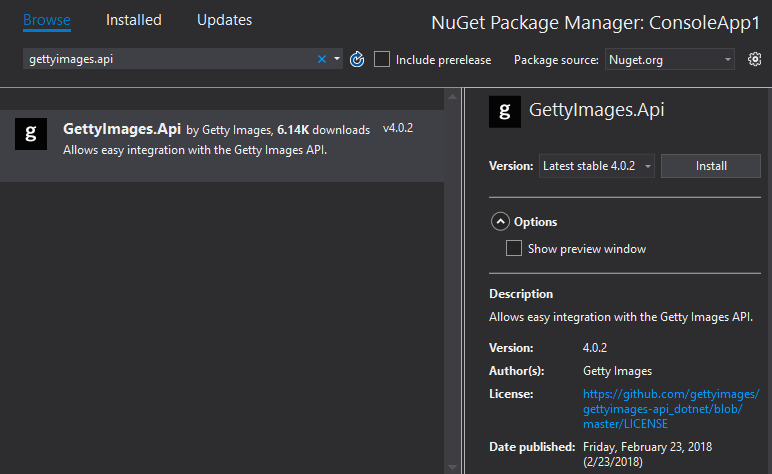
The SDK is published to the public Nuget package repository.
Open the package manager and add the package to your project:
The SDK supports async operations.
var client = ApiClient.GetApiClientWithClientCredentials("my_api_key", "my_api_secret");
var searchResult = await client.SearchImagesEditorial()
    .WithEditorialSegment(EditorialSegment.News)
    .WithPhrase("all vocabulary")
    .WithSortOrder(SortOrder.Newest)
    .ExecuteAsync();

foreach (var image in searchResult.images)
{
    Console.WriteLine("Title: {0} \r\nId: {1}", image.title, image.id);
}
The SDK can also be used synchonously, such as when running in a console application:
var client = ApiClient.GetApiClientWithClientCredentials("my_api_key", "my_api_secret");
var searchResult = client.SearchImagesEditorial()
    .WithEditorialSegment(EditorialSegment.News)
    .WithPhrase("all vocabulary")
    .WithSortOrder(SortOrder.Newest)
    .ExecuteAsync()
    .Result;

foreach (var image in searchResult.images)
{
    Console.WriteLine("Title: {0} \r\nId: {1}", image.title, image.id);
}
Results are returned as dynamic. Visit the API Interactive Documentation to learn more about available parameters and to see what the response object look like.
This is only necessary if you would like to contribute to the project. Otherwise, use the Nuget Package
- You have .NET Core 2.0 or later installed
- You have Git installed
Open a console window (Command Prompt, PowerShell or Bash) and issue the following commands to clone the Git repository:
git clone git@github.com:gettyimages/gettyimages-api_dotnet.git
cd gettyimages-api_dotnetdotnet restore
dotnet build
dotnet test UnitTests/