


Your node talks to strangers all day. Each one says what software it runs, but is it telling the truth? Peer Map takes a closer look: what the peer offers, whether it wants your transactions, how often it pings or asks for addresses, which chain it is on. A normal node, a wallet, a crawler, or a spy in disguise? Find out.
The map shows where your peers are, who hosts them and whether they are really spread out. Even your own outbound slots can hold a surprise, like a node that left Bitcoin for another chain. No open port needed, but open 8333 and more strangers come knocking.
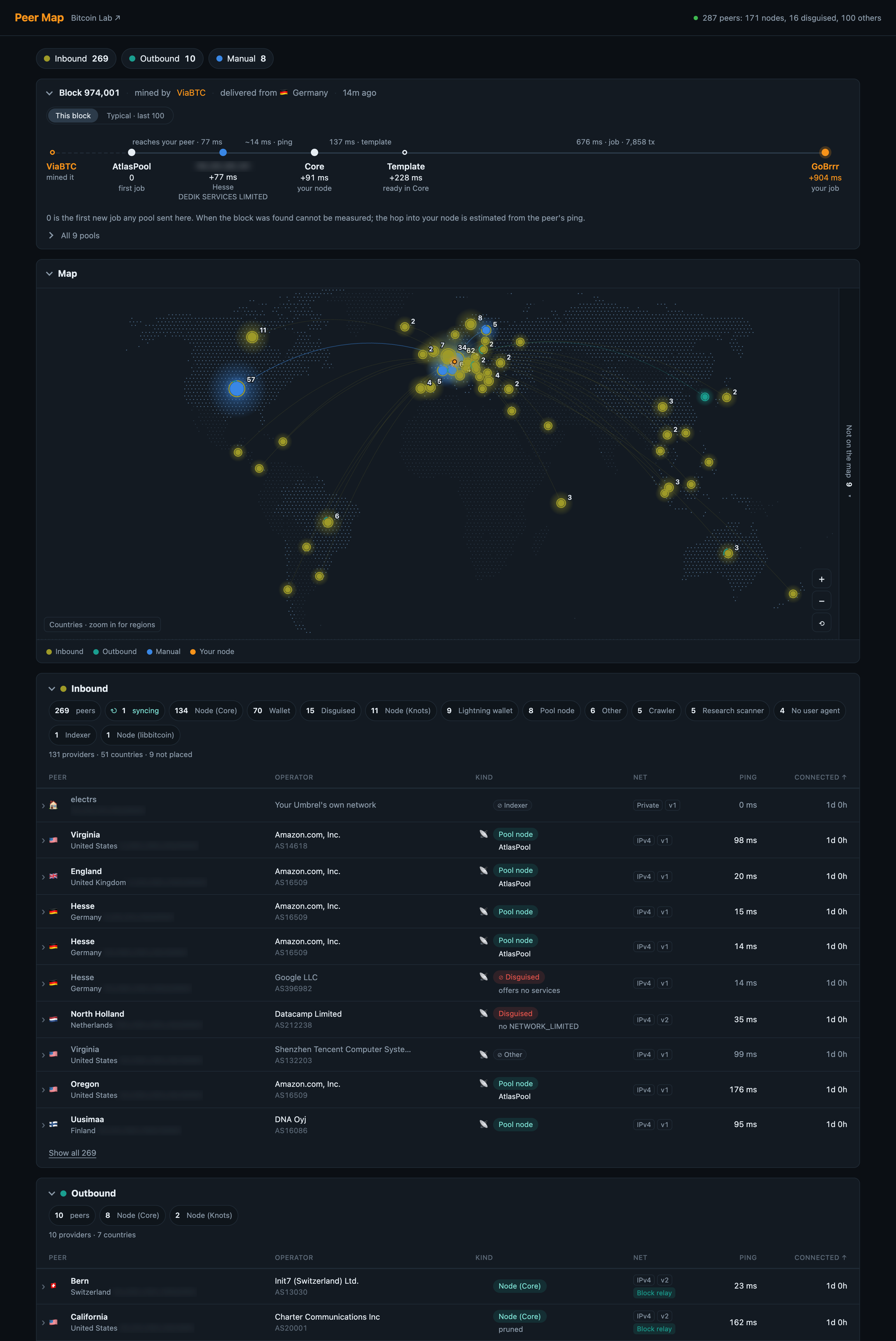
A name is easy to fake. Behaviour is harder. Peer Map, for example, catches an ancient "Bitcoin Core" offering encryption that Core only got years later, a "Sat0shi" written with a zero, and a "Bitcoin Core" that keeps asking for your addresses because it is collecting them. It also spots a wallet speaking a protocol its app never knew.
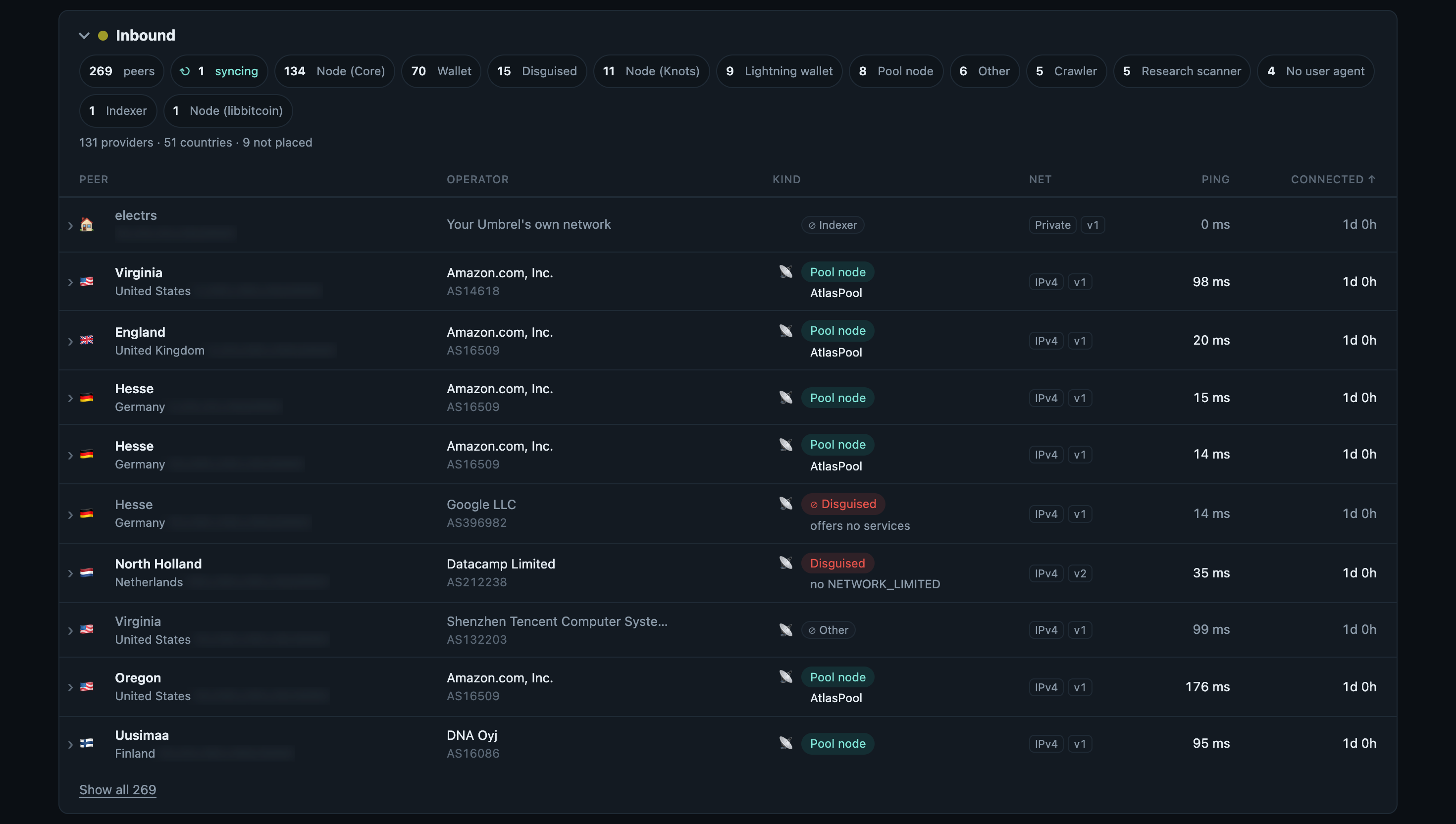
Every peer gets a label, from Core and Knots nodes to pool nodes, wallets, crawlers, university scanners and disguised peers. Tap a peer to see why it got its label. Peers that can never bring you a block are marked, so you know who is just taking up a seat.
Some disguised peers even have a name. LinkingLion, which may link transactions to the IP addresses they came from, gets its own red pill.
It is a best guess from what one node can see, so a label can be wrong. Know better about one? Open an issue and I will happily fix it.
Zoom from countries down to regions and click one to filter the tables. Your connections come in three groups: the manual peers you chose, the outbound peers Core picked for you, and the inbound peers that found you on their own.
Peers spread across the world can still all live at one hosting company. If that company goes down, so do they. Sort by provider and you see it right away.
Some peers have no place on a map. Tor, I2P and CJDNS peers don't reveal where they sit, so they are counted beside it, together with the apps on your own Umbrel. Inbound IPv6 peers end up there too, because Docker hides their real address.
Locations are roughly correct. A peer coming through a Tor exit is pinned where the exit stands, and marked as such.
Install Bitcoin Lab next to it and every new block gets its own story: which pool mined it and which of your peers brought it to you first. That peer lights up on the map, and its address stays green in the tables from then on.
Switch on Bitcoin Lab's Stratum Race, add your own pool, and the story goes all the way to your mining job: your peer, Core, the block template, your pool. You see roughly where the time goes. When the block was found is unknown, and the hop from your peer is estimated from its ping.
Why. I built this after my solo pool came in about a second behind the public pools in the stratum race. Changing my max peers changed nothing. Breaking the race down showed where the time actually went, and on my node it was not only the peers: it was mostly my old computer turning a full block into new mining work. Raising blockmintxfee to 1 sat/vB was the biggest and easiest win, about 0.75 s on my node, at the cost of leaving low-fee transactions out. What's left now happens before Core. That part is the peers.
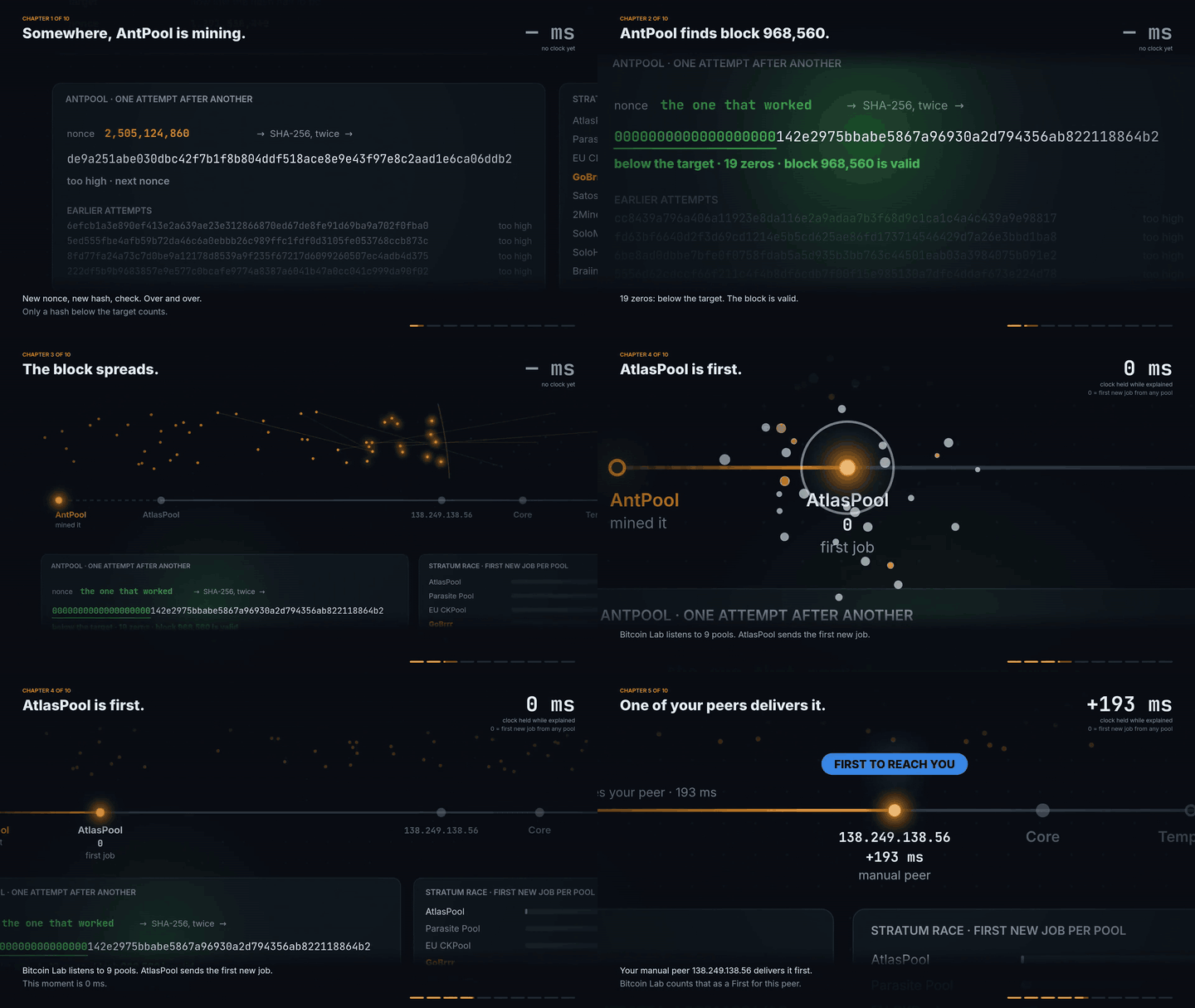
A block on my node, from the winning hash to the peer that delivered it first. Watch its whole route to the mining job.
No peer address goes to any outside service. The map and the location data are built into the app. Peer Map only asks Core for its peers when you're looking, and pauses after inactivity. It keeps no history and barely touches your node.
- Add the Bitcoin Peer Lab community store.
- Install Peer Map. It requires the official Bitcoin Node app.
- Open it from Umbrel or at
<your-umbrel>:8791.
Tested with Bitcoin Core 32.1.
Bitcoin Lab is in the same store. Both apps work on their own, but together they tell you even more.
- Geolocation: DB-IP, IP to City Lite, CC BY 4.0, data from October 2026.
- Network providers: DB-IP, IP to ASN Lite, CC BY 4.0, data from October 2026.
- World map: Natural Earth, public domain.
- Tor exits: the Tor Project's bulk exit list, bundled at build time.
See geo/SOURCE.md, asn/SOURCE.md and torexit/SOURCE.md for data versions and update instructions.
MIT, see LICENSE.