A lightweight, hackable mini-OpenCode written in Python.
FSM-driven execution · OpenAI-compatible · built for daily use and easy customization


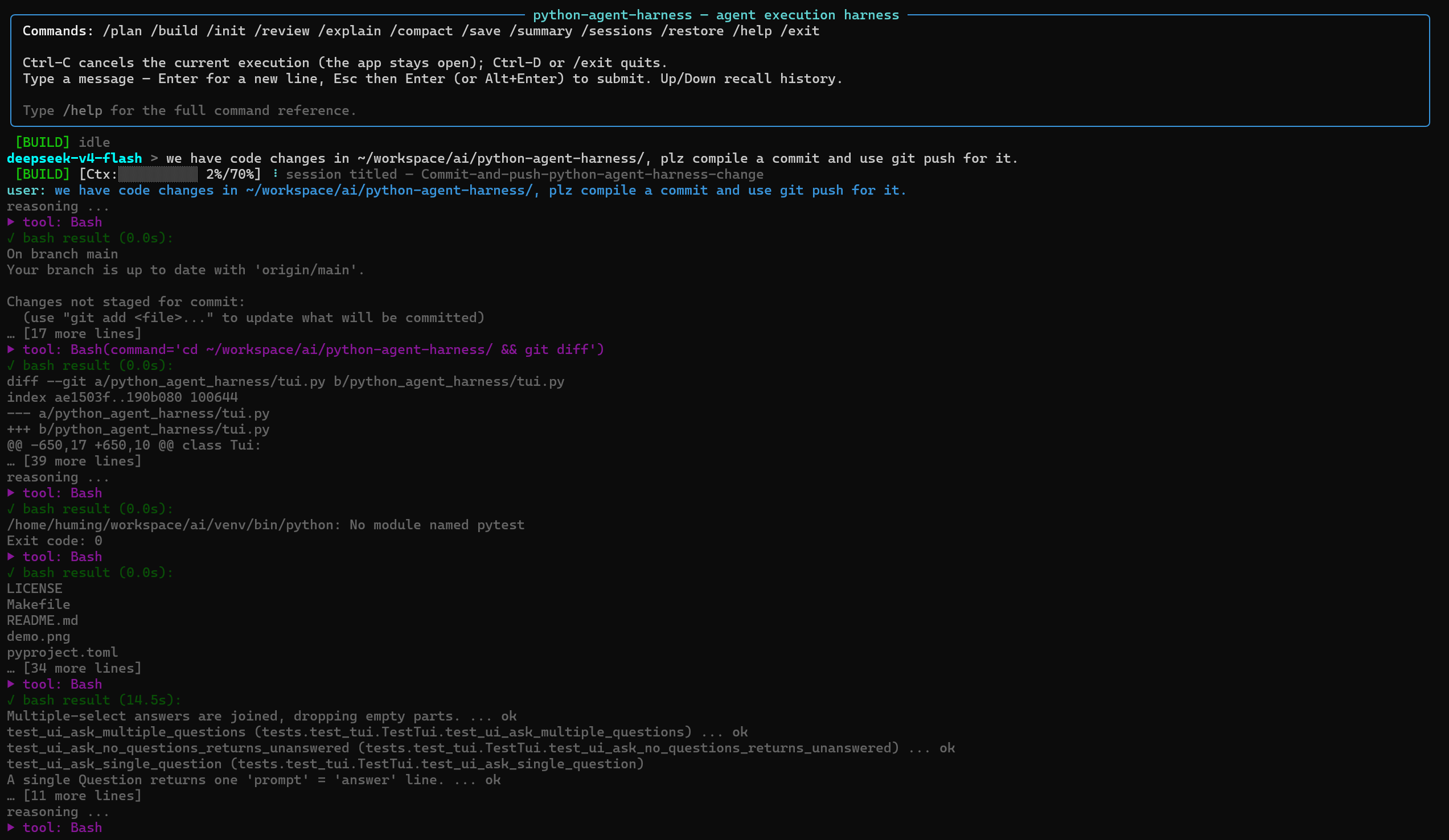
A terminal coding agent that reads your codebase, plans changes, edits files, runs commands, and verifies its work.
python-agent-harness is inspired by gptel-agent-harness and opencode. It brings opencode's prompts and core behaviors—such as AGENTS.md discovery, plan/build modes, skills, sub-agents, and todo tracking—into a lightweight Python implementation with only three runtime dependencies:
richhttpxprompt_toolkit
It works with any OpenAI-compatible API and is designed to be easy to inspect, customize, and use for everyday software development.
pip install python-agent-harness

python-agent-harness config --init
python-agent-harness run
Optional extras:
pip install "python-agent-harness[mcp]"   # MCP server integration
pip install "python-agent-harness[dev]" # development toolsgit clone git@github.com:beacoder/python-agent-harness.git
cd python-agent-harness
make install
. venv/bin/activate
python-agent-harness config --init
python-agent-harness runOptional extras:
pip install -e ".[mcp]"   # MCP server integration
pip install -e ".[dev]"   # development tools
Edit ~/.config/python-agent-harness/config.json and set your base_url, api_key, and model.
- FSM-driven execution — explicit
WAIT/TOOL/TRET/SUPERVISE/DONE/ERRS/ABRTstates. Completion supervision nudges the model when it stops early, while failed tool calls are sanitized so they never strand the agent. Transient API failures (429/5xx) retry with exponential backoff and jitter. Auth-expired status codes (configurable viaAUTH_REFRESH_STATUS_CODESinconfig.py; defaults to[401, 502]) trigger automatic API key re-read from config/env — some API gateways return502instead of401when the backend auth token has expired. Note: codes in this list are treated as auth-expired exclusively and will not be retried with backoff, so only include codes that are unambiguously auth-related in your environment. - Context management — CJK-aware token estimation, per-model context windows, and automatic compaction at 70% usage.
- Image & text attachments — attach an image or a text file with
@pathin your message (e.g.@screenshot.png,@README.md): images (PNG/JPEG/GIF/WebP, up to 20 MB, magic-byte validated) become multimodalimage_urlparts, text files are inlined as text. Only images and text files are supported as input. Path supports web-url for image as well. - Coding tools —
Agent,TodoWrite,Glob,Grep,Read,Insert,Edit(including unified diffs),Write,Mkdir,Bash,Skill,Question,LSP, andPlanExit. Synchronous tools execute sequentially, but a round made up entirely of read-only tools (Read,Glob,Grep,Skill,LSP) is dispatched concurrently via a bounded thread pool; asynchronous tools such asBashandAgentcan run concurrently as well. Results are always delivered in the model's emitted order. - Plan / Build modes — plan mode is read-only except for the per-session plan file.
- Persistent sessions — sessions are automatically saved after every response to
~/.local/share/python-agent-harness/sessions/, with LLM-generated titles and support for/restore --latestand/sessions. - Focused TUI — a Rich-based interface with a pinned status bar, Todos panel, inline red/green diff rendering for
EditandWrite, and aprompt_toolkiteditor with history and completion.Esc+Entersubmits,Ctrl-Dquits, andCtrl-Ccancels without leaving the application. - MCP support — optional MCP integration through the
[mcp]extra. MCP tools become ordinary agent tools such asmcp__<server>__<tool>. Supportsstdio,streamable-http, andssetransports. - Slash commands — built-in
/init,/review,/explain, and other commands, plus custom commands loaded fromprompts/commands/*.md. - Custom agents — switch the main agent's system prompt at runtime with
/agent. Agent prompt files live inprompts/agents/*.md. Usedefault_agentin the config file to start sessions with a specific agent. - Embeddable runtime boundaries — drive the agent from programs:
headless --jsonfor one-shot CI/scripting (write-only JSONL stream),servefor hosting apps (resident process, bidirectional protocol: multi-turn memory, mid-run Q&A, protocol-level cancel).
Most of opencode's prompts and core behaviors have been ported to this project. The goal is to retain its practical coding-agent workflow while keeping the implementation small, dependency-light, and easy to customize.
The following opencode prompts have corresponding implementations in python-agent-harness:
| opencode | python-agent-harness |
|---|---|
default.txt (main agent) |
agent.md |
plan.txt / plan-mode.txt / build-switch.txt |
plan.md / plan-mode.md / build-switch.md |
task.txt (sub-agent) |
subagent.md + Agent tool |
todowrite.txt / question.txt / skill.txt |
TodoWrite / Question / Skill tools |
read.txt / write.txt / edit.txt / grep.txt / glob.txt |
Read / Write / Edit / Grep / Glob tools |
shell.txt |
Bash tool + agent.md Git/GitHub guidance |
plan-enter.txt / plan-exit.txt |
PlanExit tool |
initialize.txt / review.txt / explain |
initialize.md / review.md / commands/explain.md |
| compaction / summary / title | compact.md / summary.md / title.md |
AGENTS.md handling |
prompts.py (find_agents_md_files, load_context_files, per-file resolution) |
All LLM settings live in a single JSON configuration file. Environment variables are optional.
{
  "llm": {
    "base_url": "https://api.openai.com/v1",
    "api_key": "sk-...",
    "model": "gpt-5-mini",
    "reasoning_effort": null,
    "stream": true,
    "supports_image_input": false
  },
  "models": {
    "_comment": "Named LLM profiles for /model switching. Partial settings; unset keys inherit the main llm.",
    "deepseek": {
      "base_url": "https://api.deepseek.com/v1",
      "model": "deepseek-chat"
    },
    "qwen": {
      "base_url": "https://dashscope.aliyuncs.com/compatible-mode/v1",
      "model": "qwen3.5-coder"
    }
  },
  "context_windows": {
    "_comment": "Optional per-model context-window overrides (tokens). Keys are model names or substrings (e.g. deepseek-v4 = 1000000); matched in file order, first match wins. Overrides the built-in CONTEXT_WINDOWS table in config.py.",
    "deepseek-v4": 1000000
  },
  "subagent_llm": {
    "profile": null,
    "base_url": null,
    "api_key": null,
    "model": null,
    "temperature": null,
    "max_tokens": null,
    "timeout": null,
    "reasoning_effort": null,
    "stream": null,
    "supports_image_input": null
  },
  "default_agent": null,
  "paths": {
    "context_path": null,
    "skill_path": null
  },
  "lsp": {
    "servers": {
      ".c":   { "command": ["clangd", "--compile-commands-dir=$REPO/build/Linux_x86_64", "--background-index"], "language_id": "c" },
      ".h":   { "command": ["clangd", "--compile-commands-dir=$REPO/build/Linux_x86_64", "--background-index"], "language_id": "c" },
      ".cpp": { "command": ["clangd", "--compile-commands-dir=$REPO/build/Linux_x86_64", "--background-index"], "language_id": "cpp" },
      ".cc":  { "command": ["clangd", "--compile-commands-dir=$REPO/build/Linux_x86_64", "--background-index"], "language_id": "cpp" },
      ".hpp": { "command": ["clangd", "--compile-commands-dir=$REPO/build/Linux_x86_64", "--background-index"], "language_id": "cpp" },
      ".cxx": { "command": ["clangd", "--compile-commands-dir=$REPO/build/Linux_x86_64", "--background-index"], "language_id": "cpp" }
    }
  },
  "mcp": {
    "servers": {
      "example": {
        "transport": "stdio",
        "command": "npx",
        "args": [
          "-y",
          "@modelcontextprotocol/server-filesystem",
          "/tmp"
        ],
        "env": [],
        "parallel": false,
        "timeout": null,
        "enabled": false
      }
    }
  }
}llm— main LLM configuration. Optional keys includetemperature,max_tokens,timeout,reasoning_effort,stream, andsupports_image_input. Values such asreasoning_effortare passed to the API as-is when set.run --no-streamoverridesstream.supports_image_input(defaultfalse) controls whether@pathimage attachments are sent to the model or stripped with a warning.models— named LLM profiles for runtime switching with/model. A profile is a partial settings dictionary; unset keys inherit from the mainllm.defaultrestores the main LLM configuration.context_windows— optional per-model context-window overrides (tokens). Keys are model names or substrings (e.g.,deepseek-v4); matched in file order, first match wins. Overrides the built-inCONTEXT_WINDOWStable inconfig.py.subagent_llm— LLM configuration forAgenttool requests. Unset values inherit from the mainllm. Setprofileto reuse a profile frommodels. Precedence is: profile settings > explicitsubagent_llmsettings > mainllm> environment variables.default_agent— name of the agent to use at session start (instead of the built-inagent.md). The agent must exist as a.mdfile in theprompts/agents/directory. When unset ornull, the built-in default agent is used. Use/agent defaultin the TUI to switch back to the built-in at any time.paths.context_path/paths.skill_path— locations from which to load context files and skills. When unset, the project-local<project>/contextsand<project>/skillsdirectories are used.lsp.servers— optional per-extension LSP server overrides for theLSPcode-intelligence tool. Keys are file extensions (e.g..py,.cpp); each value has acommand(the server argv) and an optionallanguage_id(defaults to the extension without its dot). These layer on top of the built-inDEFAULT_SERVERStable inlsp/manager.py; an entry for an existing extension replaces its default. The server binary must be onPATH.mcp.servers— MCP server configuration. Requires the[mcp]extra. Each server supportstransport,command,args,env,url,headers,parallel,timeout, andenabled.- Configuration precedence — code defaults < config file <
OPENAI_*environment variables. Sub-agent settings also supportOPENAI_SUBAGENT_*(_BASE_URL,_API_KEY,_MODEL). - Custom config — use
--config PATHorPYTHON_AGENT_HARNESS_CONFIG. - LLM logging — request and response bodies are logged as JSON to
/tmp/python-agent-harness-<date>-<id>.json. SetLLM_LOG_DIRto change the directory. The log path is printed at startup.
python-agent-harness run [--project DIR]Launches the interactive TUI agent. If --project is omitted, the current directory is used.
python-agent-harness headless [prompt] [--project DIR] [--restore [SPEC]] [--model NAME]Runs a single prompt without the TUI — for CI, scripting, and piping.
The assistant's answer is written to stdout once the run completes;
tool/status events go to stderr, so the answer stream stays clean.
Interactive prompts are auto-answered (confirm → yes, ask →
"Unanswered"), so a run never blocks.
-
The prompt is a positional argument; when omitted it is read from stdin:
python-agent-harness headless "fix the failing test"
echo "fix the failing test" | python-agent-harness headless
-
--restorecontinues a saved session (the conversation auto-saves after each response). Bare--restoreuses the most recent session; a SPEC may be a file path or a title substring:python-agent-harness headless "now add tests" --restore python-agent-harness headless "next step" --restore parser-refactor
-
--model NAMEselects the model: a profile from themodelsconfig section (same as the TUI's/model), or a raw model name on the configured endpoint when no such profile exists. An explicit--modelwins over the model restored by--restore. -
--jsonemits the run as JSON lines on stdout instead of plain text — one{"type": ...}object per line:start(echoes the prompt and submit warnings),delta(streamed text chunks),notify(tool and status events, withkind/data),log, and a finalresult(the filtered answer plus anyerrors). Diagnostics (restore/model notes, a plain-text echo of error events) still go to stderr, so one pipe carries the structured stream. Exit codes are unchanged.python-agent-harness headless "fix it" --json | jq -c 'select(.type=="result")'
-
Exit code is 0 on success, 1 when the prompt was empty (only failed
@filereferences), the run raised an agent error, or the restore failed.
python-agent-harness serve [--project DIR] [--answer-timeout SECONDS]A persistent, bidirectional runtime boundary for hosting applications
(a web backend, an IDE, a CI driver). Unlike headless --json (one
prompt per process, write-only stream), serve keeps the
Controller/Session resident and speaks a request/response protocol
over stdin/stdout — the same process boundary (containerizable), but
the host can:
- submit multiple prompts over the process's lifetime — no per-turn interpreter spawn, and conversation history is retained between them (multi-turn memory);
- answer the agent's mid-run questions (the
Questiontool and plan-exit confirmation) via ananswerop; - cancel a run as a protocol message (no signal semantics).
Protocol (one JSON object per line):
host → agent: {"op": "submit", "prompt": ..., "run_id": ...}
              {"op": "answer", "run_id": ..., "answers": [...]}
              {"op": "cancel", "run_id": ...}
              {"op": "ping"} | {"op": "shutdown"}
agent → host: {"type": "ready"}                       first line
              {"seq": N, "type": "start"|"delta"|"notify"|"log", "run_id": ...}
              {"seq": N, "type": "result", "run_id": ..., "answer": ...,
               "errors": [...], "usage": {...}, "cancelled": bool}
              {"type": "error", "error": ...}         protocol failures
A mid-run question arrives as a notify with kind: "ask" (data has
kind: "ask"|"confirm"); reply with answer. One run at a time; a
submit while one is active is rejected with an error line.
--answer-timeout SECONDS bounds how long a pending question waits
for the host's answer (default: forever). The result line's shape is
identical to headless --json's, so a driver can speak both
protocols with one parser.
| Command | Description |
|---|---|
/plan / /build |
Switch between read-only plan mode and build mode |
/init |
Create or update AGENTS.md |
/review |
Review uncommitted changes, commits, branches, or pull requests |
/explain [project] [target] |
Explain code |
/compact |
Compact the conversation |
/summary |
Append a conversation summary |
/save |
Save the current session |
/sessions |
List saved sessions |
/restore [path|title|--latest|latest] |
Restore a session; title matching uses substring search |
/clear |
Start a fresh conversation |
/model [name] |
Switch LLM profiles; default restores the session's original model |
/agent [name] |
Switch agent system prompt; default restores the built-in agent.md |
/help |
List the available commands |
/exit |
Quit |
Custom commands from prompts/commands/*.md are registered as slash commands as well (TUI only).
Agent prompt files are markdown files (.md) placed in the prompts/agents/ directory. Each file becomes a switchable agent profile available via the /agent TUI command.
An agent file may carry YAML frontmatter with two optional keys:
name:— override the agent name (defaults to the file stem)exclude_tools:— a list of tool names the agent must not see. An entry matches a tool by exact name, glob pattern (mcp__git__*), or__-delimited prefix (mcp__githidesmcp__git__list_reposbutWritedoes NOT hideTodoWrite). The built-indefaultagent always sees all tools.
---
name: assistant
exclude_tools:
  - Bash
  - Edit
  - Write
  - mcp__git__*
---

# Role and Behavior
You are a personal assistant. You do NOT modify files or run shell commands.
Commands (/review) |
Agents (/agent reviewer) |
|
|---|---|---|
| Scope | One-shot (prompt resets after run) | Persistent (stays until next /agent) |
| Kickoff | Hardcoded kickoff message | User types their own prompt |
| Tools | Can restrict (allow_planexit=False) |
All tools, minus the agent's exclude_tools |
| Ctrl-C | Restores to default prompt | Stays on the custom agent |
Requires Python ≥ 3.11. CI runs against Python 3.11, 3.12, and 3.13 on Linux and MacOS.
make test                           # unit tests
venv/bin/pip install -e ".[dev]"    # development tools
venv/bin/ruff check .               # lint
venv/bin/ruff format --check .      # formatting (CI blocks on this too)
venv/bin/pyright                    # type checking
venv/bin/python -m build            # build sdist + wheel
venv/bin/pip-audit                  # dependency audit
CI blocks on Ruff (lint and format --check) and Pyright failures.
Keep it intact, not bloated.
The project aims to provide a capable coding-agent within a lightweight framework.
- gptel-agent-harness — the Emacs-based implementation that inspired this project.
- opencode — the primary source of many prompts and coding-agent behaviors.
MIT