A Sanity Studio plugin for creating advanced, structured tables using the Structured Table Language (STL).

This plugin empowers your content creators to build complex tables with features like row/column spanning, headers, and rich styling, effectively overcoming the limitations of standard portable text tables.
- STL Editor: A dedicated input component for writing and managing Structured Table Language (STL).
- Live Preview: Real-time preview of your table within the Sanity Studio.
- Advanced Layouts: Support for colspans, rowspans, and complex header structures.
- SSR Friendly: Designed to work seamlessly with Server-Side Rendering (especially Next.js) via the core
structured-tablepackage.
npm install sanity-plugin-stl-table
# or
yarn add sanity-plugin-stl-table
# or
pnpm add sanity-plugin-stl-tableNote: This plugin requires
react>= 18 andsanity>= 3.0.0.
To enable the interactive table preview within Sanity Studio, you need to install the CLI and generate the React components.
First, install the CLI tool:
npm install structured-table-cliThen, run the following command to download the pre-built React table components:
npx stl-cli add reactOptional: You can specify a custom path for the components:
npx stl-cli add react --path ./schemaTypes/componentsAfter generating the components, you must register them in your sanity.config.ts. Import the register file (usually found in the folder where components were installed) at the top of your config.
For example, if installed in schemaTypes/components:
// sanity.config.ts
import './schemaTypes/components/register' // Base path depends on where you installed it
import { defineConfig } from 'sanity'
import { stlTableBlock } from 'sanity-plugin-stl-table'

export default defineConfig({
  // ... configuration
})Import the stlTableBlock schema definition and add it to your Sanity Studio configuration types array.
// sanity.config.ts
import { defineConfig } from 'sanity'
import { stlTableBlock } from 'sanity-plugin-stl-table'

export default defineConfig({
  // ...
  schema: {
    types: [
      // ... other types
      stlTableBlock,
    ],
  },
})You can now use the stlTableBlock type in your portable text editors or as a standalone field in your documents.
In Portable Text:
// schemas/blockContent.ts (or similar)
export default {
  title: 'Block Content',
  name: 'blockContent',
  type: 'array',
  of: [
    { type: 'block' },
    // Add the table block
    { type: 'stlTableBlock' },
  ],
}
As a Field:
export default {
  name: 'productSpecification',
  title: 'Product Specification',
  type: 'document',
  fields: [
    {
      name: 'title',
      type: 'string',
    },
    {
      name: 'specsTable',
      title: 'Specifications Table',
      type: 'stlTableBlock',
    },
  ],
}Restart your Sanity dev server. You will now see an input field where you can paste or write your STL code.
Check following video to Learn how to use block inside Sanity Studio.
The table preview will update automatically below user input as you type, giving you immediate response on your table structure and content.
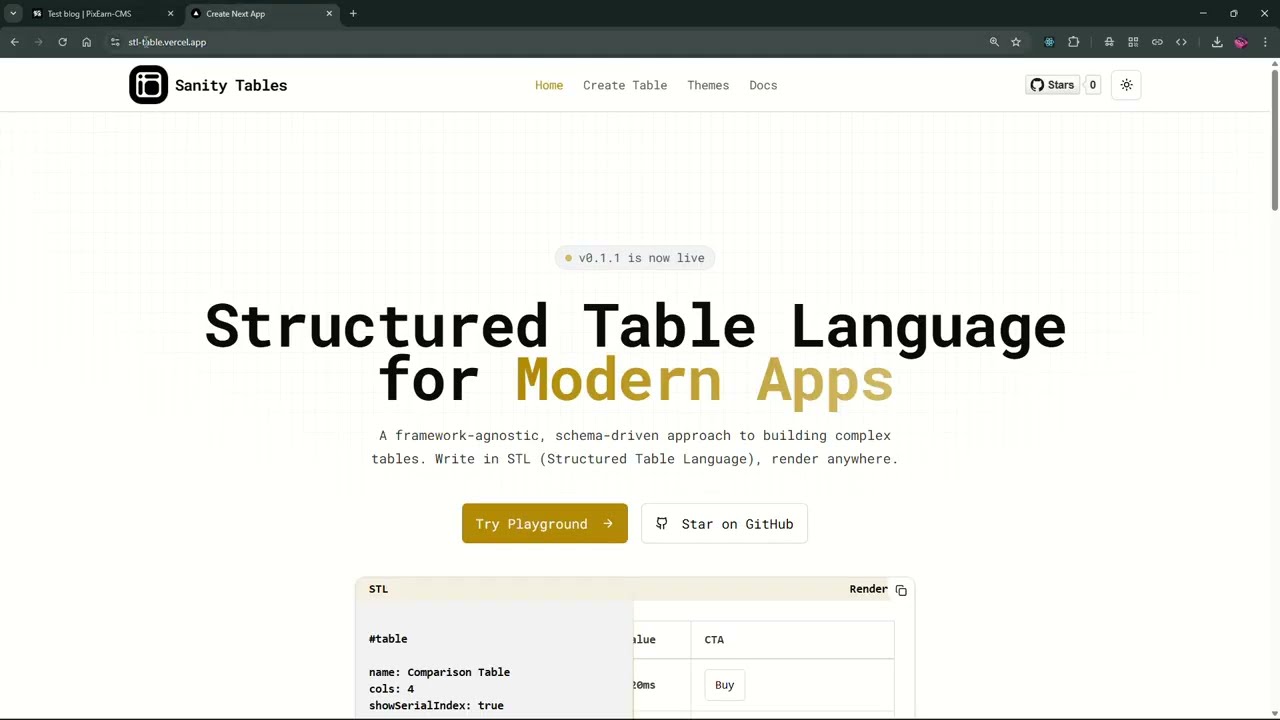
If you need a visual editor to create complex tables, you can use our Live Table Editor to build your table primarily and then export the STL code to paste into Sanity.
You can use our interactive live table editor at /playground where you can create your entire table and then export that in the STL format.
To render the structured tables on your frontend (e.g., Next.js, Remix), follow these steps:
Install the core package and the CLI (if you haven't already on the frontend repo), then generate the React components.
npm install structured-table structured-table-cli && npx stl-cli add reactUse the generated components within your Portable Text configuration. Here is an example of how to implement the stlTableBlock.
import * as STLReact from './components/react' // Path to your generated components
import { STL } from 'structured-table'

const myPortableTextComponents = {
  types: {
    stlTableBlock: ({ value }: {
      value: {
        _key: string;
        _type: string;
        stlString: string;
      }
    }) => {
      // Parse the STL string
      const parsedSTL = STL.parse(value.stlString);

      // Render the table
      return <STLReact.Table data={parsedSTL} className='border' />
    }
  }
}

// Usage in your PortableText component
// <PortableText value={data.body} components={myPortableTextComponents} />- Data Storage: The table data is stored as a string in the Structured Table Language (STL) format. This is a concise, human-readable format designed for table representation.
- Input Component: When editing, the plugin provides a custom
TableInputinterface that allows you to input and edit the STL code directly, with immediate visual feedback.- It uses
TableInputcomponent to handle user interaction. - It saves the raw STL string + an optional caption.
- It uses
- Preview: Inside the Studio, a
TablePreviewcomponent renders the STL string so editors can see exactly what the table looks like without leaving the CMS. - Frontend Rendering: On your frontend application (e.g., Next.js), you use the
structured-tablepackage to parse and render this STL string.
Standard Sanity tables are great for simple key-value pairs or basic grids. However, they often struggle with:
- Merged Cells: Row spans and column spans.
- Complex Headers: Multi-level headers, headers in columns, or non-standard grid layouts.
- Rich Styling: Needing specific alignment, button cells, or complex formatting that a simple grid doesn't support.
Sanity Plugin Structured Table solves this by leveraging STL, allowing you to define table structures as flexibly as you would in HTML, but with a syntax designed for data entry and maintainability.
MIT © Yashraj Yadav