Pure-Python, zero-dependency color palette toolkit
palettes provides pre-computed, display-ready and integer-indexed color lookup tables for any Python environment. It has zero dependencies on any other PyDevices library or external package, running identically on MicroPython, CircuitPython, CPython (desktop/server), and PyScript (Web).
While palettes integrates seamlessly with PyDevices displays, it is a standalone utility useful for any Python project needing easy-to-access named and indexed palettes, including:
- Embedded & Hardware: RGB565 displays, addressable LEDs / NeoPixels, status indicators.
- Terminal & CLI Tools: ANSI terminal formatting, logs, status alerts.
- Data & Charts: Consistent categorical and sequential color mapping.
- Theme Engines: Swappable UI color palettes with human-readable color names.
Generates a smooth, continuous HSV-based color spectrum. Ideal for color pickers, circular progress rings, and continuous gradient animations:
from palettes import get_palette

# 360-step full saturation color wheel (16-bit RGB565)
wheel = get_palette(name="wheel", length=360, saturation=1.0, color_depth=16)
color = wheel[180]  # get color at hue angle 180°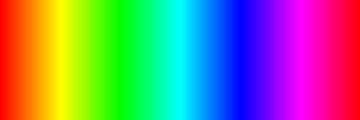
A curated collection of modern UI colors based on Google's Material Design palette:
material = get_palette(name="material_design", color_depth=16)
primary_color = material[0]
color_name = material.color_name(0)  # e.g., "Red 500"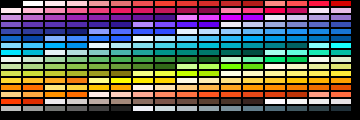
A structured 3D RGB color cube mapped into a discrete indexed palette. Excellent for retro imaging and color-space mapping:
cube = get_palette(name="cube", size=5, color_depth=16)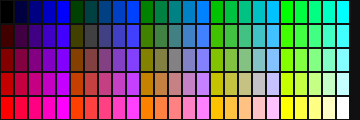
The classic 16 standard system colors:
win16 = get_palette(name="default", color_depth=16)
navy = win16[1]  # Black, Navy, Blue, Green, Teal, Lime, Cyan, etc.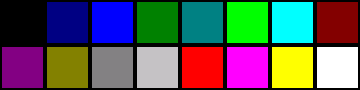
import board_config
from palettes import get_palette

display_drv = board_config.display_drv
palette = get_palette(name="wheel", length=display_drv.width, color_depth=16)

# Draw a full-width color spectrum band
for x in range(display_drv.width):
    display_drv.fill_rect(x, 0, 1, 40, palette[x])

display_drv.show()pip install \
-i https://test.pypi.org/simple/ \
--extra-index-url https://pypi.org/simple/ \
pydevices-palettesimport mip
mip.install("palettes", index="https://PyDevices.github.io/mip")- Documentation
- Source Code
- PyScript Live Demos (
palettes_demo.py) - Related: pydevices, pdwidgets, pydevices-examples
MIT — see LICENSE.