A powerful group video calling Android app built using VideoSDK, offering real-time multi-user conferencing, screen sharing, call recording, and AI-powered transcription with summary generation.
- Namit Jain (2022315)
- Saurav Haldar (2022464)
- Vipul Mishra (2022596)
- Satyam (2022462)
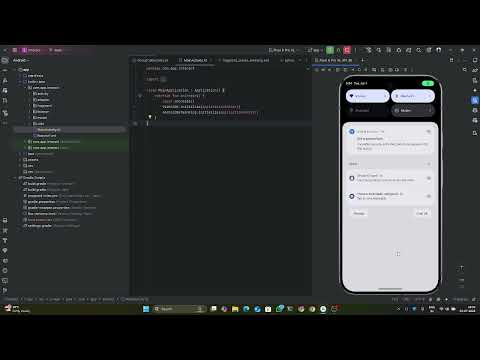
🔗 Click here to view the demo on YouTube
| Create / Join | In-Call Chat | Screen Share |
|---|---|---|
 |
 |
 |
📌 [Replace with actual screenshots]
- 🔗 Join/Create Meetings — Secure multi-user group calls.
- 🎙️ Real-Time Audio/Video — Low-latency video communication.
- 💬 In-Call Messaging — Chat with participants during calls.
- 🎚️ Mic & Camera Control — Toggle audio/video with ease.
- 🎧 Audio Device Picker — Switch between speaker, Bluetooth, headset, etc.
- 🖥️ Screen Sharing — Share your phone screen in real time.
- 🔴 Recording — Record your meetings.
- 🧠 Live Transcription + Summarization — AI-generated real-time transcripts and smart summaries.
- ☁️ AWS Integration — Recordings and summaries are auto-uploaded to AWS S3.
- 📶 Network Feedback — Visual indicator for connectivity quality.
| Tech | Purpose |
|---|---|
| Kotlin | Native Android development |
| VideoSDK | Real-time video, audio, and screen sharing |
| AWS S3 | Cloud storage for recordings and transcripts |
| Firebase Crashlytics (optional) | Crash/error logging |
| Material Design | Clean and modern UI |
| Fast Android Networking | Fast HTTP requests |
app/
├── activity/              # Activities for call setup and group call
├── fragment/              # Create / Join / Navigation fragments
├── adapter/               # RecyclerView adapters (chat, audio, etc.)
├── listener/              # API response interface
├── modal/                 # Model classes
├── utils/                 # Utility functions and API interactions
├── MainApplication.kt     # Global app setup
└── RobotoFont.kt          # Font configuration
- CreateOrJoinActivity.kt — Handles UI and logic for meeting creation or joining.
- GroupCallActivity.kt — Manages the meeting lifecycle, video/audio streams, recording, transcription, AWS uploads, and in-call features.
- CreateMeetingFragment.kt — Creates a new VideoSDK meeting.
- JoinMeetingFragment.kt — Validates and joins existing meeting.
- CreateOrJoinFragment.kt — Entry point fragment UI.
- AudioDeviceListAdapter, DeviceAdapter — Audio output device selector.
- MessageAdapter — In-call chat UI.
- LeaveOptionList — Meeting exit menu.
- HelperClass.kt — UI + logic helpers.
- NetworkUtils.kt — Token, meeting creation/join, AWS uploads.
- Android Studio Arctic Fox or newer.
- Android SDK Level 24+.
- A valid VideoSDK Auth Token.
- AWS S3 Bucket (for storage).
git clone https://github.com/Namitjain07/Interact
cd Interact-
Open the project in Android Studio.
-
Configure
local.properties:auth_token=<YOUR_VIDEOSDK_TOKEN> -
Connect a physical device/emulator.
-
Click Run
▶️ in Android Studio.
-
Launch the app.
-
Tap "Create Meeting" or "Join Meeting".
-
Grant necessary permissions (camera, mic, screen).
-
Enjoy the call:
- Share your screen
- Record the session
- Chat in real-time
- Watch transcription live
-
End the call — recording & summary auto-uploaded to AWS.
- ✅ Meeting scheduling & calendar sync
- 🔒 End-to-end encryption
- 🌐 WebRTC-based low-latency mode
- 📊 In-app dashboard for past meeting logs
This project is open-source for educational purposes.
💬 Feel free to fork, star ⭐, or contribute!