Skip to content

Trim search term before deriving the phone/email search value in useSearchSelector - #100031

Draft
MelvinBot wants to merge 1 commit into
mainfrom
claude-trimSearchTermForInviteOption
Draft

Trim search term before deriving the phone/email search value in useSearchSelector#100031
MelvinBot wants to merge 1 commit into
mainfrom
claude-trimSearchTermForInviteOption

Conversation

@MelvinBot

Copy link
Copy Markdown
Contributor

Explanation of Change

In Start chat, typing the email of a user who has no Expensify account made the "invite" row disappear as soon as the input had a leading or trailing space.

useSearchSelector derived the email/phone search value from the raw debounced input, so the space survived:

const computedSearchTerm = getSearchValueForPhoneOrEmail(debouncedSearchTerm, countryCode);
const trimmedSearchInput = debouncedSearchTerm.trim();

That untrimmed value flowed into getValidOptionsfilterUserToInvitegetUserToInviteOption, where Str.isValidEmail uses an anchored ^…$ regex. A boundary space fails the match, so with isValidEmail === false, isValidPhoneNumber === false and shouldAcceptName === false the guard returned null and no invite option was created. Existing accounts still matched because report/personal-detail filtering tokenizes on whitespace and drops empty tokens — which is exactly the asymmetry the reporter saw.

The fix swaps the order of those two lines so the already-computed trimmed value feeds getSearchValueForPhoneOrEmail. This matches what the older filterOptions path has always done (it trims before deriving the invite search value), so the two code paths now agree.

Why fix it here rather than inside getSearchValueForPhoneOrEmail: that helper has 11 other call sites (ApproverSelectionList, WorkspaceMembersSelectionList, ReportSubmitToContent, DomainAddPrimaryContactPage, ShareBankAccount, UnshareBankAccount, both AssigneeSteps, ChangeReceiptBillingAccountPage, DynamicInviteReceiptPartnerPolicyPage, WorkspaceWorkflowsPayerPage) that don't have this bug and mostly feed tokenizedSearch. Fixing it in the hook keeps the change contained while still covering both affected screens, since SEARCH_CONTEXT_GENERAL with includeUserToInvite is used by Start chat and by ParticipantSearchResults (the participant picker for split/submit expense).

Two side effects worth calling out, both improvements:

  • The SEARCH_CONTEXT_SEARCH path (getSearchOptions) now also receives a trimmed query.
  • A space-padded phone number now resolves to its e164 form. Before this change ' +1 (234) 567-8901 ' failed to parse and was passed through verbatim.
AI tests run locally
Check Result
npm test -- tests/unit/useSearchSelectorTest.tsx tests/unit/usePersonalDetailSearchSelectorTest.tsx tests/unit/OptionsListUtilsTest.tsx ✅ 439 passed
npm test -- tests/ui/NewChatPageTest.tsx ✅ 25 passed
npm run lint-changed ✅ pass
npm run typecheck ✅ pass
npm run fmt (oxfmt) ✅ no changes
npm run react-compiler-compliance-check check src/hooks/useSearchSelector/base.ts ✅ pass
npm run spell-changed ✅ 0 issues
Browser verification on the local dev build ❌ could not run — the CI-provided browser session was stuck on a blank page (0 accessible DOM nodes) after sign-in. The dev server itself was healthy (HTTP 200, clean webpack build, no compile errors), so this is a harness problem, not a code problem.

4 new unit tests were added in tests/unit/useSearchSelectorTest.tsx. All 4 were confirmed to fail against the unfixed code and pass with the fix.

Fixed Issues

$ #99419
PROPOSAL: #99419 (comment)

Tests

// TODO: The human co-author must fill out the tests they ran before marking this PR as "ready for review".

Suggested steps (not yet run by a human — Melvin's browser verification was blocked by a harness failure):

  1. Open Start chat from the FAB.
  2. Type the email of a user with no Expensify account (e.g. notanaccount99419@example.com). Verify the invite row appears.
  3. Add a leading space before the email. Verify the invite row is still shown and does not disappear.
  4. Replace it with a trailing space after the email. Verify the invite row is still shown.
  5. Select the invite row from the space-padded search. Verify the chat opens with the trimmed email (no space in the login).
  6. Repeat steps 2-5 in the participant picker of Submit expense / Split expense, which uses the same hook.
  7. Verify a space-padded phone number (e.g. +1 (234) 567-8901) still surfaces the invite row.
  • Verify that no errors appear in the JS console

Offline tests

Same as tests. The change is purely client-side string handling in the search selector and does not add or alter any API call, so behavior is unchanged offline.

QA Steps

// TODO: The human co-author must fill out the QA steps before marking this PR as "ready for review".

Same as tests.

  • Verify that no errors appear in the JS console

PR Author Checklist

  • I linked the correct issue in the ### Fixed Issues section above
  • I wrote clear testing steps that cover the changes made in this PR
    • I added steps for local testing in the Tests section
    • I added steps for the expected offline behavior in the Offline steps section
    • I added steps for Staging and/or Production testing in the QA steps section
    • I added steps to cover failure scenarios (i.e. verify an input displays the correct error message if the entered data is not correct)
    • I turned off my network connection and tested it while offline to ensure it matches the expected behavior (i.e. verify the default avatar icon is displayed if app is offline)
    • I tested this PR with a High Traffic account against the staging or production API to ensure there are no regressions (e.g. long loading states that impact usability).
  • I included screenshots or videos for tests on all platforms
  • I ran the tests on all platforms & verified they passed on:
    • Android: Native
    • Android: mWeb Chrome
    • iOS: Native
    • iOS: mWeb Safari
    • MacOS: Chrome / Safari
  • I verified there are no console errors (if there's a console error not related to the PR, report it or open an issue for it to be fixed)
  • I followed proper code patterns (see Reviewing the code)
    • I verified that comments were added to code that is not self explanatory
    • I verified that any new or modified comments were clear, correct English, and explained "why" the code was doing something instead of only explaining "what" the code was doing.
    • I verified any copy / text that was added to the app is grammatically correct in English. It adheres to proper capitalization guidelines (note: only the first word of header/labels should be capitalized), and is either coming verbatim from figma or has been approved by marketing (in order to get marketing approval, ask the Bug Zero team member to add the Waiting for copy label to the issue)
  • If a new code pattern is added I verified it was agreed to be used by multiple Expensify engineers
  • I followed the guidelines as stated in the Review Guidelines
  • I tested other components that can be impacted by my changes (i.e. if the PR modifies a shared library or component like Avatar, I verified the components using Avatar are working as expected)
  • If a new CSS style is added I verified that:
    • A similar style doesn't already exist
    • The style can't be created with an existing StyleUtils function (i.e. StyleUtils.getBackgroundAndBorderStyle(theme.componentBG))
  • If new assets were added or existing ones were modified, I verified that:
    • The assets are optimized and compressed (for SVG files, run npm run compress-svg)
    • The assets load correctly across all supported platforms.
  • If the PR modifies code that runs when editing or sending messages, I tested and verified there is no unexpected behavior for all supported markdown - URLs, single line code, code blocks, quotes, headings, bold, strikethrough, and italic.
  • If the PR modifies a generic component, I tested and verified that those changes do not break usages of that component in the rest of the App (i.e. if a shared library or component like Avatar is modified, I verified that Avatar is working as expected in all cases)
  • If the PR modifies a component related to any of the existing Storybook stories, I tested and verified all stories for that component are still working as expected.
  • If the PR modifies a component or page that can be accessed by a direct deeplink, I verified that the code functions as expected when the deeplink is used - from a logged in and logged out account.
  • If the PR modifies the UI (e.g. new buttons, new UI components, changing the padding/spacing/sizing, moving components, etc) or modifies the form input styles:
    • I verified that all the inputs inside a form are aligned with each other.
    • I added Design label and/or tagged @Expensify/design so the design team can review the changes.
  • I added unit tests for any new feature or bug fix in this PR to help automatically prevent regressions in this user flow.
  • If the main branch was merged into this PR after a review, I tested again and verified the outcome was still expected according to the Test steps.

Screenshots/Videos

Melvin's blocked browser session (not a test result)

Melvin could not verify this in the browser — the CI-provided session was stuck on a blank page after sign-in. Kept here as evidence of the harness failure, not as test coverage.

Last known good state from session prestart: post-sign-in Welcome/Join screen

Last known good state from session prestart: post-sign-in Welcome/Join screen

Blocked session state: blank white page with 0 accessible nodes

Blocked session state: blank white page with 0 accessible nodes
Android: Native
Android: mWeb Chrome
iOS: Native
iOS: mWeb Safari
MacOS: Chrome / Safari

…earchSelector

Co-authored-by: Eric Han <eh2077@users.noreply.github.com>
@MelvinBot
MelvinBot requested a review from a team September 1, 2026 12:55
@melvin-bot melvin-bot Bot added Melvin-Test-Android Melvin-Test-Web Triggers Melvin to run the testing steps of the PR on web labels Sep 1, 2026
@MelvinBot

Copy link
Copy Markdown
Contributor Author

🤖 Android test steps verification results: ✅ pass

PR #100031's search-term trim fix verified end-to-end on Android: leading/trailing-space email and phone searches still surface the invite row in both Start Chat and the Submit Expense participant picker, and selecting the padded row always yields a trimmed login.

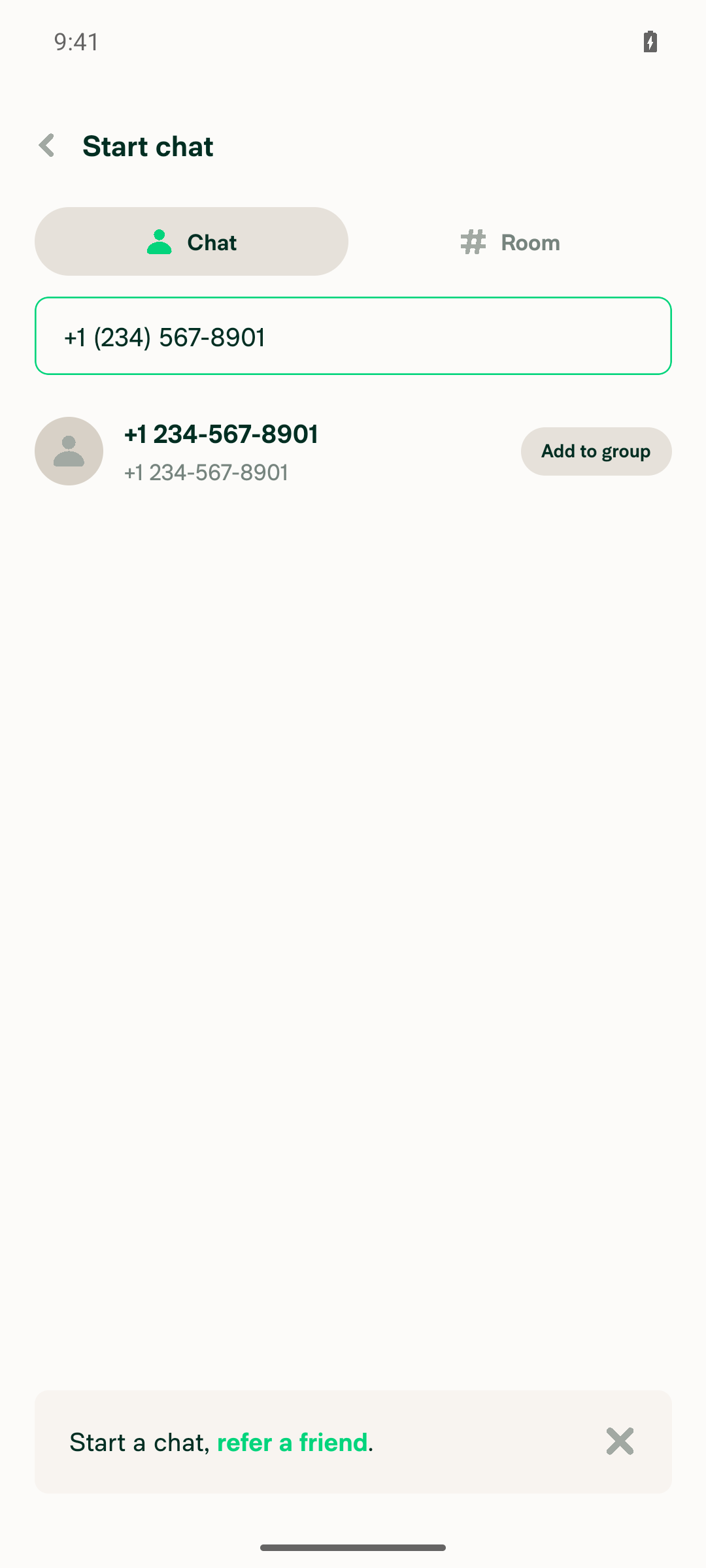
Phone invite row in Start chat

Step Status
Open Start chat from the FABFAB > Start chat opened NewChatPage with a focused 'Name, email, or phone number' field.
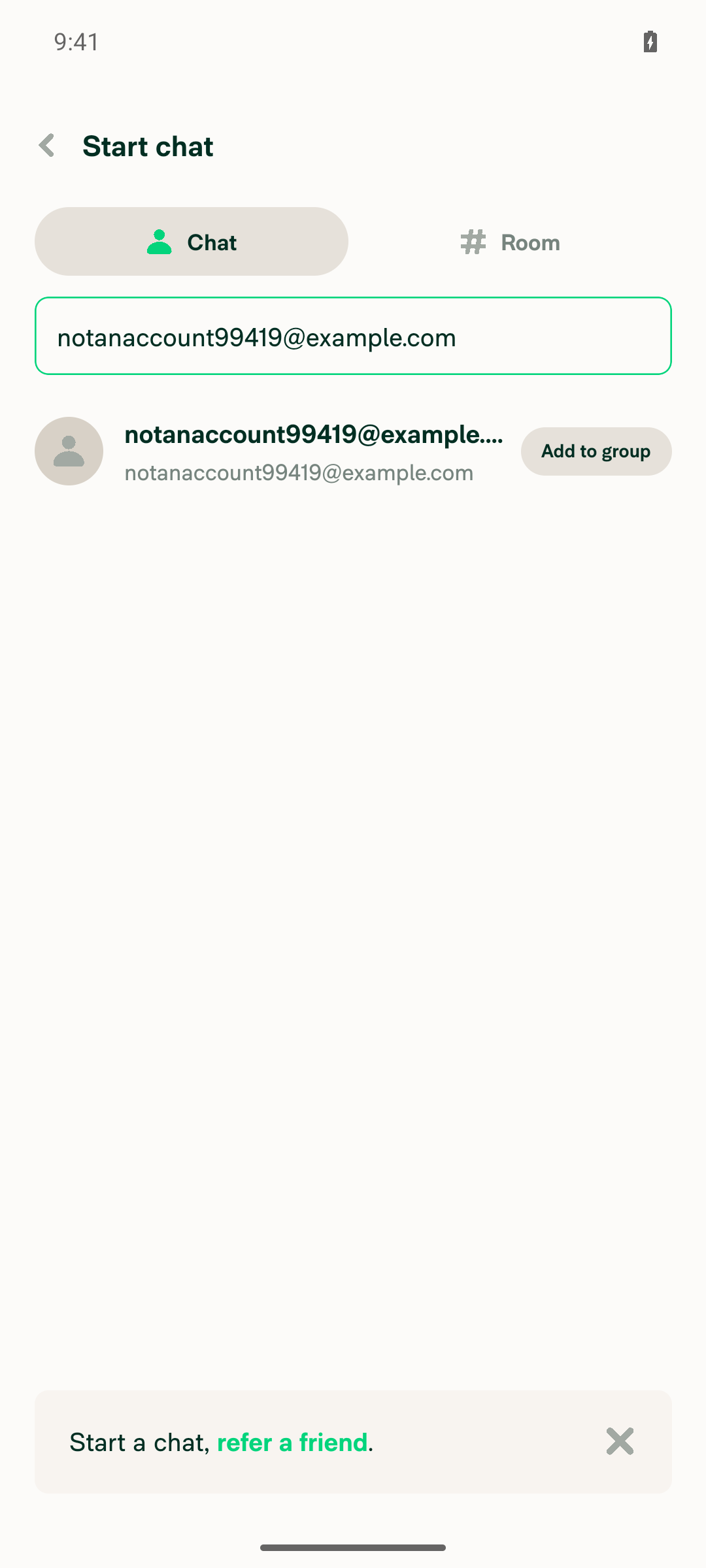
Type email with no Expensify account (notanaccount99419@example.com); invite row appearsInvite row rendered with contact avatar, email text, and 'Add to group' action.
Invite row for plain email in Start chat
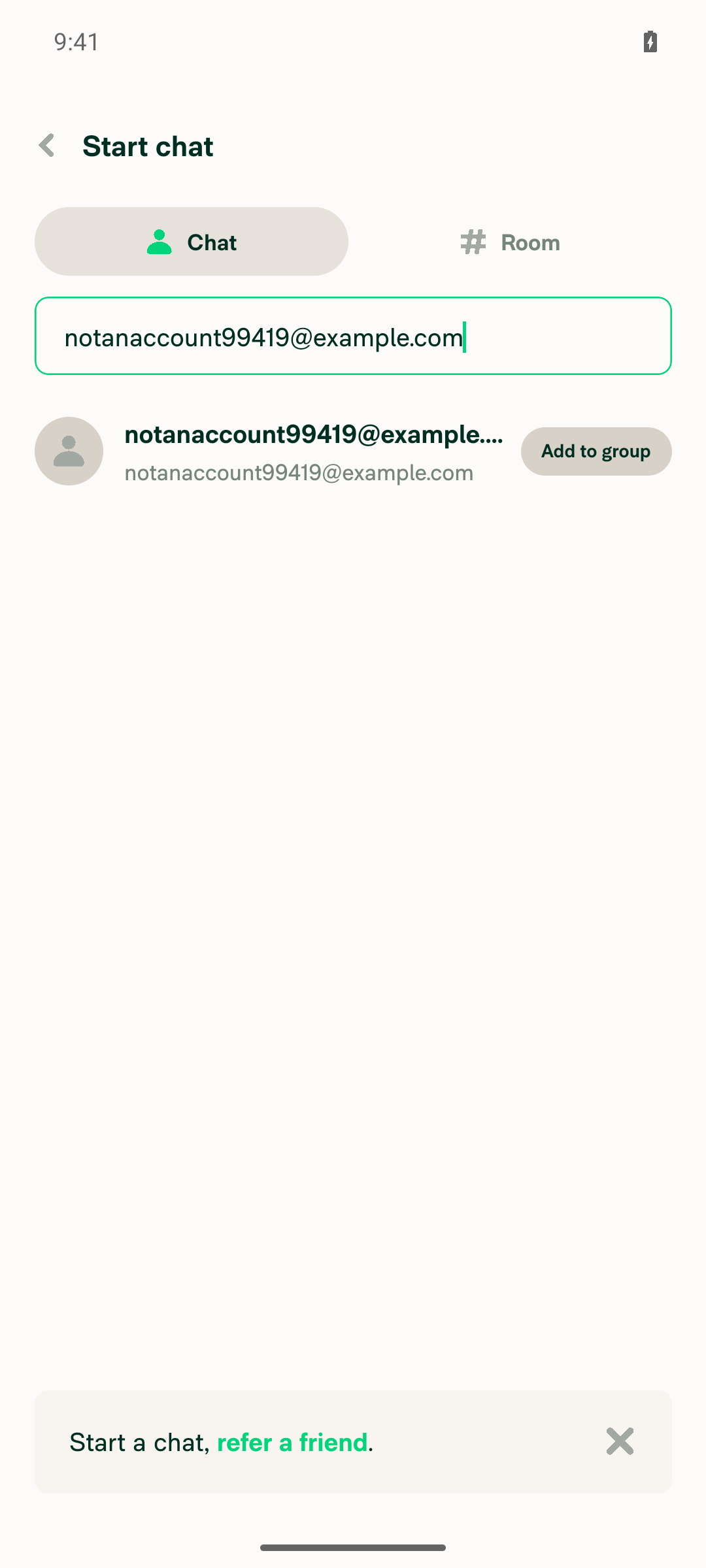
Leading space before email; invite row still shownField byte-verified to hold ' notanaccount99419@example.com' (leading space); invite row remained present/unchanged.
Invite row still shown with leading space
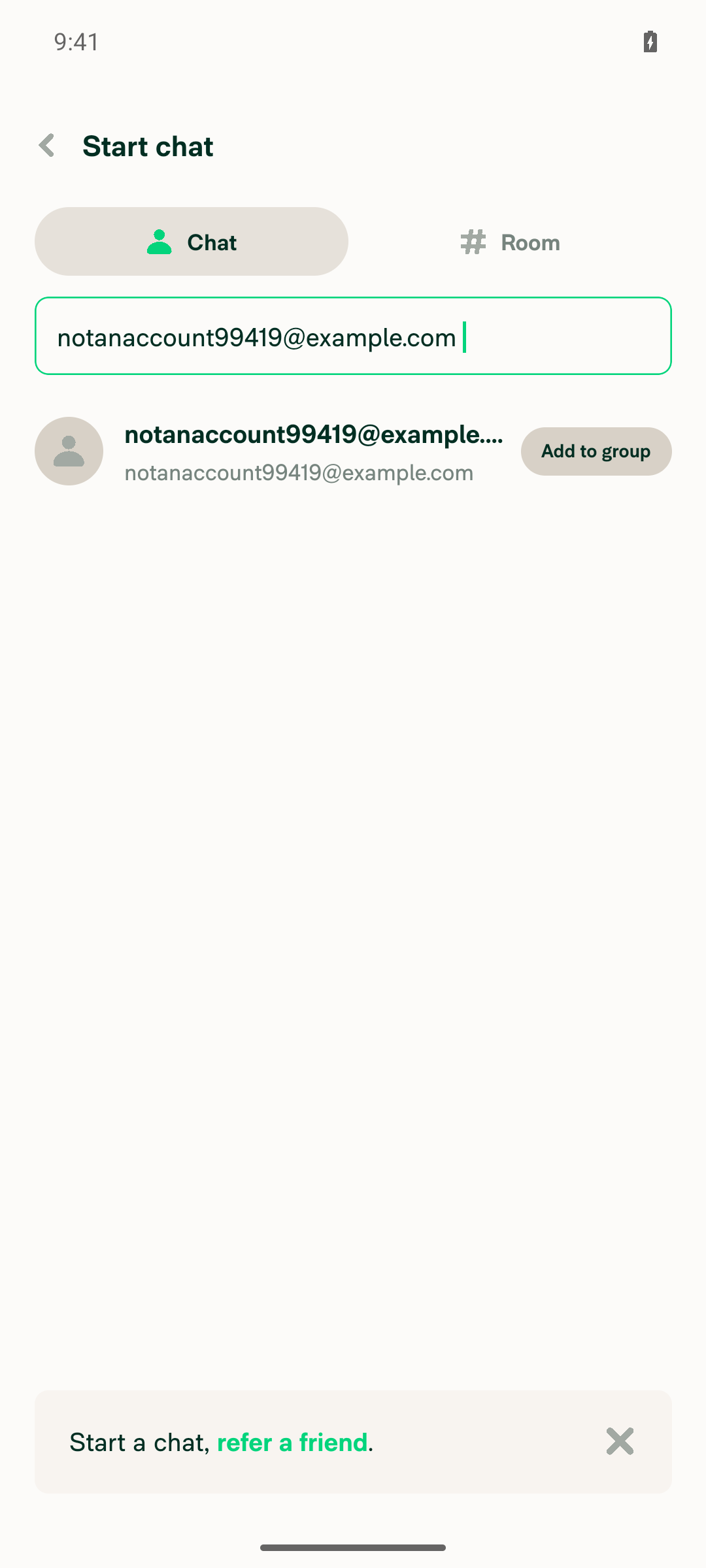
Trailing space after email; invite row still shownField byte-verified to hold 'notanaccount99419@example.com ' (trailing space); invite row remained present/unchanged.
Invite row still shown with trailing space
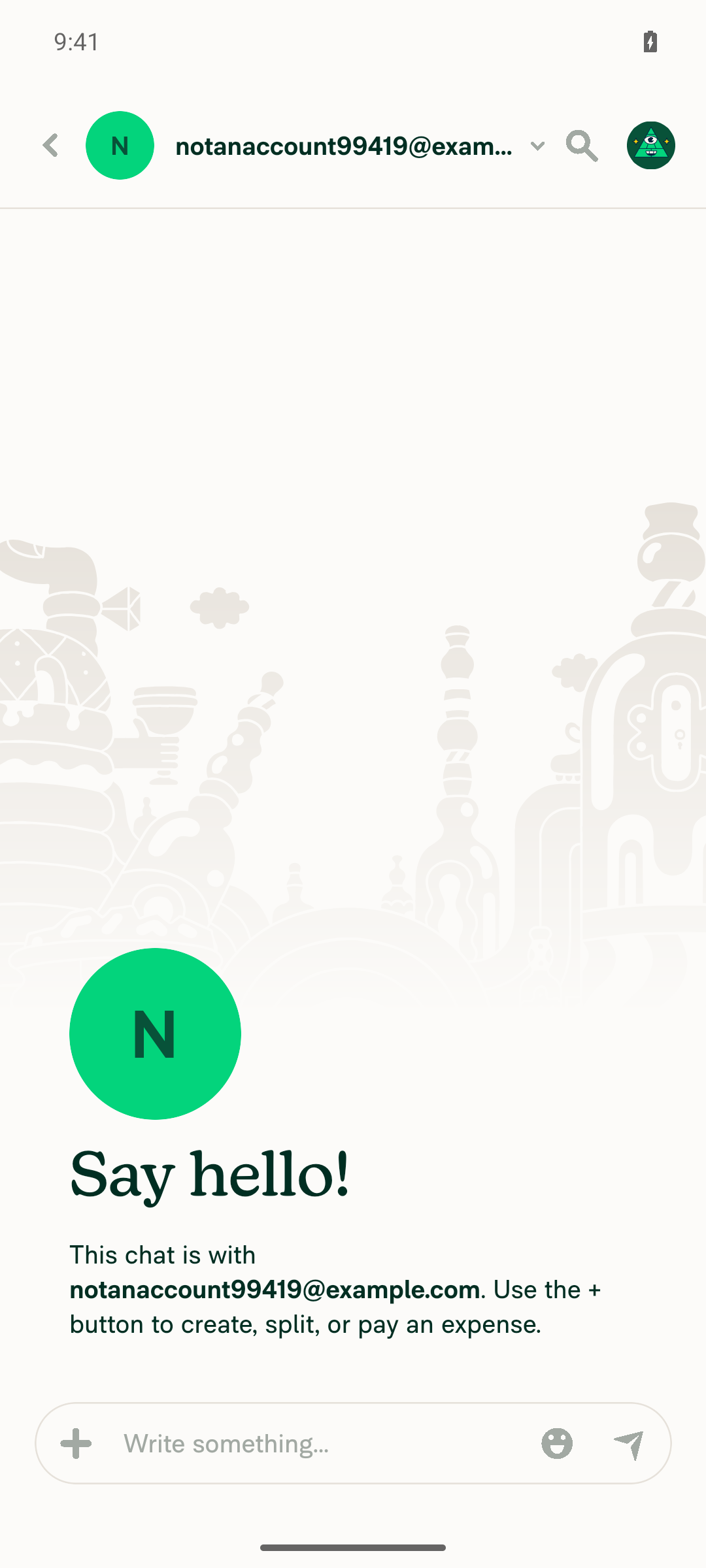
Select invite row from space-padded search; chat opens with trimmed emailChat opened with header and body text 'notanaccount99419@example.com' (no space present).
Chat opened with trimmed email login
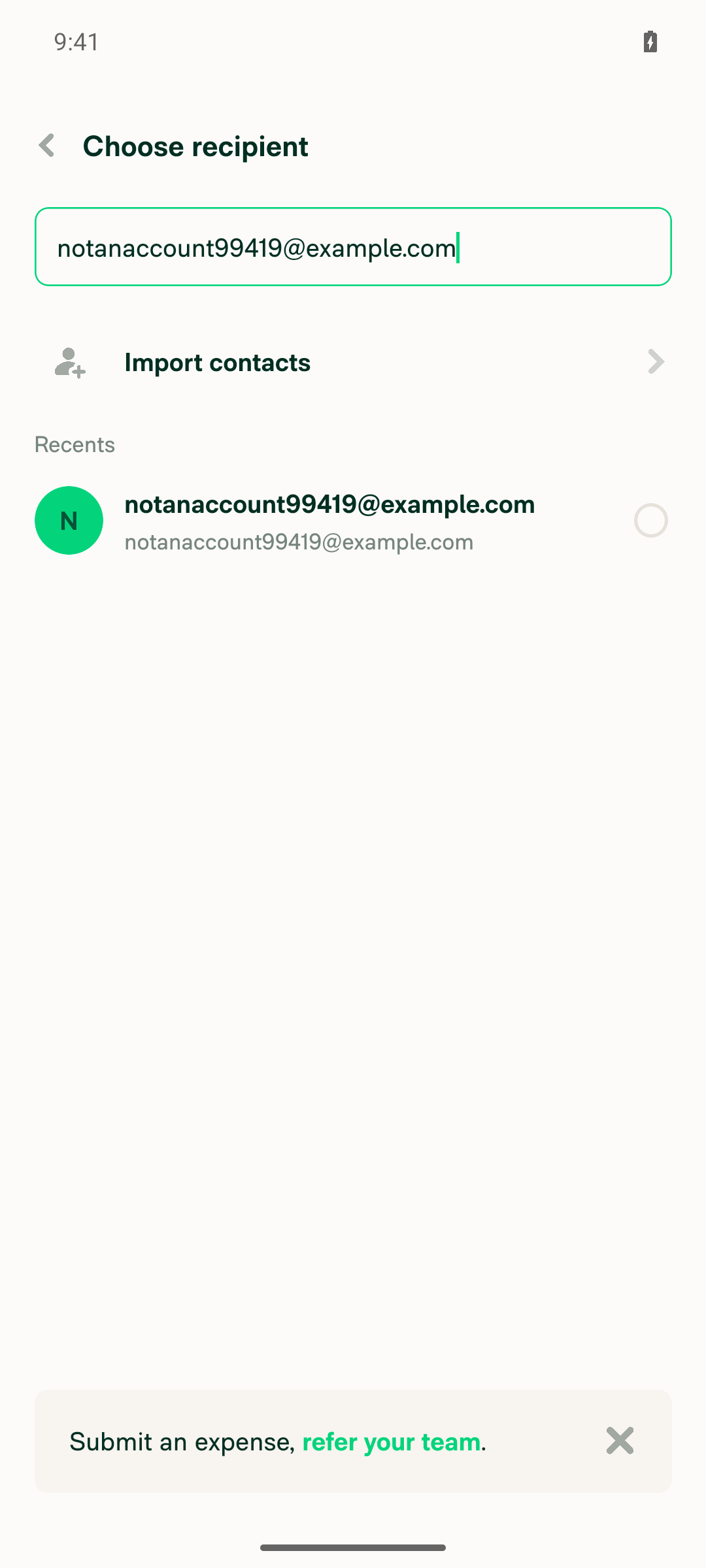
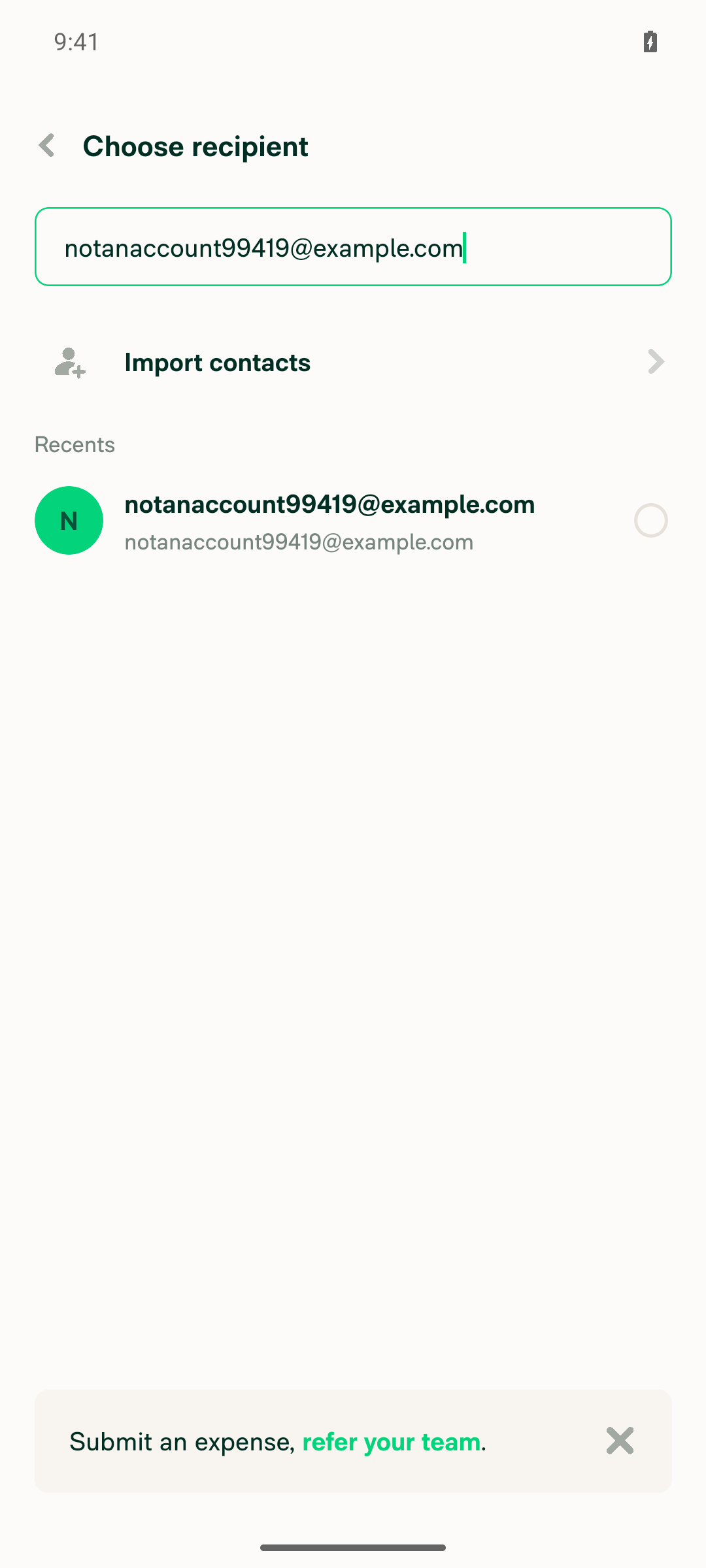
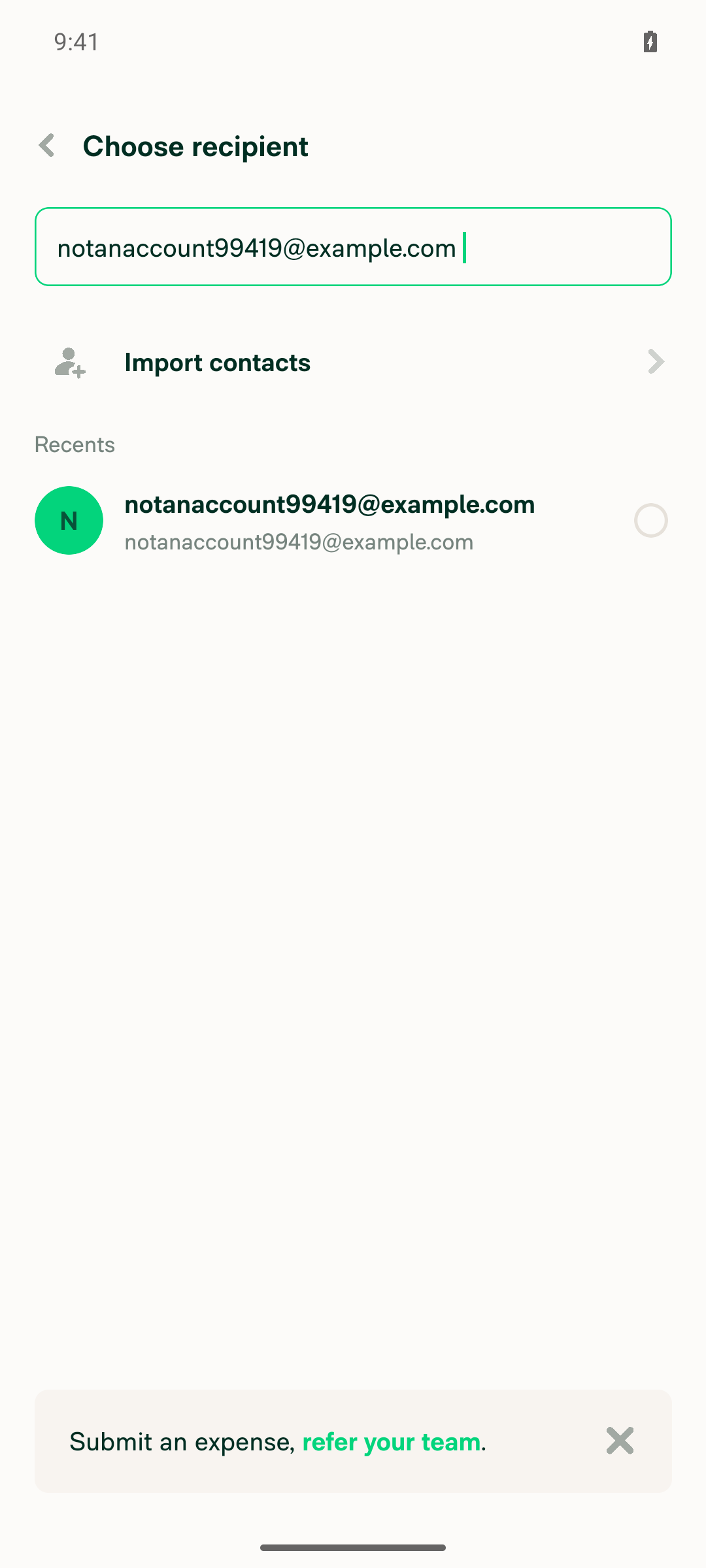
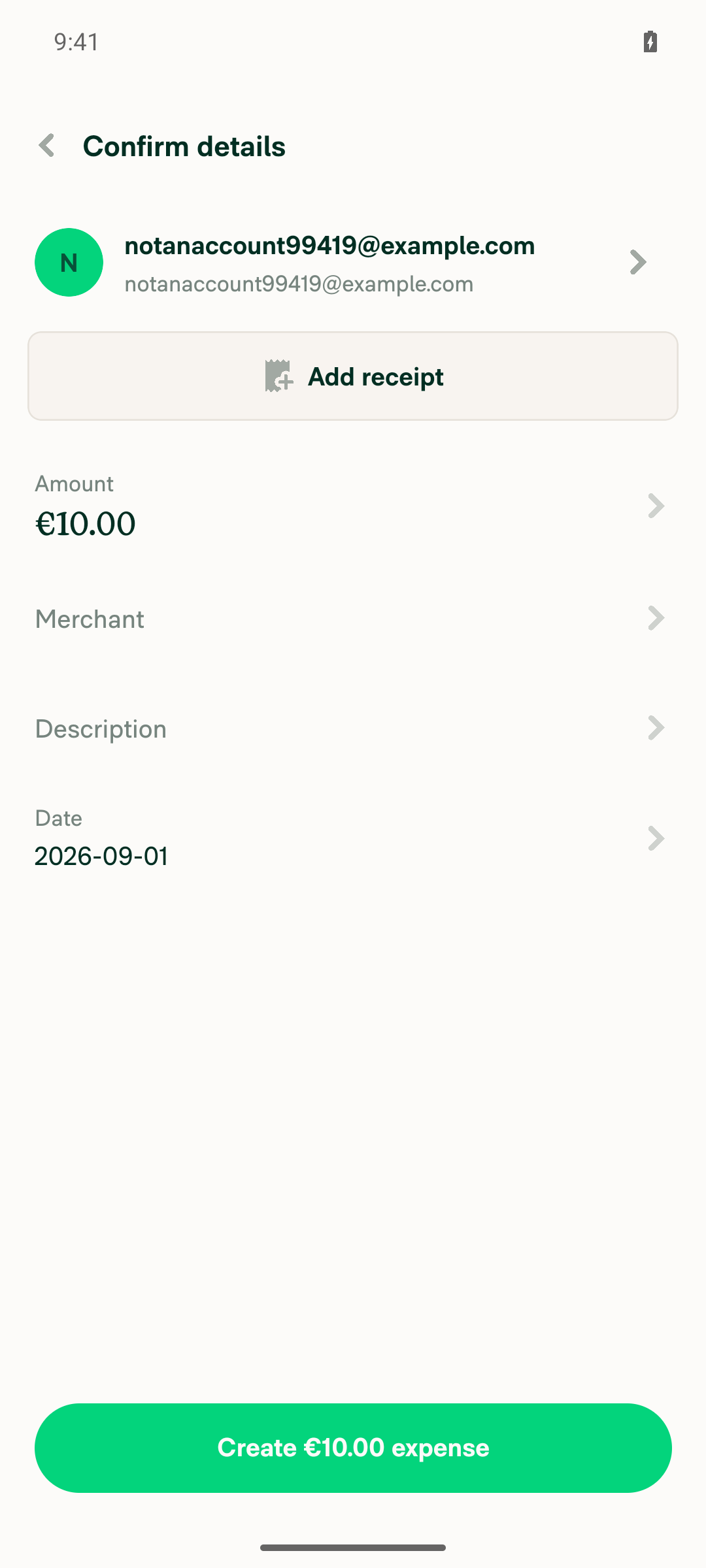
Repeat steps 2-5 in the Submit expense participant picker (same hook)Choose recipient picker showed the contact/invite row for plain, leading-space, and trailing-space email searches (byte-verified); selecting the padded row advanced to Confirm details with participant shown as 'notanaccount99419@example.com', no space.
Participant picker plain email
Participant picker leading space
Participant picker trailing space
Confirm details showing trimmed participant email
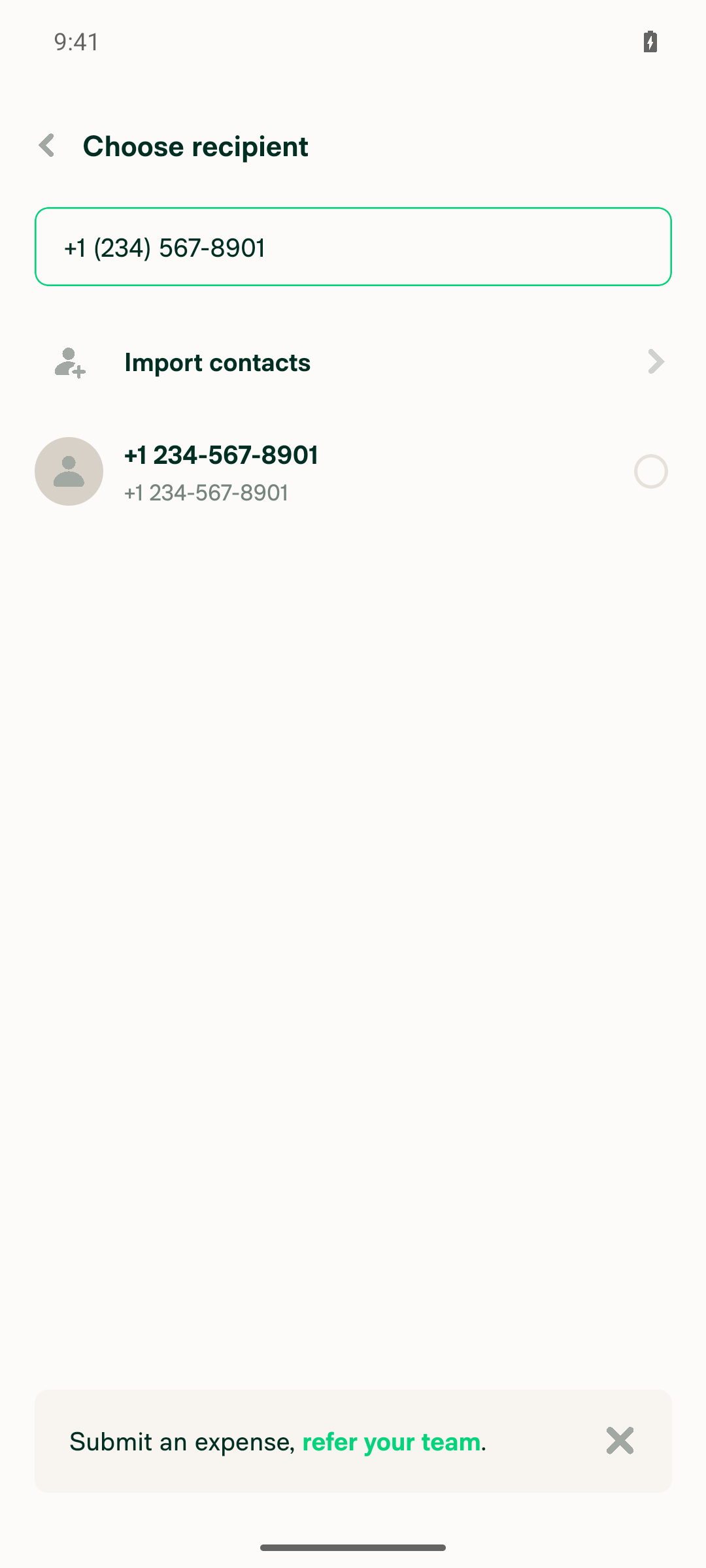
Space-padded phone number ( +1 (234) 567-8901 ) still surfaces the invite rowField byte-verified to hold the leading/trailing spaces; invite row rendered as '+12345678901 / +1 234-567-8901' in the Submit expense picker and 'Select, +1 234-567-8901' in Start chat.
Phone invite row in Submit expense participant picker
Phone invite row in Start chat

No console errors were observed.


view run

@MelvinBot

Copy link
Copy Markdown
Contributor Author

🤖 Web test steps verification results: ✅ pass

Verified on dev NewDot web: leading/trailing spaces no longer hide the email/phone invite row in Start chat and in the Submit-expense participant picker, and selecting a space-padded invite correctly opens/confirms with the trimmed value. Confirms the useSearchSelector fix in this PR works end-to-end.

Invite row surfaces for space-padded phone number in Choose recipient

Step Status
1. Open Start chat from the FABClicked the global "Open actions menu" FAB then "Start chat"; snapshot showed the "Start chat" heading with the Name/email/phone search field.
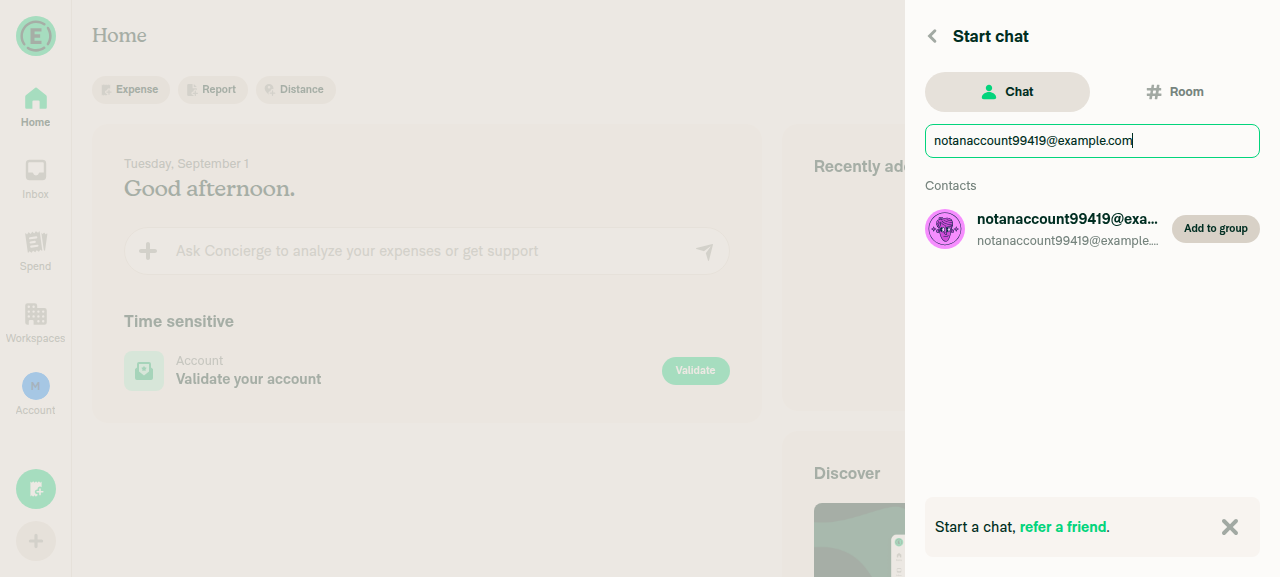
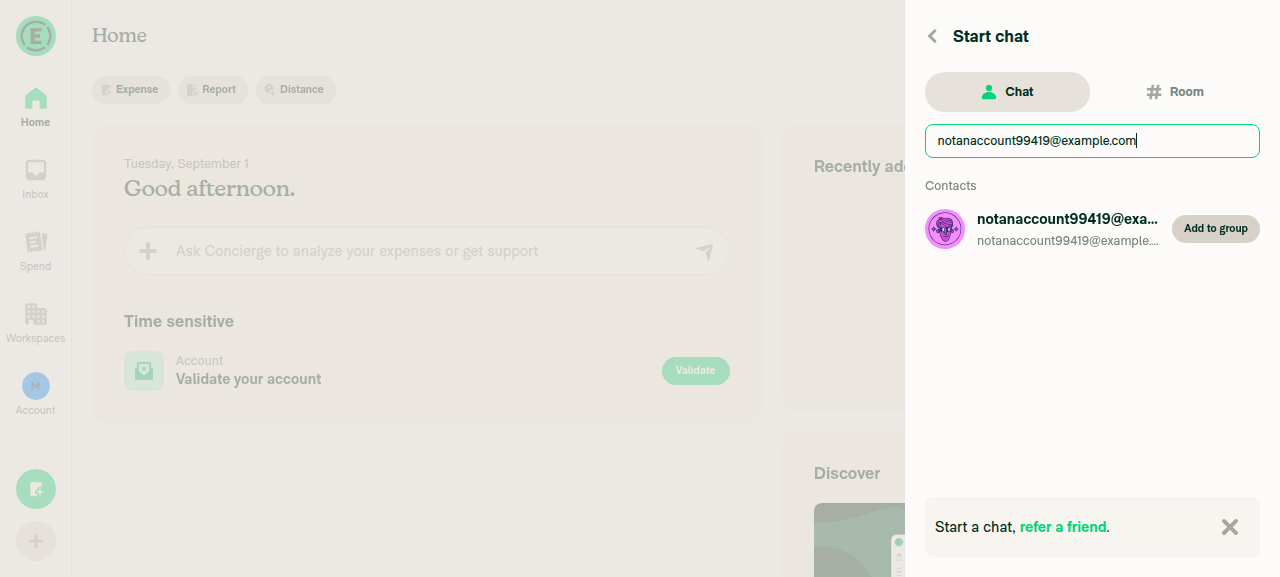
2. Type notanaccount99419@example.com (no-account user) in Start chat search - invite row appearsAfter filling the search field, a Contacts row "notanaccount99419@example.com" with "Add to group" appeared (button label "Select, notanaccount99419@example.com").
Invite row appears for notanaccount99419@example.com in Start chat
3. Add a leading space before the email in Start chat search - invite row still shownFilled field with " notanaccount99419@example.com"; settle diff showed 0 changes - the invite option/row remained present, did not disappear.
Invite row persists with a leading space in Start chat search
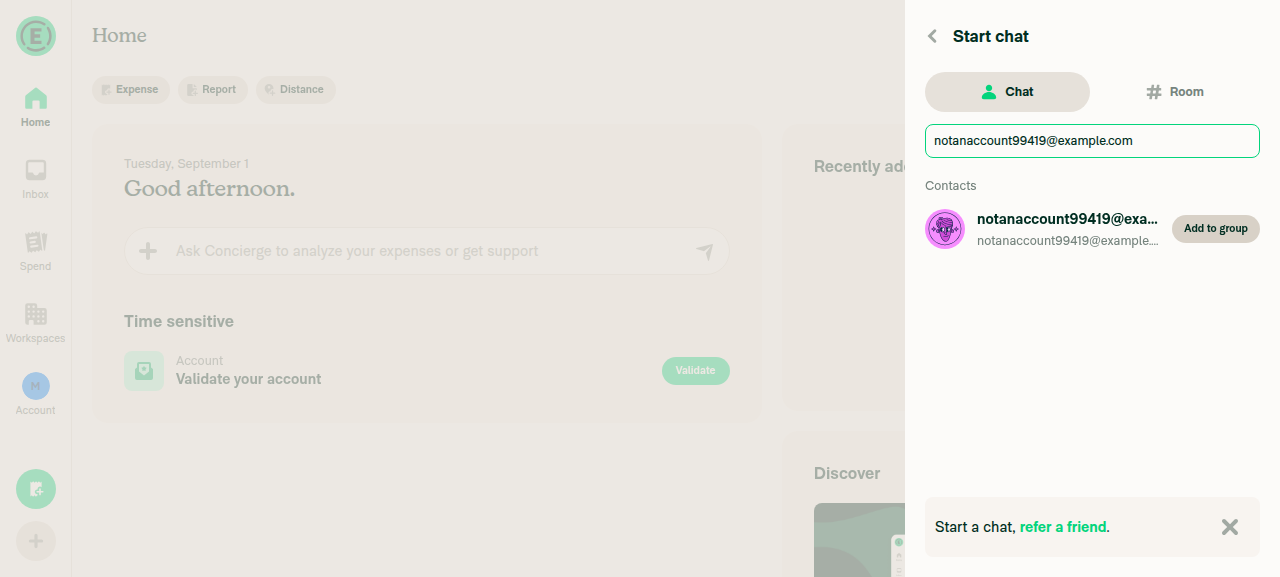
4. Replace with a trailing space after the email in Start chat search - invite row still shownFilled field with "notanaccount99419@example.com "; settle diff showed 0 changes - invite row remained present.
Invite row persists with a trailing space in Start chat search
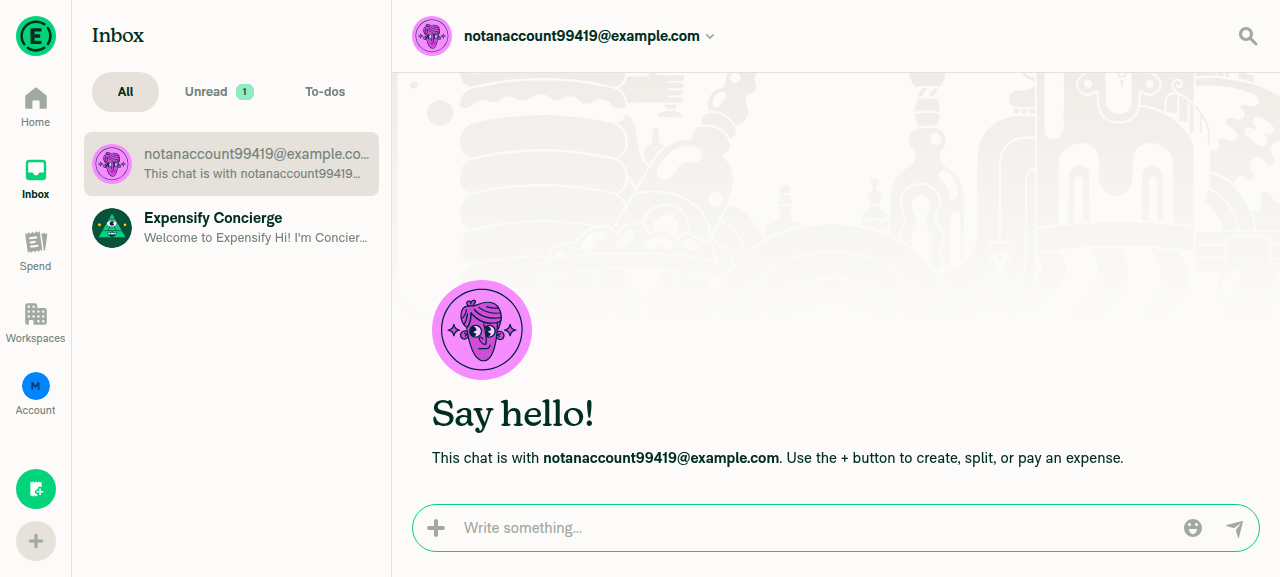
5. Select the invite row from the space-padded search in Start chat - chat opens with trimmed email (no space in login)Clicked the invite option; app navigated to a 1:1 chat whose header link/label read exactly "notanaccount99419@example.com" (accessibility attrs confirmed no leading/trailing whitespace in the label).
Chat opened with trimmed login
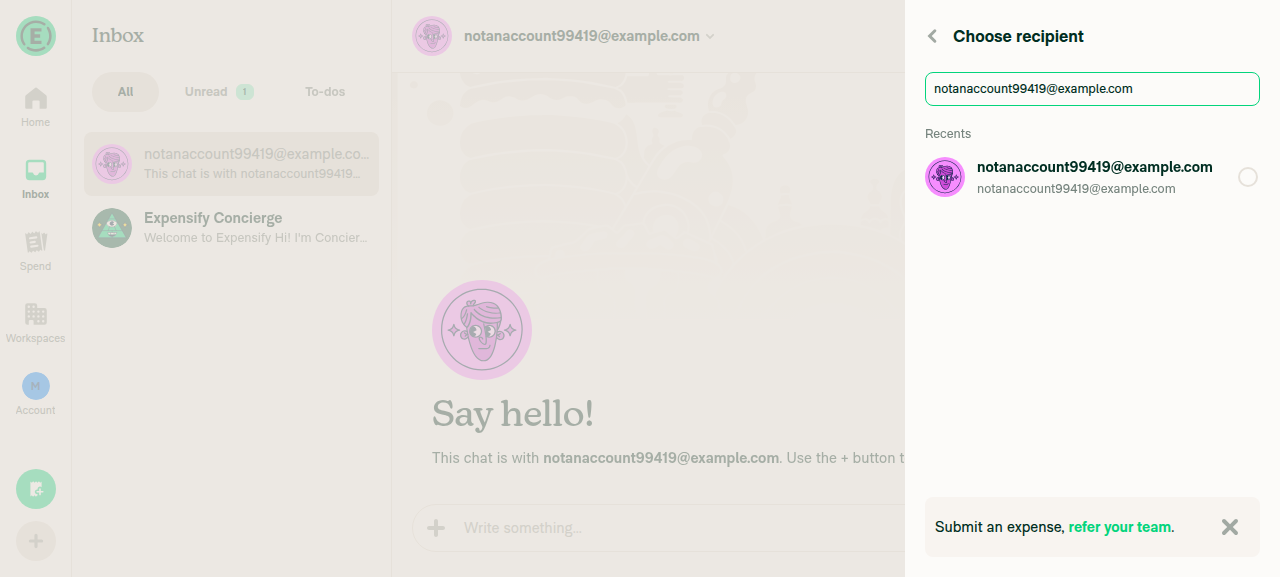
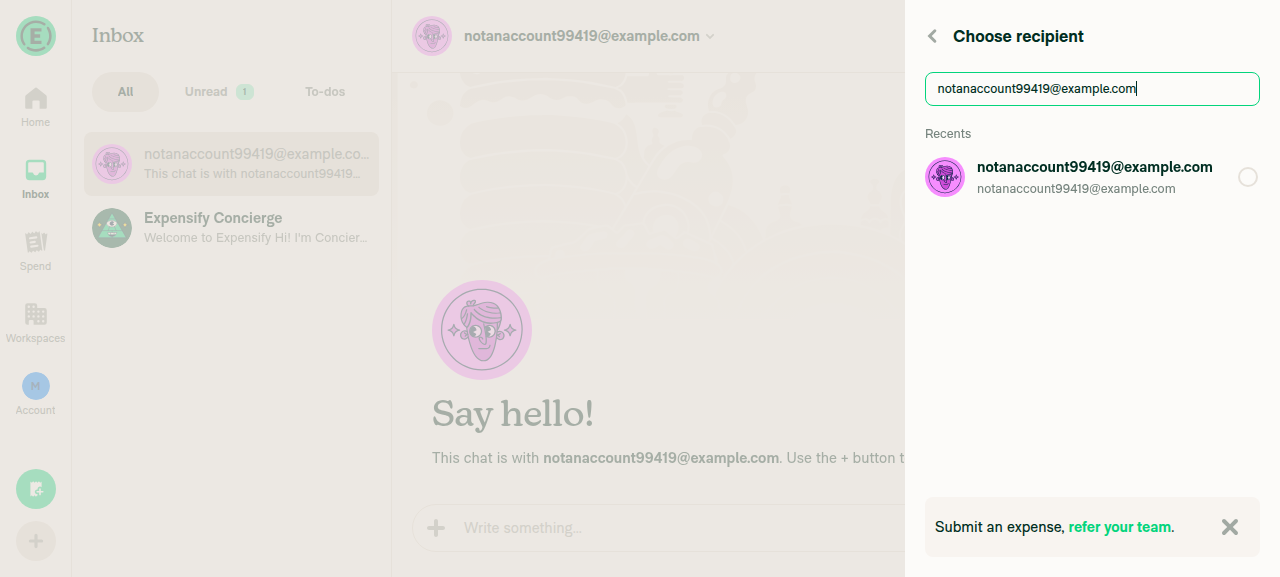
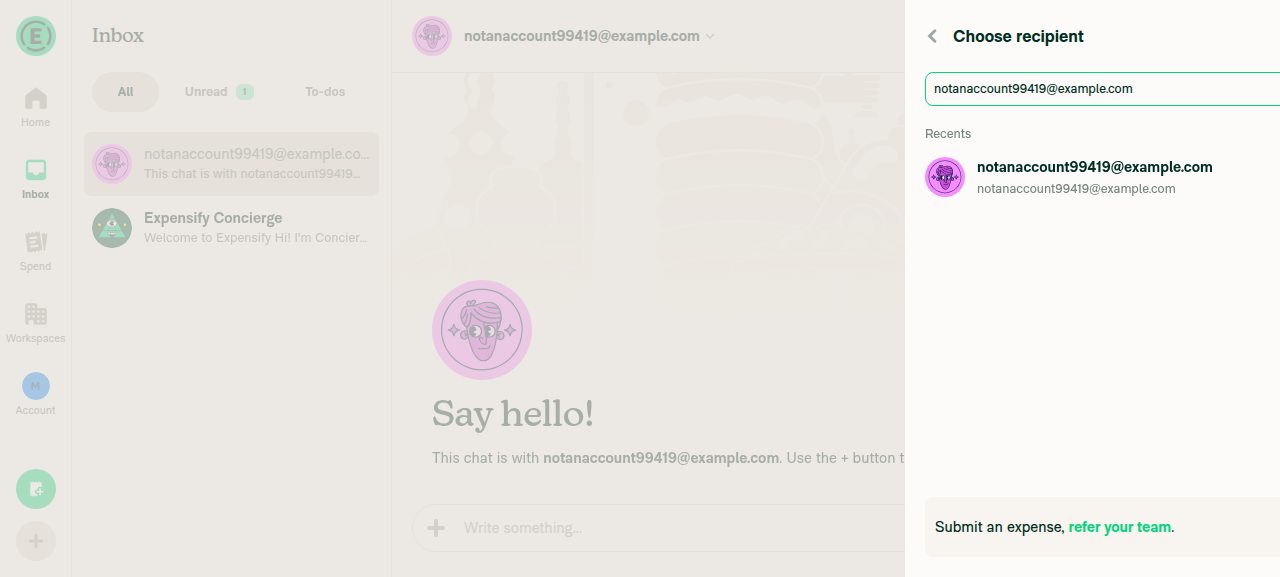
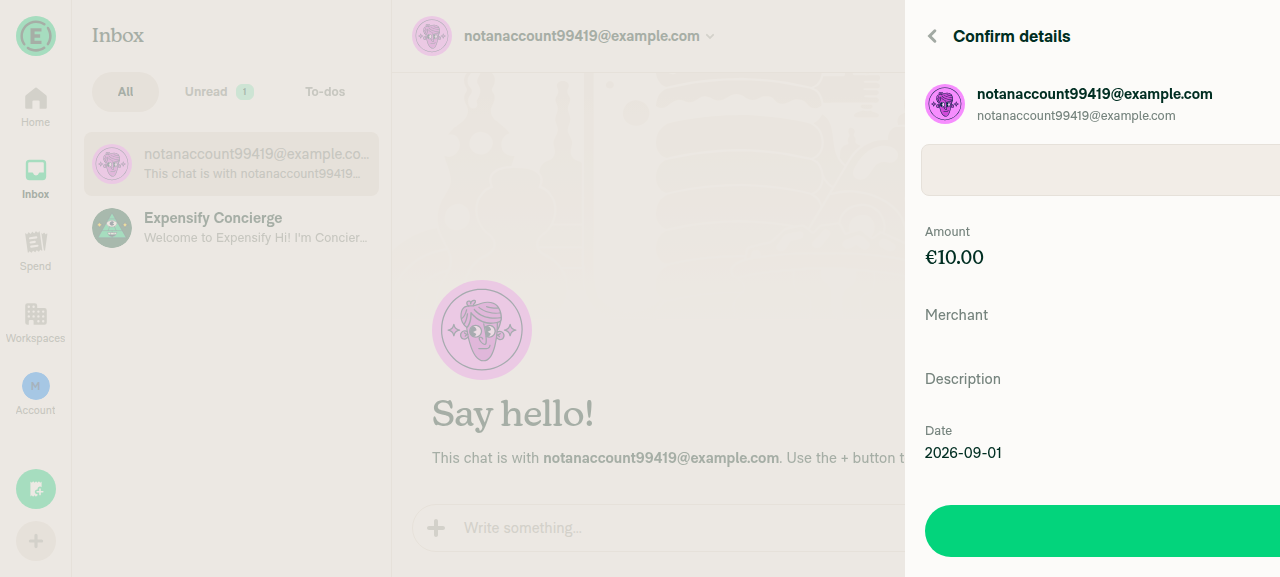
6. Repeat steps 2-5 in the Submit expense participant picker (Create expense -> Choose recipient), which uses the same hookIn Choose recipient: plain email produced an invite option/radio for notanaccount99419@example.com (step 2); leading space kept the option/radio present with 0-diff settle (step 3); trailing space likewise kept it present with 0-diff settle (step 4); selecting the invite option advanced to Confirm details, which showed the recipient as "notanaccount99419@example.com" with no stray space (step 5).
Invite row appears in Choose recipient
Invite row persists with leading space in Choose recipient
Invite row persists with trailing space in Choose recipient
Confirm details shows trimmed recipient
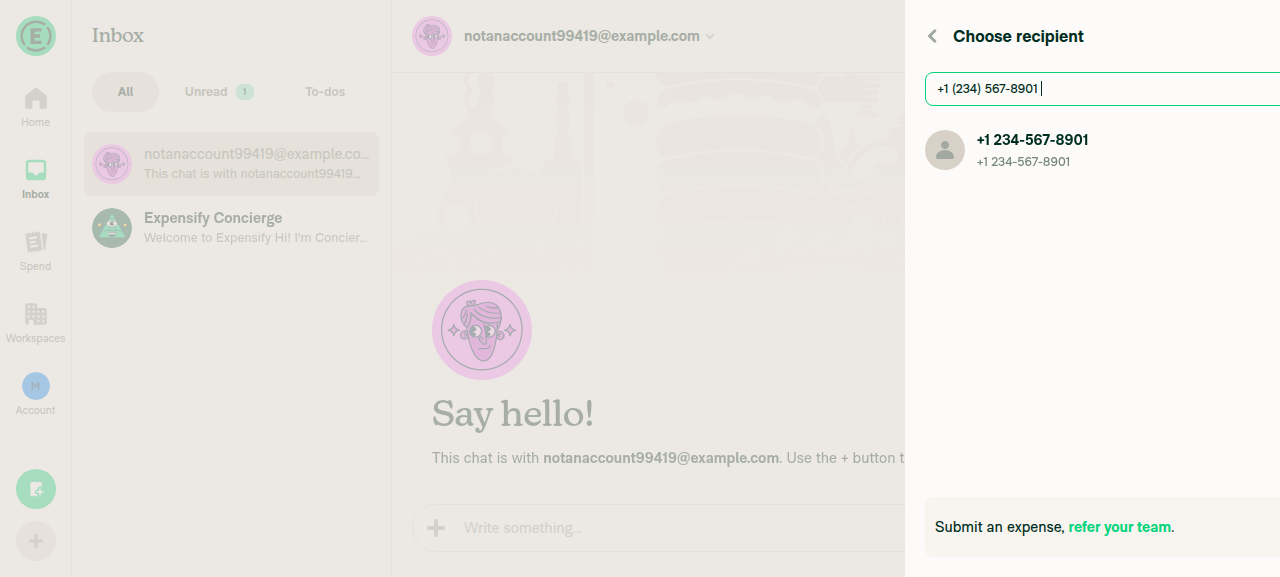
7. A space-padded phone number (" +1 (234) 567-8901 ") still surfaces the invite rowIn Choose recipient, filling " +1 (234) 567-8901 " produced an invite option/radio "+12345678901" (displayed as "+1 234-567-8901") - the padded phone number resolved to e164 form and surfaced the invite row, matching the PR's described side effect.
Invite row surfaces for space-padded phone number in Choose recipient

No console errors were observed.


view run

Sign up for free to join this conversation on GitHub. Already have an account? Sign in to comment

Labels

Melvin-Test-Android Melvin-Test-Web Triggers Melvin to run the testing steps of the PR on web

Projects

None yet

Development

Successfully merging this pull request may close these issues.

2 participants