










A full-featured database client that lives in your terminal: light, fast, and safe by default.
brew install dokadev/tap/datarigOr take the archive for macOS, Linux or Windows from GitHub Releases. On Linux, these two need no build tools; a build from source needs Rust 1.93, clang and libclang (the packages for each distribution are in Install):
git clone https://github.com/DokaDev/datarig && cd datarig && cargo install --locked --path crates/tuiDocumentation: https://dokadev.github.io/datarig/
- Safe by default. Changes made in the grid stay pending until you have read the exact statements they run. Dangerous statements ask first. A read-only profile refuses writes before anything is sent, and on PostgreSQL the server enforces it too.
- Full-featured. PostgreSQL and MySQL, several connections side by side with their own tabs, a schema explorer, a SQL editor with vim keys and completion, a results grid with search, editing, export and charts, query plans in several views, SSH tunnels, TLS and poolers.
- Light and fast. One native binary. Results are paged explicitly instead of loaded whole, and paging leaves no transaction, lock or snapshot open on the server. CI holds memory, latency and startup time to budgets.
- Keyboard first. Vim keys throughout; press
Spaceand wait to see what can follow. The mouse works too.
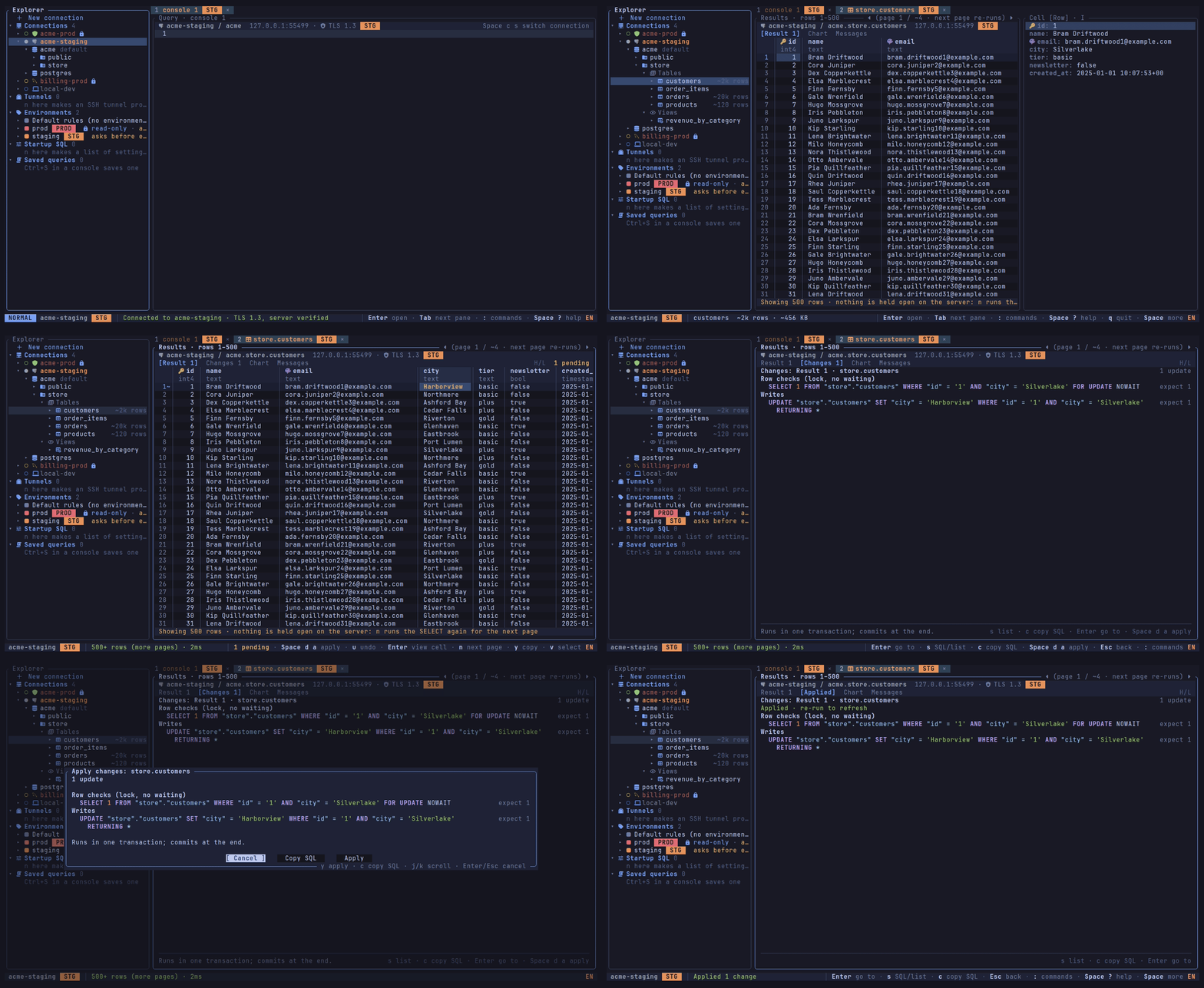
Edit data and see the SQL first. Change cells, add rows, mark rows to delete; the Changes tab lists every pending change and the exact statements, and Apply runs them in one transaction (the recording above). Editing data
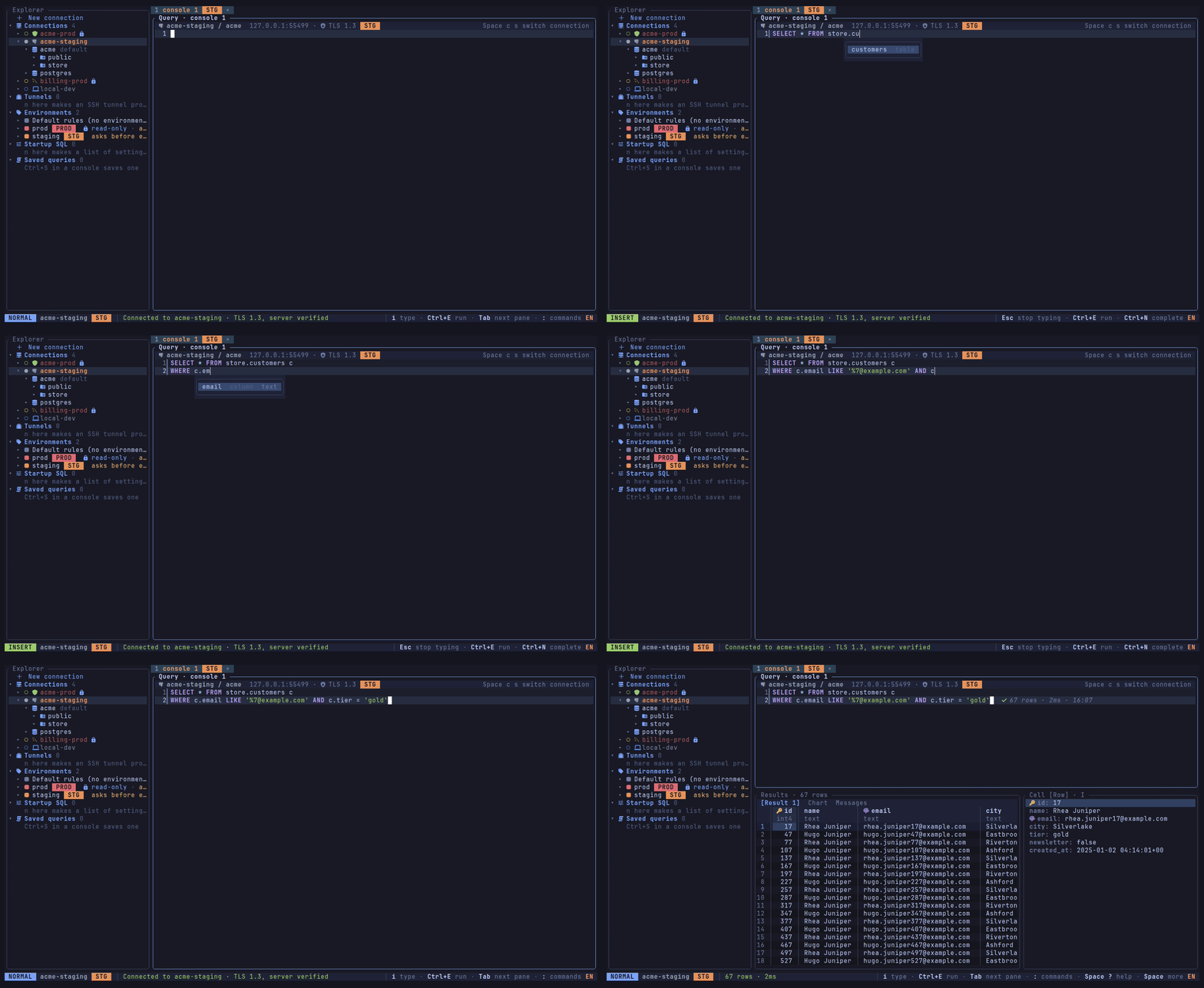
Write SQL with completion. Schemas, tables and the columns of an alias show up as you type; Tab or Enter takes one. Editor
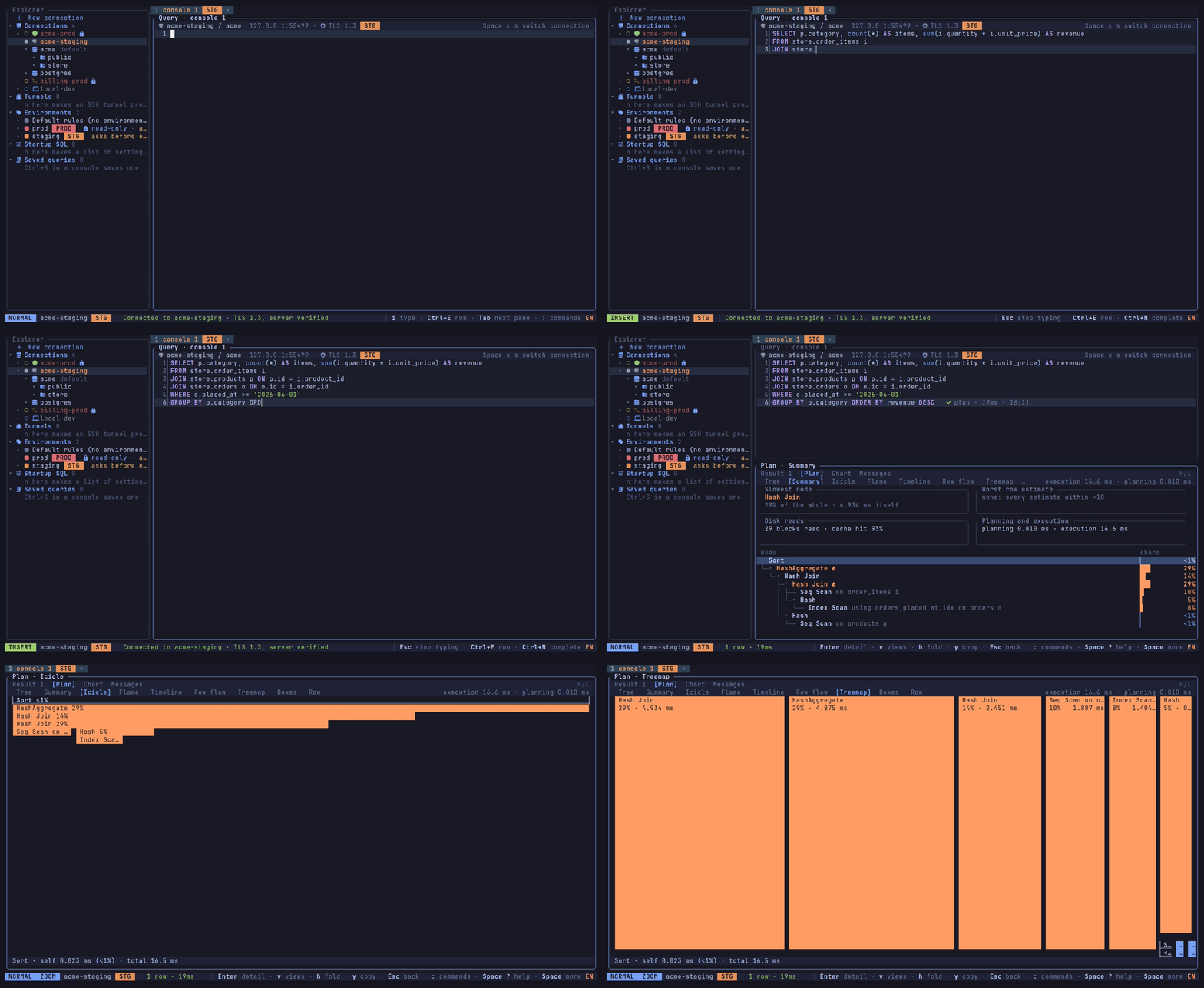
Read a query plan. EXPLAIN and EXPLAIN ANALYZE as a tree with each node's share of the time, a summary of what to look at first, and more views of the same plan: an icicle, a flame graph, a treemap, a timeline, the row flow and more. Plans
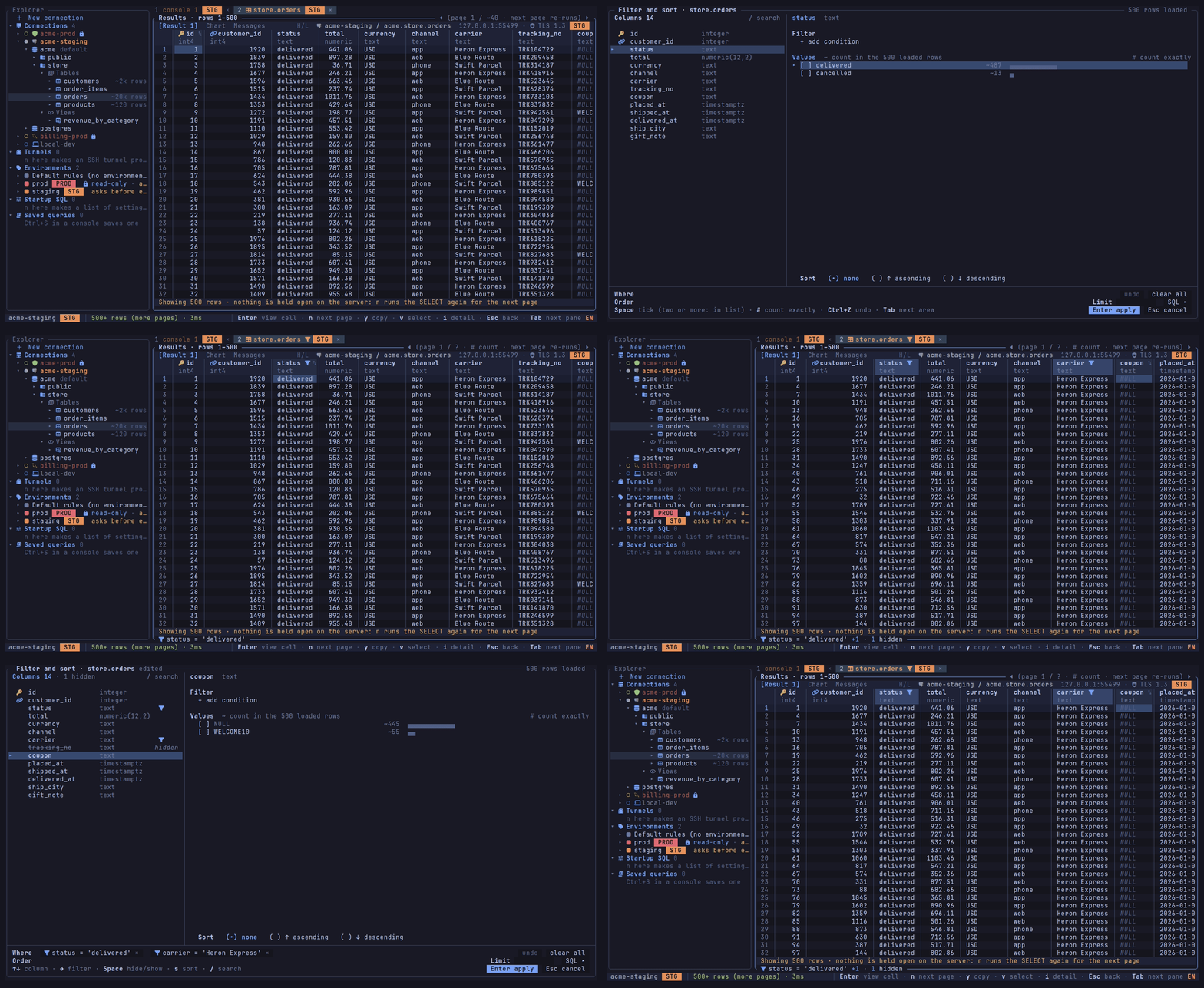
Filter and sort a table on the server. A dialog builds a table's WHERE, ORDER BY and LIMIT from its columns and their values, counted exactly on the server when you ask; keys on the grid keep or exclude a cell's value and hide columns, and what runs is the text you see, checked first. Filtering and sorting a table
Search a result and move across wide tables. Search every fetched row, jump from match to match, and move across columns while the row numbers stay in place. Results
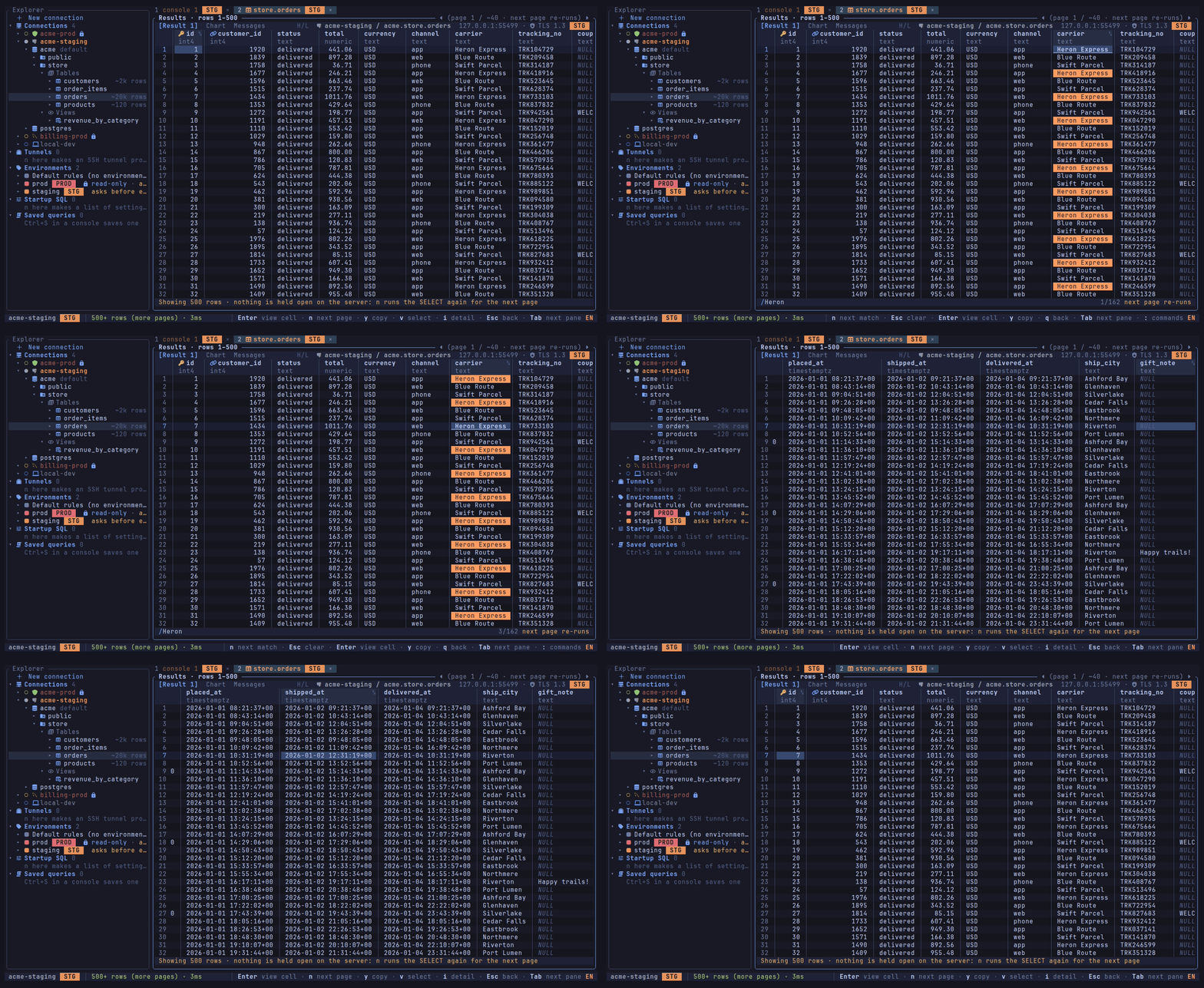
Chart a result. The fetched rows as bars, horizontal bars or lines: a text column splits the values into series, and a cursor shows the exact values of each point. Nothing runs again. Charts
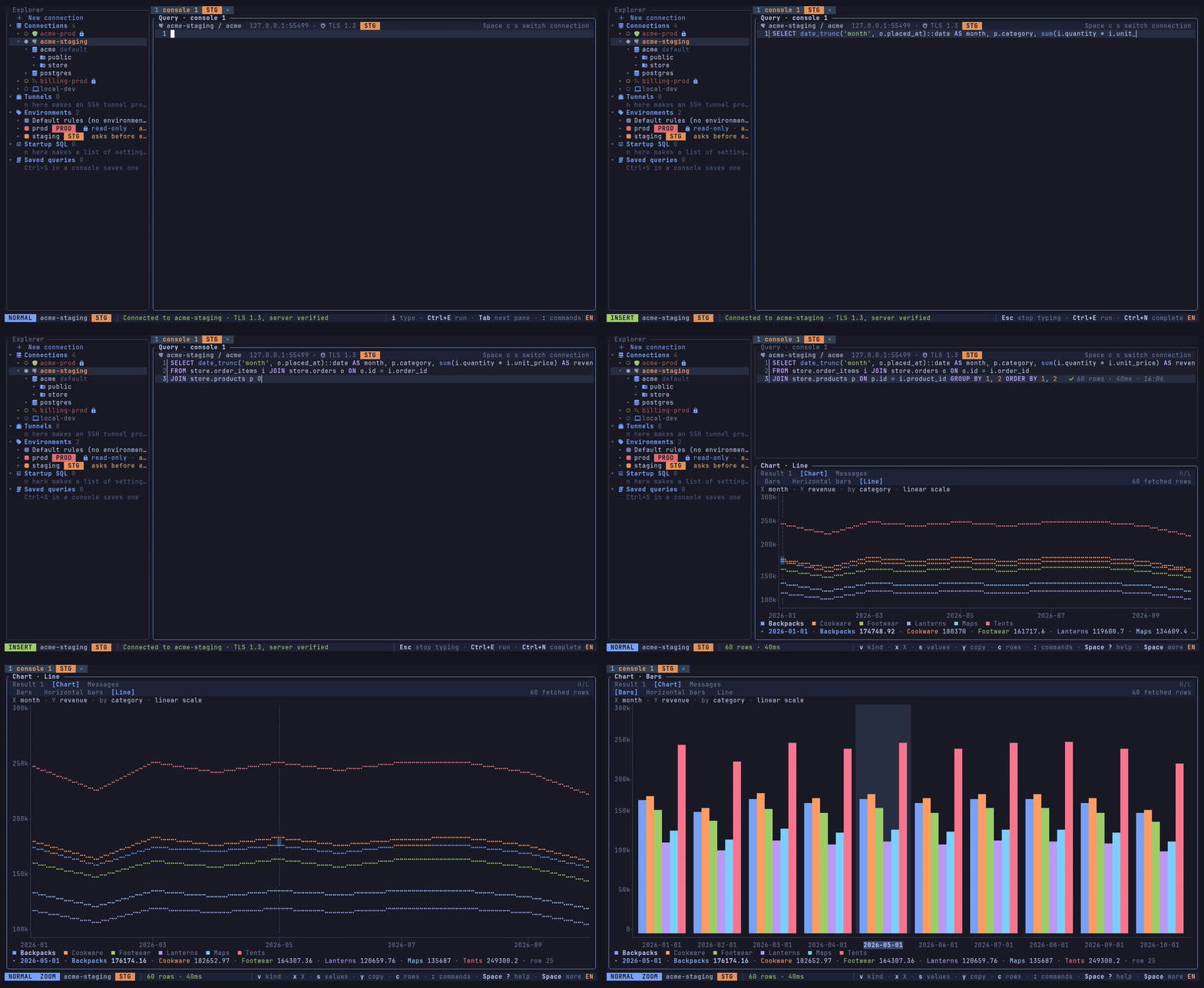
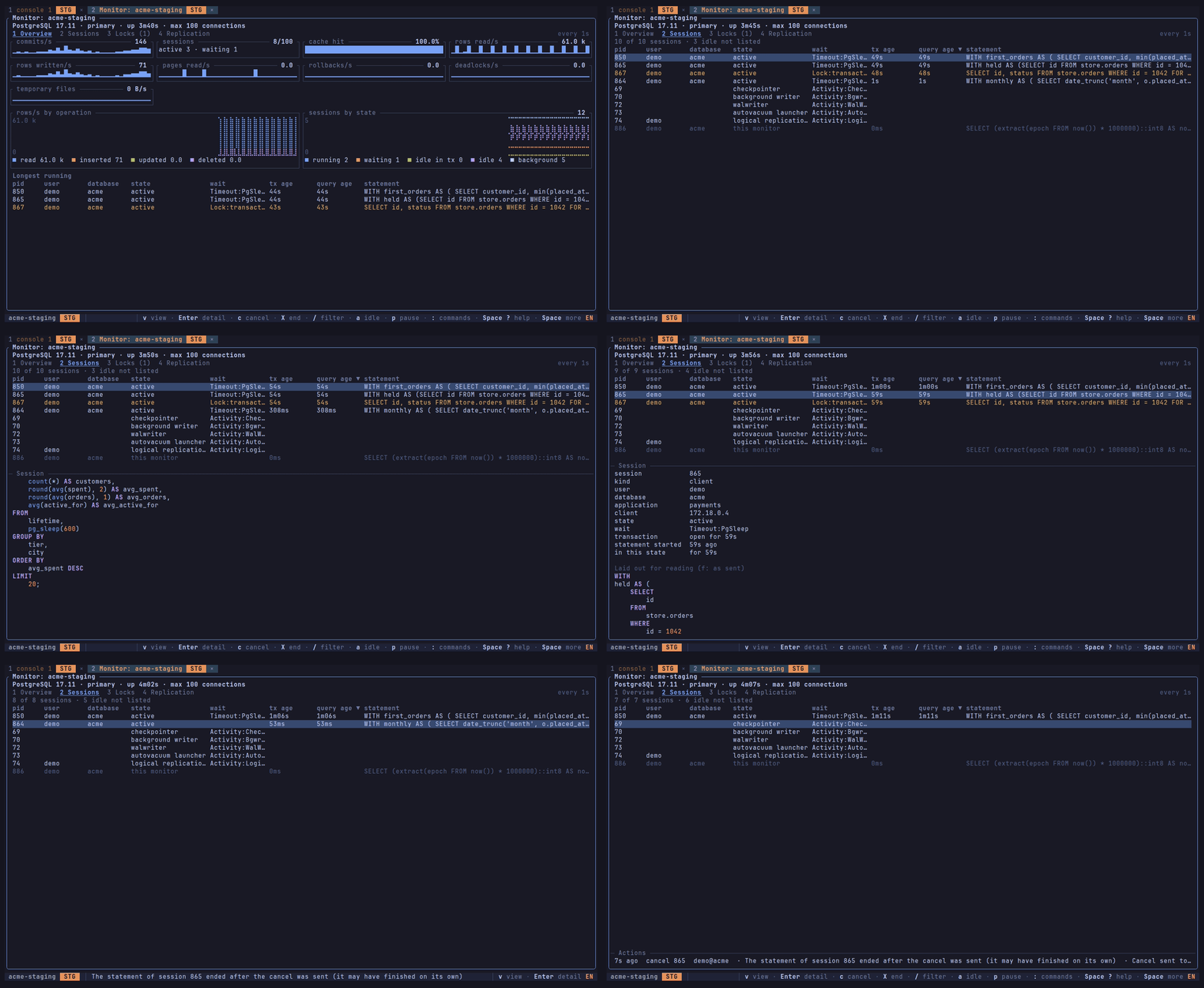
Watch a server. The Monitor tab shows a PostgreSQL or MySQL server's load as charts, its sessions, who waits for whom and its replication, read by a connection of its own only while the tab is shown. Cancelling a statement or ending a session asks first, and is sent only if the session still runs what you saw. Server monitor
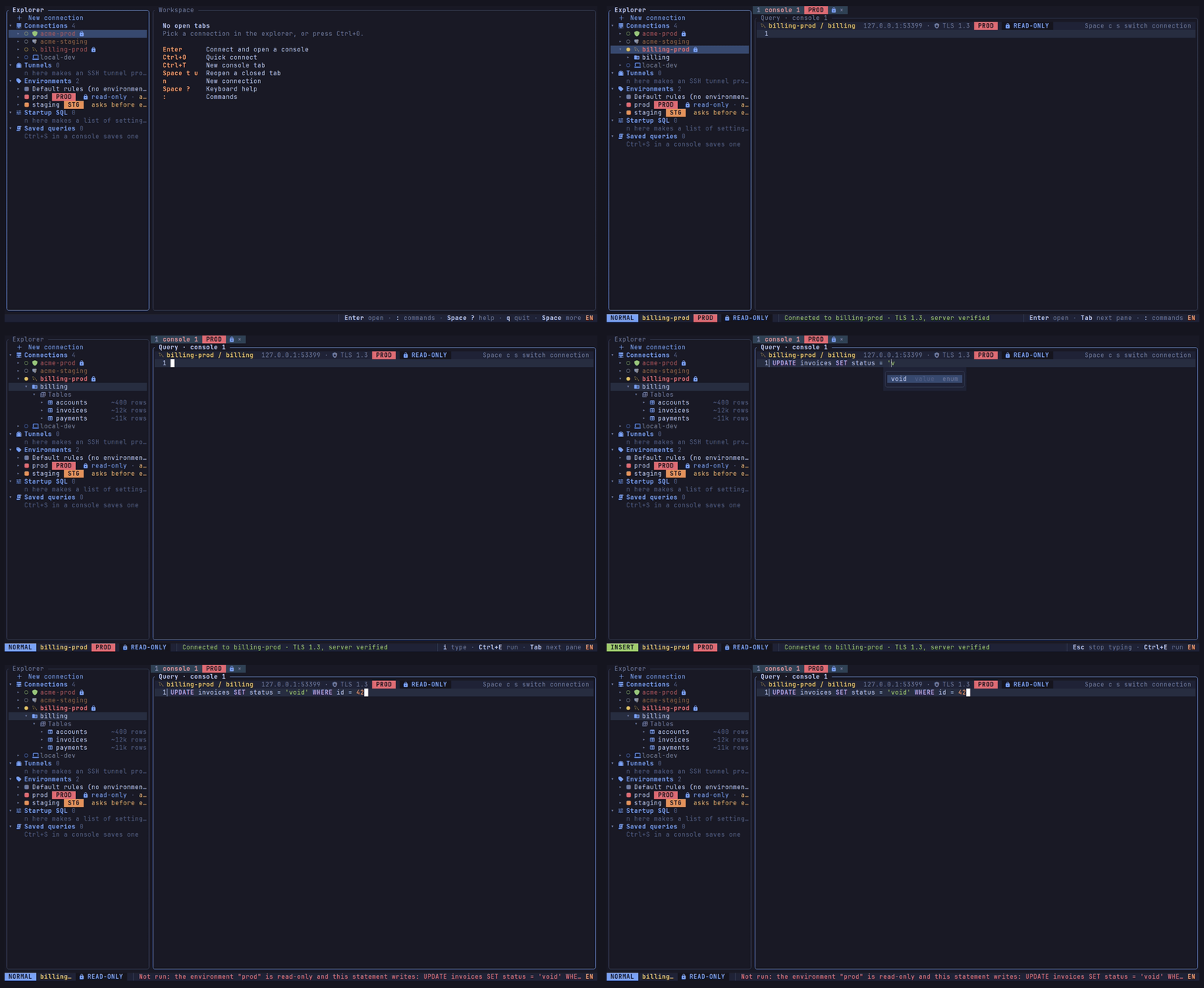
Know where you are. Profiles carry icons, and their environment's colour and mark (PROD, STG or your own) follow them onto their tabs and the status line; a read-only environment refuses a write before it is sent. Environments and safety
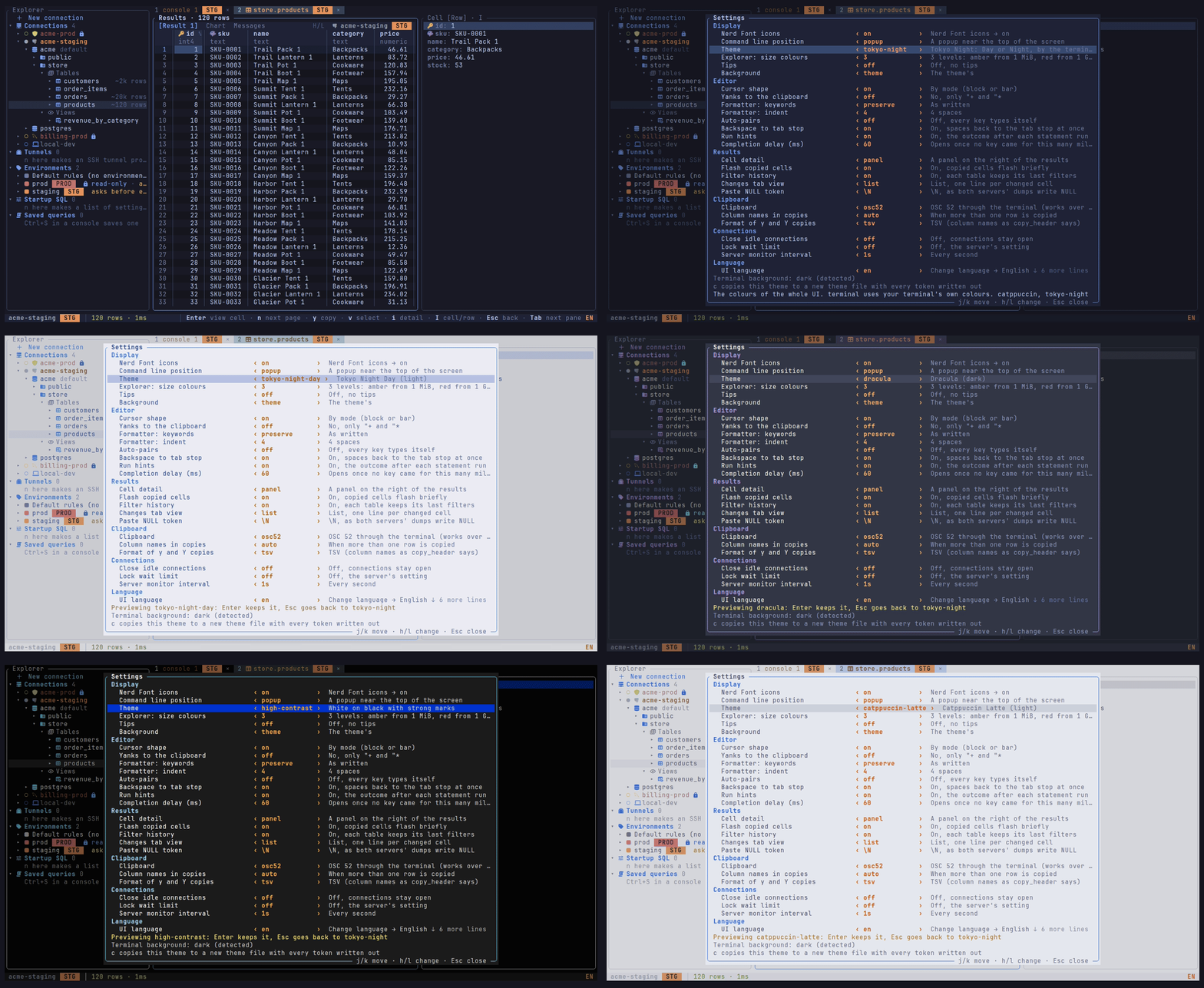
Themes. Built-in themes, light and dark, previewed live in the settings screen, or your own in a file. Themes
Early, pre-1.0. Releases have binaries for macOS, Linux and Windows and a Homebrew formula. PostgreSQL is implemented (a table's structure, its DDL and the key marks need PostgreSQL 12 or newer), and MySQL in part (see MySQL for what it supports). The configuration format, key bindings and behaviour may still change between releases.
Platforms: developed and tested on macOS; CI runs the full test suite on Linux. On Windows CI builds datarig, lints it and runs the tests that need no database, but running datarig there is untested.
datarig                # open the workspace; the explorer offers "+ New connection"
datarig my-profile     # connect to a profile and open a console
Paste a URL such as postgres://me@127.0.0.1:5432/app into the new-connection form.
Ctrl+O picks a connection, Ctrl+E runs the statement under the cursor, Ctrl+C cancels,
:q closes a tab and :qa quits. Press Space and wait to see what follows, or F1 for the
keyboard help. Next: Getting started.
| Path | What |
|---|---|
crates/core |
UI-free core: driver interface, SQL tooling and the safety classifier, profiles, secrets, config |
crates/export-formats |
the Excel and Parquet writers of the export |
crates/i18n |
the UI text: the catalogs (locales/en/, locales/ko/, one file per area) and their typed messages |
crates/drivers/postgres, crates/drivers/mysql |
the database drivers |
crates/ssh, crates/tls |
SSH tunnels, TLS (rustls) |
crates/update |
the update check's HTTPS request to GitHub |
crates/tui |
the terminal UI and the datarig binary |
crates/bench |
benchmarks and the CI performance budgets |
dev/ |
Docker Compose with PostgreSQL, MySQL, PgBouncer and an SSH bastion for the tests; see dev/README.md |
vendor/ |
patched tokio-postgres, mysql_async and ssh-key; see vendor/README.md |
docs/ |
architecture, performance, the generated key bindings and theme tokens, and the documentation site (docs/site) |
Please open an issue before a pull request. How to build, test and send a change: CONTRIBUTING.md; the test services: dev/README.md.
datarig is dual-licensed under either of
- the Apache License, Version 2.0 (LICENSE-APACHE)
- the MIT license (LICENSE-MIT)
at your option. Unless you explicitly state otherwise, any contribution intentionally submitted for inclusion in datarig by you, as defined in the Apache-2.0 license, shall be dual licensed as above, without any additional terms or conditions.
Third-party code: vendor/tokio-postgres, vendor/mysql_async and vendor/ssh-key keep their
own MIT/Apache-2.0 licences, and the C code built in through pg_query (libpg_query,
PostgreSQL, protobuf-c, xxHash) has its notices in vendor/licenses/pg_query/.
scripts/third-party-notices.sh (cargo-about) writes THIRD-PARTY-NOTICES.html with the
licences of every crate in the binary; CI builds it as an artefact. cargo deny check keeps the
dependencies to permissive licences.