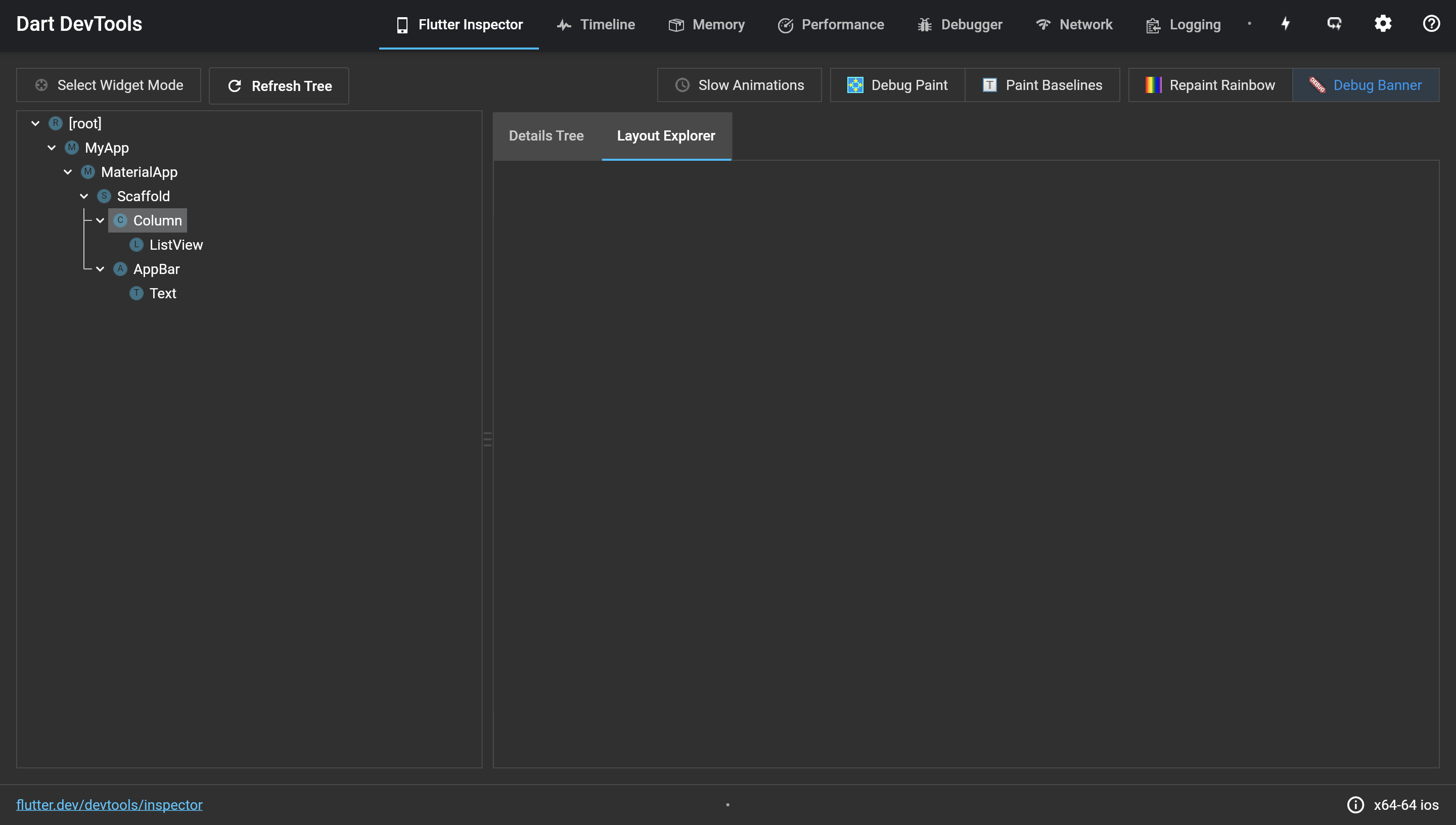
Currently, the layout explorer is empty when you click on the Column widget when there is a renderbox not laid out error.
It might be helpful to add a message "Layout could not be determined" on the explorer indicating that nothing was shown on the screen because of the error.
or a visualization of why the listview was causing the error.
To replicate, replace the contents of lib/main.dart with the following:
import 'package:flutter/material.dart';

void main() {
  runApp(MyApp());
}

class MyApp extends StatelessWidget {
  @override
  Widget build(BuildContext context) {
    return MaterialApp(
      title: 'Flutter Demo',
      home: Scaffold(
        appBar: AppBar(
          title: Text('Demo'),
        ),
        body: Column(children: [
          ListView(children: [Text('hello')])
        ]),
      ),
    );
  }
}

Currently, the layout explorer is empty when you click on the Column widget when there is a renderbox not laid out error.
It might be helpful to add a message "Layout could not be determined" on the explorer indicating that nothing was shown on the screen because of the error.
or a visualization of why the listview was causing the error.
To replicate, replace the contents of lib/main.dart with the following: