Releases: files-community/Files
Files UWP v0.5.0-newui_snapshot2

What's New:
Ensure v1903-Specific Features Aren't Attempted On Older Releases - This fixes a crash occuring on versions below 1903. Special thanks to the members of the community who helped me narrow this bug down. Also, I still remain committed to supporting v1803+
Took Advantage of UWP MostRecentlyUsedList for Recent Items - This method is far more efficient than the previous way, which required writing item paths to a file.
Fixed PhotoAlbum Layout Right Click and Selection Behavior - Right clicking a GridViewItem will display the context menu and allow for use of most commands. While I'm continuing my work to ensure consistency between the DataGrid and GridView commands when invoked, I am happy to announce this effort is nearing completion for both layouts. Meaning, we are coming very close to nailing the basics.
Removed Window Size on Application Startup - We now allow the shell to remember your window size preferences again.
Prevented a Crash When Inserting/Removing Certain Drives - You should see a decrease in unhandled exceptions when interacting with removable drives and their respective recent items entries.
Snapshot Number Not Updated - For this snapshot, the version string in Settings > About was never updated to reflect the increase in snapshot number.
Thanks for your participation as we continue to grow and stabilize Files UWP. Keep the issue reports coming!
- Luke Blevins
Files UWP v0.5.0-newui_snapshot1
- This release contains a new page that helps to display error messages to the user, rather than simply aborting the app.
- (No new features)
Files UWP v0.5.0-newui_snapshot0
Hello everybody,
This version is a snapshot of the work being done in newui which contains many enhancements, and you guessed it-a new user interface! While various things don't work (or work poorly), there has been major progress in making Files UWP a finished project.
UI Redesign
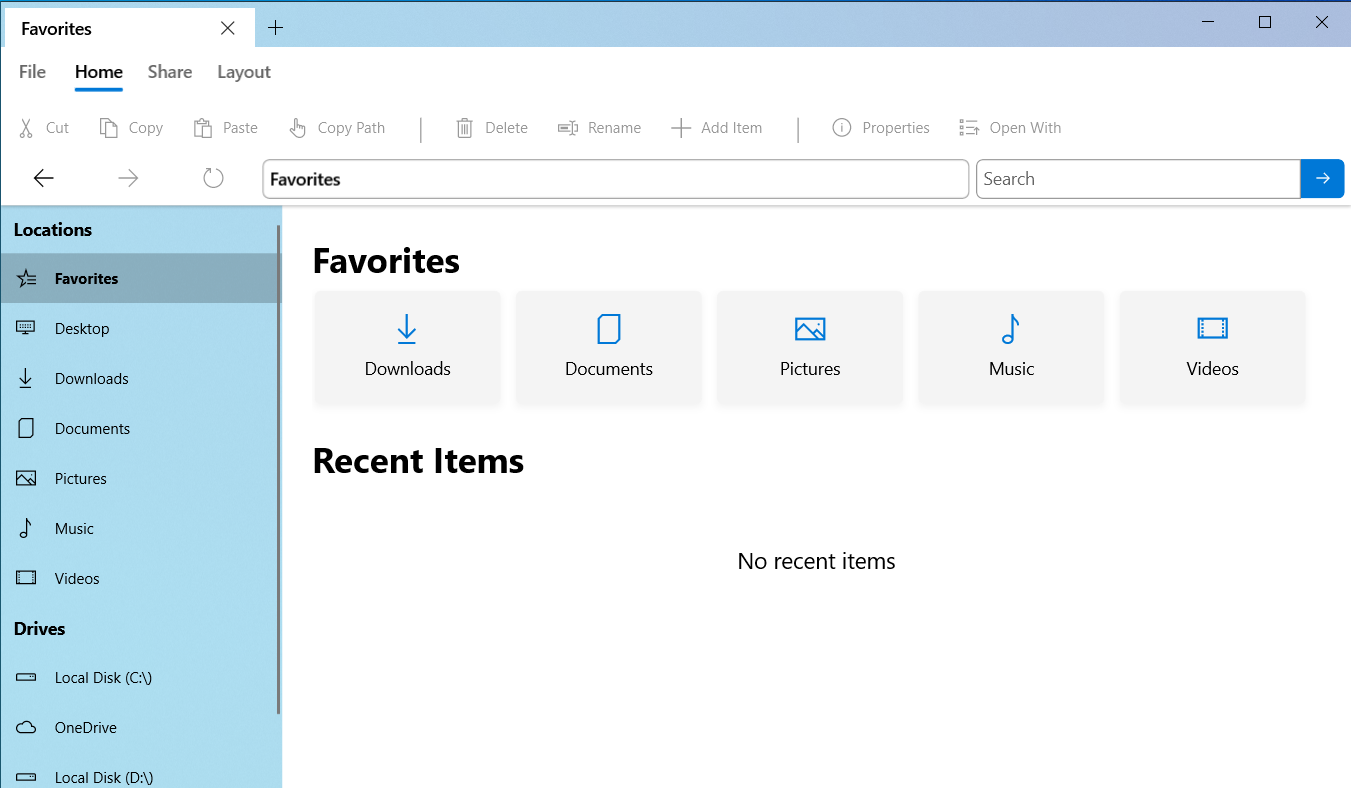
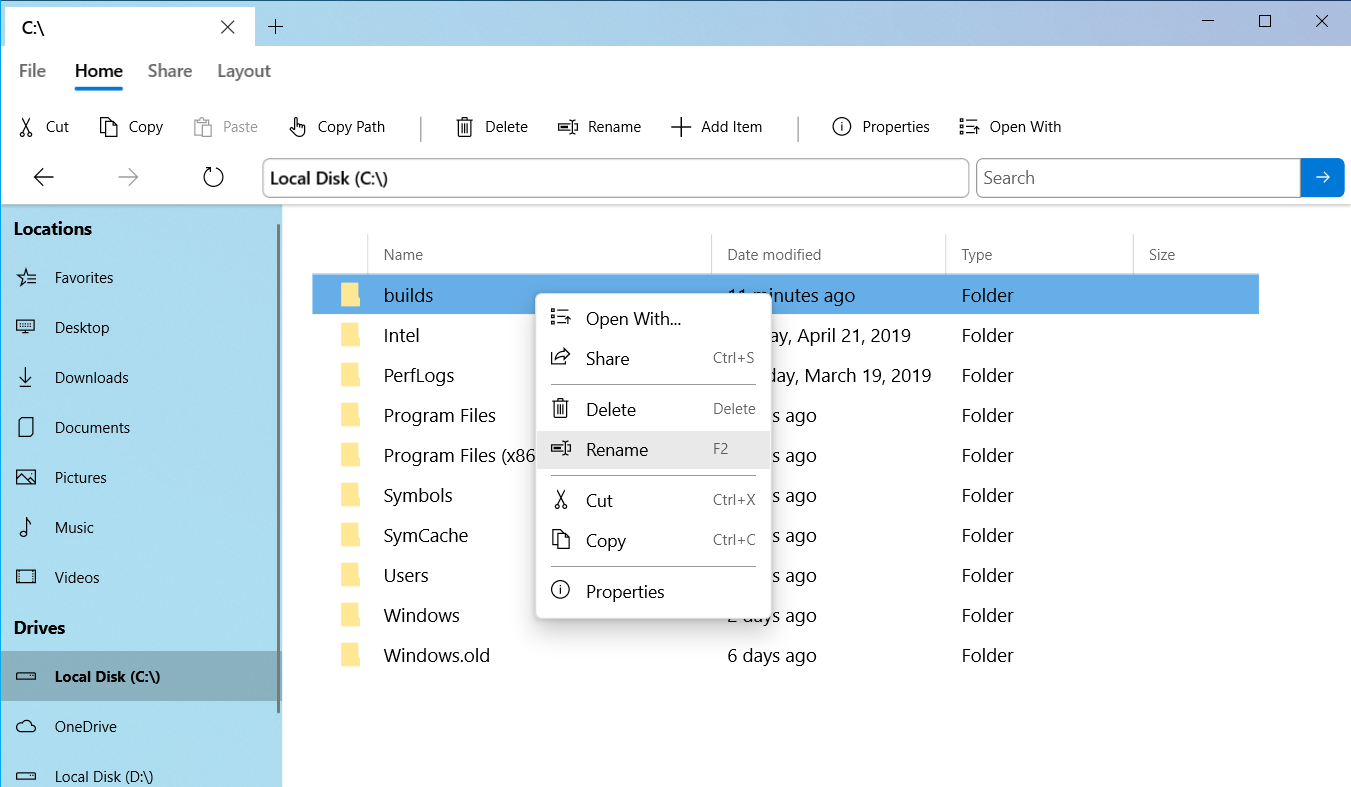
I was inspired by Michael West's Twitter concepts to create a more dense, yet Fluent design with rounded corners to match Microsoft's great new aesthetic. This is very much a work in progress.
Instance Tabs

Similar to your favorite internet browsers, you can now create multiple instances of Files in tabs to quickly switch between open folders. This required a lot of code change.
More Coming Soon...
Expect to see more design refinements and features added before I consider this layout, Project Mumbai, to be complete.
- Properties Window
- Icon Size Mode
- Custom Libraries
- "Open in new tab/window..." Context Menu Items
Keep the great issue reports and PRs coming, so I know where to focus my efforts this summer.
- duke7553
Files UWP v0.4.9
ARM Builds will come soon. Files now only supports Windows version 1809+
-
Files will get only necessary item properties on initial load (Might improve performance)
-
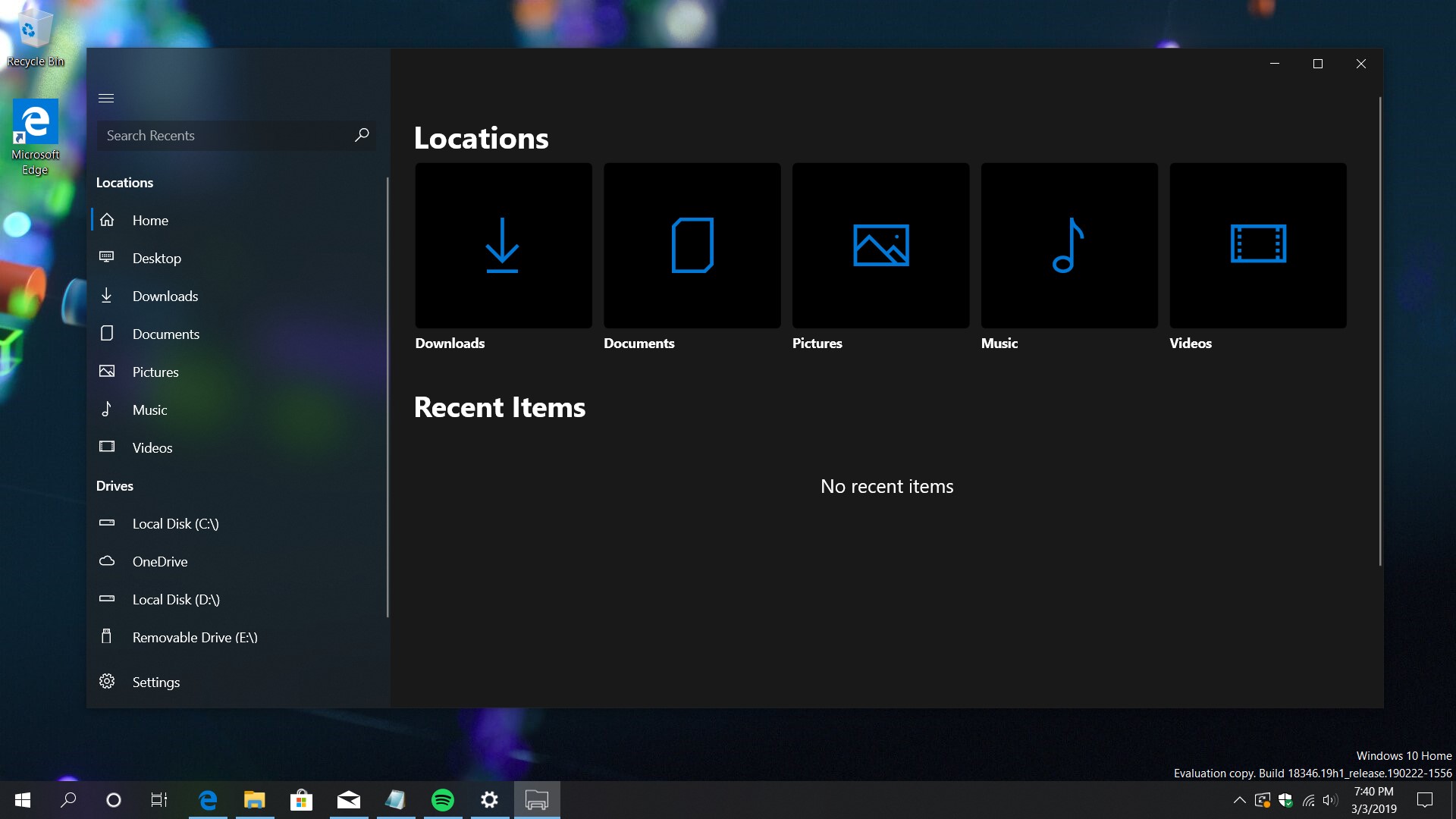
"Less dark" Better dark theme
-
Bug fixes
-
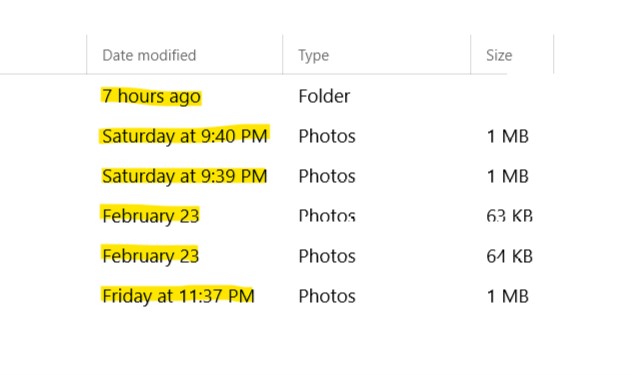
Friendly dates
-
Now only supports 1809+
-
Can now drop items into DataGrid
-
Recent Items

Files UWP v0.4.8
Call for Testing: ARM Build
As of 2/20/2019, I was able to compile an ARM build.
Testers should check whether launching executables works in these builds, and report back.
PLEASE NOTE: The app may crash because the legacy part only builds for x86 and x64
Fixed Issues / New Features:
-
Items without a thumbnail now display an icon
-
Deleting won't require a refresh, and it supports multiple items
-
AddItem is more reliable
-
Vastly improved Paste experience
-
Enable some keyboard accelerators
-
Files can now launch executables, which opens up the possibility for navigating to the current directory for a powershell shortcut -pictured below [thanks ashikns]
-
Project code reorganization into a new folder
-
Share UI working

-
New consent dialog
-
Improved visibility of titlebar close, min, max buttons [thanks ATec Solutions]
-
New path bar for GenericFileBrowser w/validation
-
Reorder animation for PhotoAlbum layout [thanks ATec Solutions]
-
GenericFileBrowser context menus now display when right clicking empty space

Thanks everybody, and have a great day,
duke7553
Files UWP v0.4.7
- Improved RAM usage and UI responsiveness while loading the items of a large directory
- Added "Delete" (to recycle bin) command and keyboard shortcut
- Redesigned Settings
- Cleaned up code [thanks carlosrfernandez]
- Quick de-selection of DataGrid items when clicking outside the control
- No longer display application picker for opened files [use Open With instead]
- Implement Add Dialog for three basic item types.
- Bug fixes related to Removable Storage and multiple Local Disks visibility
- Split downloads into separate architectures
- Sideload packages below are now Release builds
Have a great day!
- duke7553
Files UWP v0.4.6.0
- Improved UI of PhotoAlbum Layout
- Implemented Removable Drive Support (they should show up after restarting the app, but still buggy)
- Fixed a bug related to removable drives not being selected in NavigationView after a "History" (forward/backwards) Navigation
- Began exploration of ways to possibly allow execution of legacy apps
Have a great day!
-duke7553
Files UWP v0.4.5.0
Initial release, so many things don't work. Your feedback is welcome.
This has been tested on x64, but is compiled for ARM and x86 as well.